Extra Episode: How I added fire in Premiere Pro
This is a special tutorial showing how I used footage shot during the fire to add to the first day’s shoot.
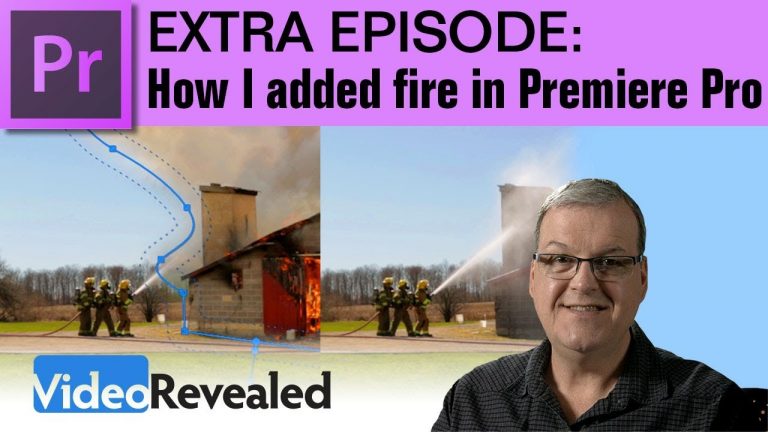
Extra Episode: How I added fire in Premiere Pro
This is a special tutorial showing how I used footage shot during the fire to add to the first day’s shoot.
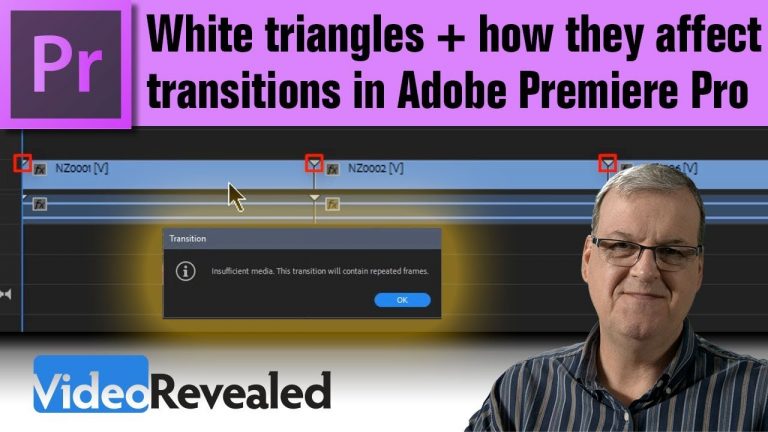
White Triangles and how they affect Transitions in Premiere Pro
This tutorial will show you what the white triangles mean at the beginning and end of audio and video clips. You’ll also learn how they affect transition and why Premiere Pro adds repeating frames.
Please support us on Patreon so we can continue to create the content you want!
http://patreon.com/VideoRevealed
Stay connected with VideoRevealed on Facebook:
https://www.facebook.com/VideoRevealed
Download your FREE trial of Adobe Creative Cloud
http://adobe.ly/1S3mZW3

Music video freeze frame effect in Adobe Premiere Pro
The Frame Hold Options are available on every clip so freezing a frame is as easy as making a cut. Combine with with the Rolling Edit Tool and you have complete control over when the freeze and for how long.
Please support us on Patreon so we can continue to create the content you want!
http://patreon.com/VideoRevealed
Stay connected with VideoRevealed on Facebook:
https://www.facebook.com/VideoRevealed
Download your FREE trial of Adobe Creative Cloud
http://adobe.ly/1S3mZW3
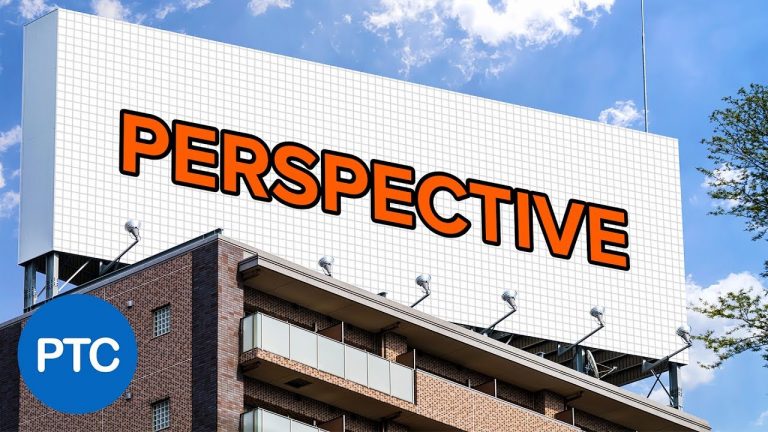
In this tutorial, you will learn to place any logo or design on a flat surface in perspective. This will be a non-destructive workflow that you can use to easily swap out the image to any other design that you like.
This technique uses a neat trick that not many people use that involves the perspective crop tool.
In this tutorial, you will learn:
01:18 – How not to do it (Distort)
02:21 – How not to do it (Vanishing Point)
03:28 – Placing guides
03:58 – Perspective Crop trick
05:44 – Place the design into the placeholder
07:30 – Masking the image
09:32 – Using adjustment layers to create a better composite.
► Subscribe to My Channel Here: http://www.youtube.com/channel/UCdQ_ZkYaMe6qPoueUyPQgpQ?sub_confirmation=1
Photoshop tutorial showing you how to
If you have any questions, please leave them below
or head over to this tutorial’s page on our website:
➜ https://photoshoptrainingchannel.com/
? Subscribe + Like + Share + Comment = More Video Tutorials!
Thank you for watching!
– – – – – – – – – – – – – – – – – – – – – – –
⚡ PTC NEWSLETTER
If you enjoyed this video be sure to subscribe to our newsletter to receive free weekly Photoshop tips and more!
➜ ✉️: http://ptcvids.com/subscribe
– – – – – – – – – – – – – – – – – – – – – – –
⚡PREMIUM TUTORIALS
For more in-depth Photoshop Tutorials be sure to check out our Premium tutorials.
➜ http://ptcvids.com/shop/
– – – – – – – – – – – – – – – – – – – – – – –
⚡ FOLLOW PTC ON
– Facebook: https://fb.com/PhotoshopTrainingChannel
– Instagram: http://instagram.com/jrfromptc
– LinkedIn: http://linkedin.com/company/Photoshop-Training-Channel
– Pinterest: http://pinterest.com/ptcpins
– Behance: https://www.behance.net/JRfromPTC
– Twitter: https://twitter.com/JRfromPTC
– – – – – – – – – – – – – – – – – – – – – – –
⚡ LINKS
– Website: https://photoshoptrainingchannel.com
– YouTube Channel: https://youtube.com/user/photoshoptrainingch
– Google +: https://google.com/+Photoshoptrainingchannel
– This Video’s Youtube Link: http://youtu.be/Bd2fvC_L9YM
– – – – – – – – – – – – – – – – – – – – – – –
⚡ CREDITS
– Stock Images provided by stock.adobe.com
– Photoshop video tutorials by Jesus Ramirez
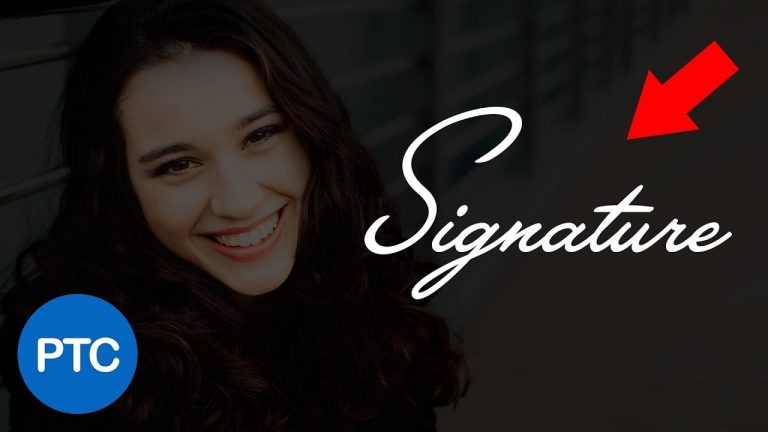
In this tutorial, I’m going to show you what I think is the best technique to turn a signature into a watermark in Photoshop.
We will use a technique that will allow you to save Opacity, Blending Modes, and Layer Styles.
Best of all, you will be able to use the watermark on other Adobe applications and apply the watermark to videos and illustrations using linked Smart Objects.
This video will be more than your typical Brush signature tutorial.
Keep in mind that this technique could be used with a logo or any other graphics, but I will use a signature to demonstrate how it all works.
► In this Photoshop tutorial:
01:18 – Extract signature from background
03:50 – Making a brush from a signature (not recommended)
04:55 – Apply Layer Styles to signature graphic
06:10 – Turn signature into a Creative Cloud Library Asset
06:49 – Placing Linked Layers
07:05 – Placing Layers
07:53 – Editing Creative Cloud Library Assets
► Subscribe to My Channel Here: http://www.youtube.com/channel/UCdQ_ZkYaMe6qPoueUyPQgpQ?sub_confirmation=1
Photoshop tutorial showing you how to
If you have any questions, please leave them below
or head over to this tutorial’s page on our website:
➜ https://photoshoptrainingchannel.com/
? Subscribe + Like + Share + Comment = More Video Tutorials!
Thank you for watching!
– – – – – – – – – – – – – – – – – – – – – – –
⚡ PTC NEWSLETTER
If you enjoyed this video be sure to subscribe to our newsletter to receive free weekly Photoshop tips and more!
➜ ✉️: http://ptcvids.com/subscribe
– – – – – – – – – – – – – – – – – – – – – – –
⚡PREMIUM TUTORIALS
For more in-depth Photoshop Tutorials be sure to check out our Premium tutorials.
➜ http://ptcvids.com/shop/
– – – – – – – – – – – – – – – – – – – – – – –
⚡ FOLLOW PTC ON
– Facebook: https://fb.com/PhotoshopTrainingChannel
– Instagram: http://instagram.com/jrfromptc
– LinkedIn: http://linkedin.com/company/Photoshop-Training-Channel
– Pinterest: http://pinterest.com/ptcpins
– Behance: https://www.behance.net/JRfromPTC
– Twitter: https://twitter.com/JRfromPTC
– – – – – – – – – – – – – – – – – – – – – – –
⚡ LINKS
– Website: https://photoshoptrainingchannel.com
– YouTube Channel: https://youtube.com/user/photoshoptrainingch
– Google +: https://google.com/+Photoshoptrainingchannel
– This Video’s Youtube Link: http://youtu.be/lbMSH3nWFek
– – – – – – – – – – – – – – – – – – – – – – –
⚡ CREDITS
– Stock Images provided by stock.adobe.com
– Photoshop video tutorials by Jesus Ramirez

In this tutorial, I’m going to show you how to easily create a 3D text chrome effect using Photoshop’s 3D features.
Which means that you will need at least Photoshop CS6 Extended to follow along with this tutorial.
Stick around to end the end of the video because I will also show you how to use Photoshop’s timeline to animate the text and export it as an animated GIF.
If you have any questions, please leave them below
or head over to this tutorial’s page on our website:
➜ https://photoshoptrainingchannel.com/chrome-3d-text-animated-gif
? Subscribe + Like + Share + Comment = More Video Tutorials!
Thank you for watching!
► Subscribe to My Channel Here: http://www.youtube.com/channel/UCdQ_ZkYaMe6qPoueUyPQgpQ?sub_confirmation=1
– – – – – – – – – – – – – – – – – – – – – – –
⚡ PTC NEWSLETTER
If you enjoyed this video be sure to subscribe to our newsletter to receive free weekly Photoshop tips and more!
➜ ✉️: http://ptcvids.com/subscribe
– – – – – – – – – – – – – – – – – – – – – – –
⚡PREMIUM TUTORIALS
For more in-depth Photoshop Tutorials be sure to check out our Premium tutorials.
➜ http://ptcvids.com/shop/
– – – – – – – – – – – – – – – – – – – – – – –
⚡ FOLLOW PTC ON
– Facebook: https://fb.com/PhotoshopTrainingChannel
– Instagram: http://instagram.com/jrfromptc
– LinkedIn: http://linkedin.com/company/Photoshop-Training-Channel
– Pinterest: http://pinterest.com/ptcpins
– Behance: https://www.behance.net/JRfromPTC
– Twitter: https://twitter.com/JRfromPTC
– – – – – – – – – – – – – – – – – – – – – – –
⚡ LINKS
– Website: https://photoshoptrainingchannel.com
– YouTube Channel: https://youtube.com/user/photoshoptrainingch
– Google +: https://google.com/+Photoshoptrainingchannel
– This Video’s Youtube Link: http://youtu.be/UucE3e1i9Vk
– – – – – – – – – – – – – – – – – – – – – – –
⚡ CREDITS
– Stock Images provided by stock.adobe.com
– Photoshop video tutorials by Jesus Ramirez

In this Tutorial, you will learn two techniques to match the image size (or document size) of another.
Method 01: Image Size/ Canvas Size (0:40)
Method 02: The Crop Tool’s Front Image Feature (2:04)
► Subscribe to My Channel Here: http://www.youtube.com/channel/UCdQ_ZkYaMe6qPoueUyPQgpQ?sub_confirmation=1
Photoshop tutorial showing you how to
If you have any questions, please leave them below
or head over to this tutorial’s page on our website:
➜ https://photoshoptrainingchannel.com/match-image-size-in-photoshop
? Subscribe + Like + Share + Comment = More Video Tutorials!
Thank you for watching!
– – – – – – – – – – – – – – – – – – – – – – –
⚡ PTC NEWSLETTER
If you enjoyed this video be sure to subscribe to our newsletter to receive free weekly Photoshop tips and more!
➜ ✉️: http://ptcvids.com/subscribe
– – – – – – – – – – – – – – – – – – – – – – –
⚡PREMIUM TUTORIALS
For more in-depth Photoshop Tutorials be sure to check out our Premium tutorials.
➜ http://ptcvids.com/shop/
– – – – – – – – – – – – – – – – – – – – – – –
⚡ FOLLOW PTC ON
– Facebook: https://fb.com/PhotoshopTrainingChannel
– Instagram: http://instagram.com/jrfromptc
– LinkedIn: http://linkedin.com/company/Photoshop-Training-Channel
– Pinterest: http://pinterest.com/ptcpins
– Behance: https://www.behance.net/JRfromPTC
– Twitter: https://twitter.com/JRfromPTC
– – – – – – – – – – – – – – – – – – – – – – –
⚡ LINKS
– Website: https://photoshoptrainingchannel.com
– YouTube Channel: https://youtube.com/user/photoshoptrainingch
– Google +: https://google.com/+Photoshoptrainingchannel
– This Video’s Youtube Link: http://youtu.be/g7uf64MHmD8
– – – – – – – – – – – – – – – – – – – – – – –
⚡ CREDITS
– Stock Images provided by stock.adobe.com
– Photoshop video tutorials by Jesus Ramirez
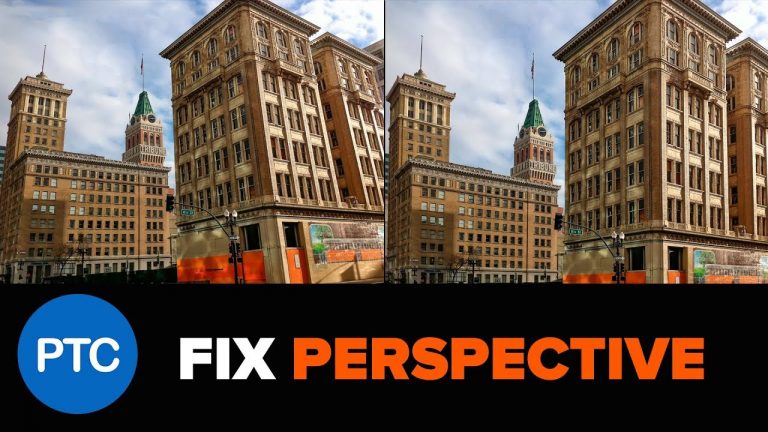
In this Photoshop Tutorial, you will learn to fix perspective distortions with Camera RAW’s Automatic Upright.
The Transform tool in Camera RAW gives you lots of control over how you want to fix the perspective distortions of your photos. In this video, you will learn these tools and how to use them.
Upright Modes: 0:55
Guide Tool: 1:30
► Subscribe to My Channel Here: http://www.youtube.com/channel/UCdQ_ZkYaMe6qPoueUyPQgpQ?sub_confirmation=1
Photoshop tutorial showing you how to
If you have any questions, please leave them below
or head over to this tutorial’s page on our website:
➜ https://photoshoptrainingchannel.com/
? Subscribe + Like + Share + Comment = More Video Tutorials!
Thank you for watching!
– – – – – – – – – – – – – – – – – – – – – – –
⚡ PTC NEWSLETTER
If you enjoyed this video be sure to subscribe to our newsletter to receive free weekly Photoshop tips and more!
➜ ✉️: http://ptcvids.com/subscribe
– – – – – – – – – – – – – – – – – – – – – – –
⚡PREMIUM TUTORIALS
For more in-depth Photoshop Tutorials be sure to check out our Premium tutorials.
➜ http://ptcvids.com/shop/
– – – – – – – – – – – – – – – – – – – – – – –
⚡ FOLLOW PTC ON
– Facebook: https://fb.com/PhotoshopTrainingChannel
– Instagram: http://instagram.com/jrfromptc
– LinkedIn: http://linkedin.com/company/Photoshop-Training-Channel
– Pinterest: http://pinterest.com/ptcpins
– Behance: https://www.behance.net/JRfromPTC
– Twitter: https://twitter.com/JRfromPTC
– – – – – – – – – – – – – – – – – – – – – – –
⚡ LINKS
– Website: https://photoshoptrainingchannel.com
– YouTube Channel: https://youtube.com/user/photoshoptrainingch
– Google +: https://google.com/+Photoshoptrainingchannel
– This Video’s Youtube Link: http://youtu.be/1ZaDdGStzY8
– – – – – – – – – – – – – – – – – – – – – – –
⚡ CREDITS
– Stock Images provided by stock.adobe.com
– Photoshop video tutorials by Jesus Ramirez
NEW! Lightroom PRESET PACK: https://sellfy.com/p/QjNY/ – Edit your photos with 15 brand new presets!
WIN A 5DMK4 (LAST CHANCE!): https://gleam.io/cJ9BN/the-big-1m-giveaway
Colour Graded with my PM LUTS Pack : https://sellfy.com/p/EaHg/
The Music I use: https://goo.gl/IMZC9A – AMAZING for YouTubers
Thanks to Josh Hartung for the help! His IG: @bottlecapmarketing
My Super Awesome Tactical Camera Bag : http://amzn.to/2m8jnaT
My MAIN Camera – http://amzn.to/2kdu35o
My Second Backup Camera – http://amzn.to/2r29gGg
My FAVOURITE Lens Ever – http://amzn.to/2kQNK4U
The Lens I am currently using right for EVERYTHING – http://amzn.to/2r2BssE
The Magic Canon Lens of Life – http://amzn.to/2kXF9Qm
The Mic I use – http://amzn.to/2l23rrZ
The Boom Mic I use for Crispy Audio : http://amzn.to/2t1MqyX
My Drone – http://amzn.to/2kdE3M7
My Bigger Drone – http://amzn.to/2r2czgx
My Tiny Drone – http://amzn.to/2tqWUwa
The stabilizer I use with iPhone : http://amzn.to/2kWhajI
My Slider – http://amzn.to/2sKyaeS
The BEST monopod – http://amzn.to/2lOPnn3
GoPro HERO 5 – http://amzn.to/2l1Nhit
FOLLOW ME:
Instagram: https://www.instagram.com/petermckinnon/
Twitter: https://twitter.com/petermckinnon
Facebook: https://www.facebook.com/petermckinnonphoto
Website: http://www.petermckinnon.com
SEND STUFF TO:
Peter McKinnon
PO Box #175
Keswick, Ontario
L4P3E2
CANADA
Tip Of The Day 022 -Parenting To New Layer
For more Daily Tips visit https://www.ukramedia.com/tips
Modular Lower Third Kit: https://www.ukramedia.com/shop
LINKS:
Ukramedia Mentoring Group: https://www.facebook.com/groups/ukramedia/
Get Adobe After Effects and CC: https://clk.tradedoubler.com/click?p(264355)a(2900636)g(22804962)url(https://creative.adobe.com/plans?sdid=KKSPF&kw=semoverview&mv=search&s_kwcid=AL!3085!10!13362180955!20541711544&ef_id=V13CaAAABYQcu4O2:20161105023903:s)
Get Adobe CC Trial: https://clk.tradedoubler.com/click?p(264355)a(2900636)g(22804962)url(http://www.adobe.com/creativecloud/catalog/desktop.html)
Get Adobe CC Student: https://clk.tradedoubler.com/click?p(264355)a(2900636)g(22804962)url(https://creative.adobe.com/plans?plan=edu)
Find The Perfect Asset For Your Next Creative Project: https://clk.tradedoubler.com/click?p(264355)a(2900636)g(22804962)url(https://stock.adobe.com/?as_content=fmflp&as_channel=sem&as_campclass=brand&as_campaign=US%7CCPRO%7CStock%7CPURCH%7CAS_Brand%7CGG%7C%7C&as_source=google&as_camptype=acquisition&sdid=KQPCU&s_kwcid=AL!3085!3!147228884620!e!!g!!adobe%20stock&ef_id=V15JXwAAAV06S8xU:20161105024353:s)
LET’S CONNECT:
Facebook: https://www.facebook.com/ukramedia
Sergei’s Facebook Page: https://www.facebook.com/sergeiprokhnevskiy/
Twitter: https://twitter.com/ukramedia
Instagram: https://www.instagram.com/ukramedia/
Pinterest: https://www.pinterest.com/ukramedia/
Linkedin: https://www.linkedin.com/company/ukramedia
YouTube: https://www.youtube.com/c/ukramedia
Mailing Address:
P.O. Box 621
Huntersville, NC 28070
*** MUSIC BY: VLAD SOLOKHA. Vlad is a family friend who is a very talented musician. You can reach out to him by going to his facebook at https://www.facebook.com/vlad.solokha?fref=ts.