Home Blog Page 194

Photoshop Tutorial | Text Portrait Poster Design

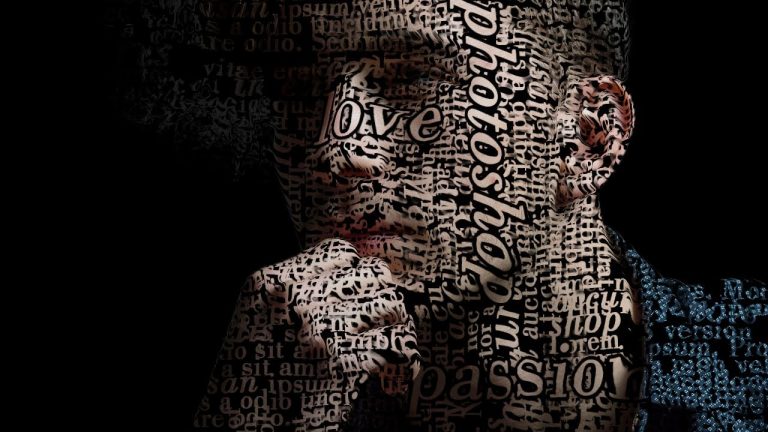
In this photoshop poster design tutorial i will show you how to design a portrait made from text.

once you get the fonts down and remove the background, its really simple effect to follow. Beginners or pro, everyone can do it.

we will also see how to use displacement map to make text fit around
the face properly and give it more depth. it will start by creating lots of text layers, then grouping them together and using different copies of this group to fill the space on canvas.

after that all you have to do is blend the image with text and apply displacement filter and you are good to go.
very simple photo effect that can used for lot of things like posters, banners, or any promotional media.

I really hope you enjoy this photo effects tutorial and if you have questions or suggestions ask me in comments below.

Subscribe to Tutorials junction: http://bit.ly/1Q8u7Op

FOLLOW
Instagram: https://www.instagram.com/tutorialjunction
Facebook: https://www.facebook.com/tutorialsjunction

DOWNLOAD IMAGE
http://bit.ly/2rkO3Lo

zdroj: YouTube

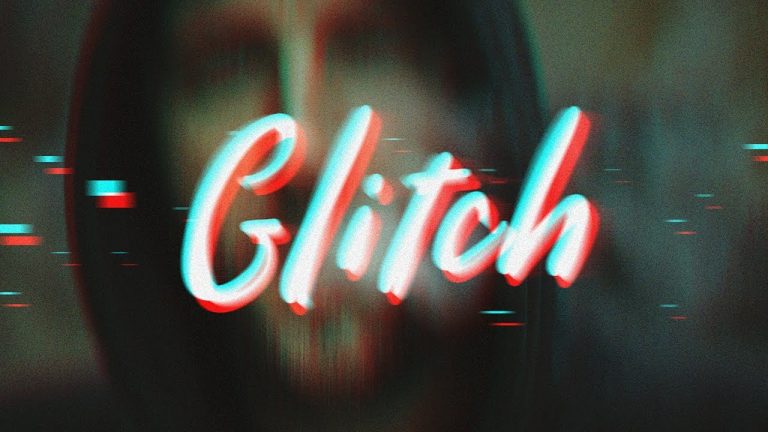
Photoshop Tutorial | Glitch Text Effect

in this photoshop text effect tutorial i will show you how to create this glitch effect mostly seen on posters.

very beginner friendly text effect, and you can edit text as well after its done. The font used for typography is custom, i could not find proper font inside photoshop.

we will start by duplicating the font layers and use blending options to give it cyan and red stereoscopic effect, and then we will add little bit of motion to text and add particle and noise to finish up the text effect.

the type of you use for this effect plays very vital role in final effect so chose carefully.

I really hope you enjoy this photo effects tutorial and if you have questions or suggestions ask me in comments below.

Subscribe to Tutorials junction: http://bit.ly/1Q8u7Op

FOLLOW
Instagram: https://www.instagram.com/tutorialjunction
Facebook: https://www.facebook.com/tutorialsjunction

DOWNLOAD Image&Font
http://bit.ly/2qEEvXM

zdroj: YouTube

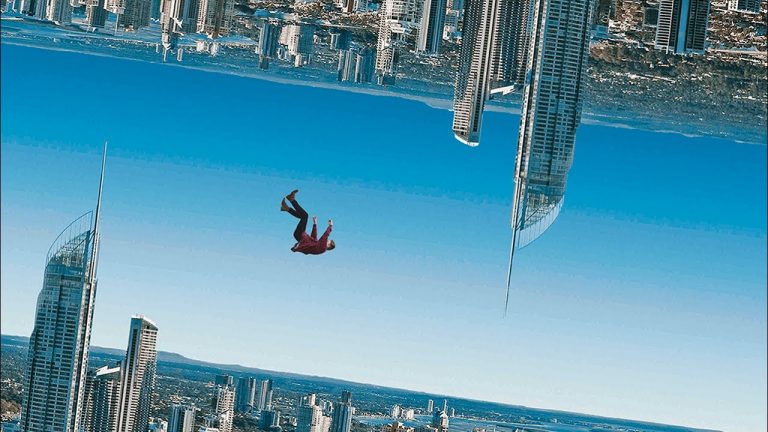
Upside Down Effect | Photoshop Tutorial | Photo Effects

In this photoshop manipulation tutorial we will see how to achieve the basic parallax effect with one single picture.

More importantly videos is about how to use your images properly and making the most out of them.

As in the effect we will just make copy of skyline image, remove the sky and flip it upside down, and then we will add a subject to finish up the photo effect.

I really hope you enjoy this photo effects tutorial and if you have questions or suggestions ask me in comments below.

Subscribe to Tutorials junction: http://bit.ly/1Q8u7Op

FOLLOW
Instagram: https://www.instagram.com/tutorialjunction
Facebook: https://www.facebook.com/tutorialsjunction

DOWNLOAD Images
http://bit.ly/2qLrtaZ

zdroj: YouTube

After Effects Render Settings – Fast Rendering Tips – After Effects Tutorial

Many People requested, how to properly render in After Effects. So this video will guide you through the best way of rendering in After Effects. Learn How to render video without Background, and How to render video with small size in After Effects. Also, learn how to render your video in Fastest way in After Effects.

Download QuickTime here: https://support.apple.com/downloads/quicktime

As always, this tutorial is Free, and we are not using any third party plugin for creating this.

Every single Tutorial on my channel is made with Love and Hard work, So don’t forget to leave a Like.. 🙂

————————————————-

Shine Logo Animation in After Effects: https://goo.gl/bsrNll

————————————————-

Join me on social networks.
Twitter: https://goo.gl/EU9EcF
YouTube Channel: https://goo.gl/1kzZ8K
Facebook: https://goo.gl/ZOaQUp

Support Me on Patreon: https://goo.gl/iSTaoU

—————————————————-

For Business Enquiry, Mail me:
avnish.parker@gmail.com
(No Free Intros Please)

—————————————————-

Watch my other useful tutorials

• Kinetic Typography in After Effects: https://goo.gl/N5ASF6

• How To Make Lower Third in After Effects: https://goo.gl/2uvfrb

• Class Logo Animation in After Effects: https://goo.gl/zN80cx

• Flip Text Animation in After Effects: https://goo.gl/K5CbcK

• Shine Logo Animation in After Effects: https://goo.gl/bsrNll

• Wipe Text Animation in After Effects: https://goo.gl/xxeV8P

• Transformation Logo Animation in After Effects: https://goo.gl/aArgO4

• Sliced Logo Animation in After Effects: https://goo.gl/FQRyxv

• Text Animation Presets in After Effects: https://goo.gl/xOzRDU

• Spark Logo Animation in After Effects: https://goo.gl/twUi36

• Inside Text Animation in After Effects: https://goo.gl/FgSg6p

• How to Add Sound Effects in Videos: https://goo.gl/I5PG9o

• Neon Text Animation in After Effects: https://goo.gl/IApQFX

• How to Make Logo in Photoshop (For Beginners): https://goo.gl/7JZ2N0

• Make Free YouTube Intro in 2 Minutes – Without any Software: https://goo.gl/Fr8HeU

• Reveal Text Animation in After Effects: https://goo.gl/K4JcT4

• 50 Free Optical Flares: https://goo.gl/0rJTU6

• Smooth Text Animation in After Effects: https://goo.gl/sDL4a1

• 15 Free After Effects Color Grading Filters: https://goo.gl/8qzJ8l

• Colorful Logo Animation: https://goo.gl/e1mXzK

• How to Make Long Shadow in After Effects (Easy Method): https://goo.gl/hnfgYj

• How to Make 3D Text in After Effects (No Third party plugin): https://goo.gl/oqv7Xi

• How to Make YouTube Channel Intro (Free): https://goo.gl/kI9gyh

• Light Leaks Tutorial – Adobe After Effects: https://goo.gl/Cp9nqp

—————————————————–

Thanks for Watching.
Page Folding Logo Animation in After Effects – After Effects Tutorial – Easy Method

Hello People,
I am back again with another very exciting After Effects Tutorial, This time I am talking about my channel Intro. Many people asked me how to make Page Flip Logo Animation in After Effects, so here presenting the simple technique to create it. This tutorial will also cover page opening animation in after effects as well as page folding animation in after effects.

As always, this tutorial is Free, and we are not using any third party plugin for creating this.

Every single Tutorial on my channel is made with Love and Hard work, So don’t forget to leave a Like.. 🙂

————————————————-

Shine Logo Animation in After Effects: https://goo.gl/bsrNll

————————————————-

Join me on social networks.
Twitter: https://goo.gl/EU9EcF
YouTube Channel: https://goo.gl/1kzZ8K
Facebook: https://goo.gl/ZOaQUp

Support Me on Patreon: https://goo.gl/iSTaoU

—————————————————-

For Business Enquiry, Email me:
avnish.parker@gmail.com

—————————————————-

Watch my other useful tutorials

• How to Render in After Effects: https://goo.gl/UFjm9W

• Metallic Logo Animation in After Effects: https://goo.gl/tVm3D7

• Kinetic Typography in After Effects: https://goo.gl/N5ASF6

• How To Make Lower Third in After Effects: https://goo.gl/2uvfrb

• Class Logo Animation in After Effects: https://goo.gl/zN80cx

• Flip Text Animation in After Effects: https://goo.gl/K5CbcK

• Shine Logo Animation in After Effects: https://goo.gl/bsrNll

• Wipe Text Animation in After Effects: https://goo.gl/xxeV8P

• Transformation Logo Animation in After Effects: https://goo.gl/aArgO4

• Sliced Logo Animation in After Effects: https://goo.gl/FQRyxv

• Text Animation Presets in After Effects: https://goo.gl/xOzRDU

• Spark Logo Animation in After Effects: https://goo.gl/twUi36

• Inside Text Animation in After Effects: https://goo.gl/FgSg6p

• How to Add Sound Effects in Videos: https://goo.gl/I5PG9o

• Neon Text Animation in After Effects: https://goo.gl/IApQFX

• How to Make Logo in Photoshop (For Beginners): https://goo.gl/7JZ2N0

• Make Free YouTube Intro in 2 Minutes – Without any Software: https://goo.gl/Fr8HeU

• Reveal Text Animation in After Effects: https://goo.gl/K4JcT4

• 50 Free Optical Flares: https://goo.gl/0rJTU6

• Smooth Text Animation in After Effects: https://goo.gl/sDL4a1

• 15 Free After Effects Color Grading Filters: https://goo.gl/8qzJ8l

• Colorful Logo Animation: https://goo.gl/e1mXzK

• How to Make Long Shadow in After Effects (Easy Method): https://goo.gl/hnfgYj

• How to Make 3D Text in After Effects (No Third party plugin): https://goo.gl/oqv7Xi

• How to Make YouTube Channel Intro (Free): https://goo.gl/kI9gyh

• Light Leaks Tutorial – Adobe After Effects: https://goo.gl/Cp9nqp

—————————————————–

Thanks for Watching.
Elegant Color Transition in After Effects – After Effects Tutorial – No Third Party Plugin

Hey everyone,
Welcome back to my another After Effects Tutorial, Sorry for the delay in uploading this tutorial, I am working on a Film project. In this Tutorial, we are going to create a simple, nice and smooth transition, as you have seen in my Video. Learn how to make colorful Transition. All steps are easy to follow.

As always, this tutorial is Free, and we are not using any third party plugin for creating this.

Every single Tutorial on my channel is made with Love and Hard work, So don’t forget to leave a Like.. 🙂

————————————————-

How To Render Video in After Effects: https://goo.gl/UFjm9W

————————————————-

Join me on social networks.
Twitter: https://goo.gl/EU9EcF
YouTube Channel: https://goo.gl/1kzZ8K
Facebook: https://goo.gl/ZOaQUp

Support Me on Patreon: https://goo.gl/iSTaoU

—————————————————-

For Business Enquiry, Email me:
avnish.parker@gmail.com

—————————————————-

Watch my other useful tutorials

• How to Render in After Effects: https://goo.gl/UFjm9W

• Metallic Logo Animation in After Effects: https://goo.gl/tVm3D7

• Kinetic Typography in After Effects: https://goo.gl/N5ASF6

• How To Make Lower Third in After Effects: https://goo.gl/2uvfrb

• Class Logo Animation in After Effects: https://goo.gl/zN80cx

• Flip Text Animation in After Effects: https://goo.gl/K5CbcK

• Shine Logo Animation in After Effects: https://goo.gl/bsrNll

• Wipe Text Animation in After Effects: https://goo.gl/xxeV8P

• Transformation Logo Animation in After Effects: https://goo.gl/aArgO4

• Sliced Logo Animation in After Effects: https://goo.gl/FQRyxv

• Text Animation Presets in After Effects: https://goo.gl/xOzRDU

• Spark Logo Animation in After Effects: https://goo.gl/twUi36

• Inside Text Animation in After Effects: https://goo.gl/FgSg6p

• How to Add Sound Effects in Videos: https://goo.gl/I5PG9o

• Neon Text Animation in After Effects: https://goo.gl/IApQFX

• How to Make Logo in Photoshop (For Beginners): https://goo.gl/7JZ2N0

• Make Free YouTube Intro in 2 Minutes – Without any Software: https://goo.gl/Fr8HeU

• Reveal Text Animation in After Effects: https://goo.gl/K4JcT4

• 50 Free Optical Flares: https://goo.gl/0rJTU6

• Smooth Text Animation in After Effects: https://goo.gl/sDL4a1

• 15 Free After Effects Color Grading Filters: https://goo.gl/8qzJ8l

• Colorful Logo Animation: https://goo.gl/e1mXzK

• How to Make Long Shadow in After Effects (Easy Method): https://goo.gl/hnfgYj

• How to Make 3D Text in After Effects (No Third party plugin): https://goo.gl/oqv7Xi

• How to Make YouTube Channel Intro (Free): https://goo.gl/kI9gyh

• Light Leaks Tutorial – Adobe After Effects: https://goo.gl/Cp9nqp

—————————————————–

Thanks for Watching.
13 Smoke Effect

0

In this tutorial I’ll be showing you how I made the smoke effect for my Death Sticks animation. I’ll give you an insight into how I create characters and assets in Illustrator and how to animate and bring them to life. For a bonus I’ll also be showing you how to turn your animations into GIFs using Photoshop and an alternative, quicker way using the amazing plugin Gun Gif.

View the original Death Sticks GIF:
https://dribbble.com/shots/3041232-Death-Sticks

Gun Gif:
http://aescripts.com/gifgun/

As always thank you for watching my tutorials, if you like what you’ve just watched please subscribe and share.

If you have any suggestions for what my next tutorial should be or you just want to drop me a friendly message then email me at : tutorials@mwmotion.tv

Follow me on:

Behance: https://www.behance.net/mw_motion
Dribbble: https://dribbble.com/mwmotion
Instagram: https://www.instagram.com/mw_motion/
Tumblr: http://mwmotion.tumblr.com/
Twitter: @mw_motion
Vimeo: https://vimeo.com/mwmotion

www.mwmotion.tv

14 Fire Effect

0

In this tutorial I’ll be showing you how I made a cool fire effect for my nPower Business Rewards film. This tutorial will teach you how to layer effects to make great results in a very simple way. I’ll also be teaching you how to create dark and light scenes and how to mask between the two to give a sweet glow effect.

Check out the nPower Business Rewards: https://vimeo.com/193895987

Isolated Fire GIF: https://dribbble.com/shots/3111845-When-the-fire-starts-to-burn

As always thank you for watching my tutorials, if you like what you’ve just watched please subscribe and share.

If you have any suggestions for what my next tutorial should be or you just want to drop me a friendly message then email me at : tutorials@mwmotion.tv

Follow me on:

Behance: https://www.behance.net/innomattive
Dribbble: https://dribbble.com/mwmotion
Instagram: https://www.instagram.com/mw_motion/
Tumblr: http://mwmotion.tumblr.com/
Twitter: @mw_motion
Vimeo: https://vimeo.com/mwmotion

www.mwmotion.tv

15 – Liquid Motion

0

In this tutorial I’ll be showing you the basic setup for a liquid motion effect. I’m in no way experienced at this style so there may well be better videos out there for you but this should give you a rough idea of how it’s achieved using After Effects.

As always thank you for watching my tutorials, if you like what you’ve just watched please subscribe and share.

If you have any suggestions for what my next tutorial should be or you just want to drop me a friendly message then email me at : tutorials@mwmotion.tv

Follow me on:

Behance: https://www.behance.net/mw_motion
Dribbble: https://dribbble.com/mwmotion
Instagram: https://www.instagram.com/mw_motion/
Tumblr: http://mwmotion.tumblr.com/
Twitter: @mw_motion
Vimeo: https://vimeo.com/mwmotion

www.mwmotion.tv

16 – Scooterboy Part One | Illustration and Layering

0

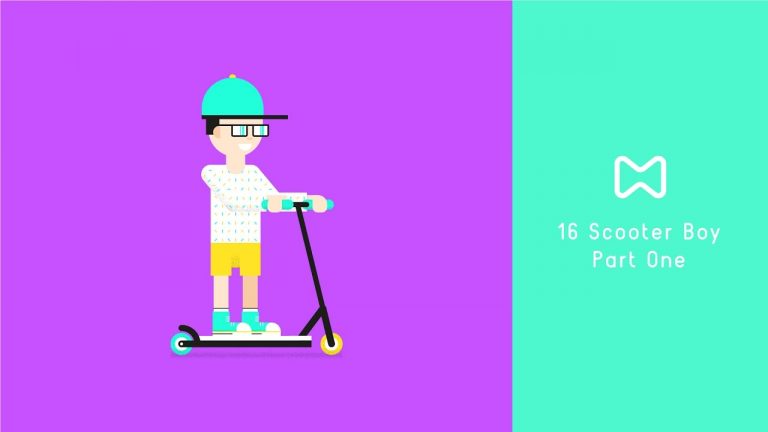
In this tutorial, I’ll be showing you how I draw up simple characters using Adobe Illustrator and how to prepare the character for animation. In the next tutorial, we’ll then take this character and use the free plugin Duik to rig and animate a skating loop.

As always thank you for watching my tutorials, if you like what you’ve just watched please subscribe and share.

If you have any suggestions for what my next tutorial should be or you just want to drop me a friendly message then email me at : tutorials@mwmotion.tv

Follow me on:

Behance: https://www.behance.net/innomattive
Dribbble: https://dribbble.com/mwmotion
Instagram: https://www.instagram.com/mw_motion/
Tumblr: http://mwmotion.tumblr.com/
Twitter: @mw_motion
Vimeo: https://vimeo.com/mwmotion

www.mwmotion.tv