Home Blog Page 364

How to use the 3D Material Drop Tool in Photoshop

0

Check out another of my videos: “BREAKDOWN: Select and Mask vs. Refine Edge – Photoshop CC”

-~-~~-~~~-~~-~-

Check out my website for more great tutorials and articles! http://tutvid.com/

INSTAGRAM & MORE:
http://instagram.com/tutvid

https://www.facebook.com/tutvid

DESCRIPTION:
Have you taken the time to play around with the 3D functionality in Photoshop? Don’t worry, most of us haven’t, heck, I don’t even know nearly as much as I would like to about the 3D features of Photoshop. Photoshop still isn’t really the best of the best when it comes to 3D creation and editing, but we’ll take a look at sampling and applying different textures (materials) to our 3D model using the 3D Material Drop tool. Even if you don’t use or work with 3D, this is still a fun little tutorial! Check it out!

Photo in tutorial: https://unsplash.com/photos/ar7ZWQ-r87g
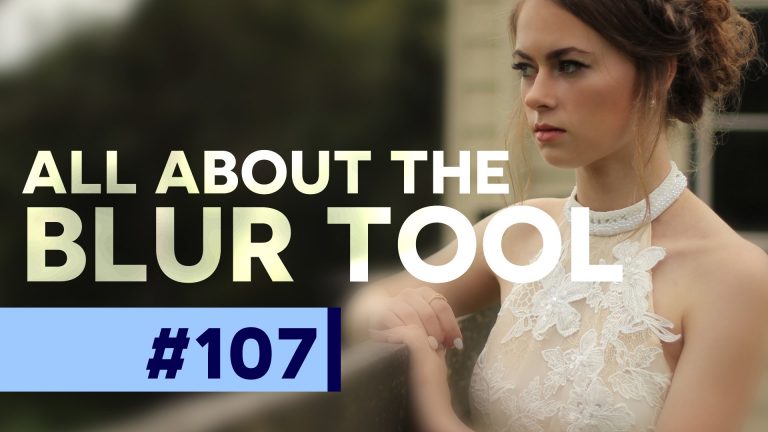
How to use the Blur Tool in Photoshop CC

0

Check out another of my videos: “BREAKDOWN: Select and Mask vs. Refine Edge – Photoshop CC”

-~-~~-~~~-~~-~-

Check out my website for more great tutorials and articles! http://tutvid.com/

INSTAGRAM & MORE:
http://instagram.com/tutvid

https://www.facebook.com/tutvid

DESCRIPTION:
In today’s #PSin30 tutorial, we’re covering the Blur tool! This tool is the point-and-click way to apply blur selectively. You can use this effect to adjust the focal point of an image or bring more emphasis to the focal point of your photo.

Photo in tutorial: https://unsplash.com/photos/UNOl_D9T9Ls

How to use the Sharpen Tool in Photoshop CC

0

Check out another of my videos: “BREAKDOWN: Select and Mask vs. Refine Edge – Photoshop CC”

-~-~~-~~~-~~-~-

Check out my website for more great tutorials and articles! http://tutvid.com/

INSTAGRAM & MORE:
http://instagram.com/tutvid

https://www.facebook.com/tutvid

DESCRIPTION:
Selective focusing is the way to go if you’re serious about getting the best sharpening on your images in Photoshop. Using Smart Sharpen and a mask is probably the best way to do that, but maybe the easiest way to sharpen selectively (and somewhat non-destructively!) is to use the Sharpen tool. I’m going to give you the full rundown of this tool and the best ways to use it for all of your sharpening needs.

Photo in tutorial: https://unsplash.com/photos/RZzF5_FeMHg

How to use the Smudge Tool! – Photoshop CC Tutorial

0

Check out another of my videos: “BREAKDOWN: Select and Mask vs. Refine Edge – Photoshop CC”

-~-~~-~~~-~~-~-

Check out my website for more great tutorials and articles! http://tutvid.com/

INSTAGRAM & MORE:
http://instagram.com/tutvid

https://www.facebook.com/tutvid

DESCRIPTION:
In today’s #PSin30 we’ll cover the power of the Smudge tool! You use this tool to push pixels and mix them up like a not-so-powerful Mixer Brush tool. You can create an entire painting with this tool, accentuate specific parts of an image, or just play with element in your photos by smudging and mixing pixels up.

Photo in tutorial: https://unsplash.com/photos/0iAzHzjeYRk

#PSin30 – The Dodge & Burn Tools in Photoshop CC

0

Check out another of my videos: “BREAKDOWN: Select and Mask vs. Refine Edge – Photoshop CC”

-~-~~-~~~-~~-~-

See more of my tutorials and articles on my website here! http://tutvid.com/

INSTAGRAM & MORE:
http://instagram.com/tutvid

https://www.facebook.com/tutvid

DESCRIPTION:
For any retoucher, surely the Dodge and Burn tools are at least mildly familiar. The concept of dodging and burning has been around since the early days of photography and these tools are still used much in the same way today. I will however, show you a fast and non-destructive way to use these tools to do your dodging and burning in Photoshop CC to bring life to any portrait or landscape photo as well as digital illustrations. Dodging and burning is essential! Check it out and enjoy!

How to use the Sponge Tool in Photoshop CC

0

Check out another of my videos: “BREAKDOWN: Select and Mask vs. Refine Edge – Photoshop CC”

-~-~~-~~~-~~-~-

Check out my website for more stuff! http://tutvid.com/

INSTAGRAM & MORE:
http://instagram.com/tutvid

https://www.facebook.com/tutvid

DESCRIPTION:
I never use the Sponge tool, it tends to be pretty destructive, but it is still a tool here in Photoshop and we need to talk about it! You may find that having a brush to paint in saturation or desaturation can be really helpful for your workflow! Check it all out now!

How to Master the Pen Tool (Part 1 of 5) – Photoshop CC

0

Check out another of my videos: “BREAKDOWN: Select and Mask vs. Refine Edge – Photoshop CC”

-~-~~-~~~-~~-~-

Check out my website for more stuff! http://tutvid.com/

INSTAGRAM & MORE:
http://instagram.com/tutvid

https://www.facebook.com/tutvid

DESCRIPTION:
This is part 1 of 5 in my tutorial series on the Pen tool. The Pen tool is one of the most powerful and feature-rich tools in Photoshop and we’re going to jump in with a “Photoshop in 30 Seconds” tutorial that is a 5 part tutorial to cover just about everything I can think of with regard to the Pen tool in Photoshop. I haven’t really planned it out to cover everything single little technical detail, but instead I’m taking more of an approach to how I use this tool in the real world in my workflow. This is how I use this tool! Hope the tutorial series helps you out!

How to Master the Pen Tool (Part 2 of 5) – Photoshop CC

0

Check out another of my videos: “BREAKDOWN: Select and Mask vs. Refine Edge – Photoshop CC”

-~-~~-~~~-~~-~-

Check out my website for more stuff! http://tutvid.com/

INSTAGRAM & MORE:
http://instagram.com/tutvid

https://www.facebook.com/tutvid

DESCRIPTION:
This is part 2 of 5 in my tutorial series on the Pen tool. The Pen tool is one of the most powerful and feature-rich tools in Photoshop and we’re going to jump in with a “Photoshop in 30 Seconds” tutorial that is a 5 part tutorial to cover just about everything I can think of with regard to the Pen tool in Photoshop. I haven’t really planned it out to cover everything single little technical detail, but instead I’m taking more of an approach to how I use this tool in the real world in my workflow. This is how I use this tool! Hope the tutorial series helps you out!

How to Master the Pen Tool (Part 3 of 5) – Photoshop CC

0

Check out another of my videos: “BREAKDOWN: Select and Mask vs. Refine Edge – Photoshop CC”

-~-~~-~~~-~~-~-

Check out my website for more stuff! http://tutvid.com/

INSTAGRAM & MORE:
http://instagram.com/tutvid

https://www.facebook.com/tutvid

DESCRIPTION:
This is part 3 of 5 in my tutorial series on the Pen tool. The Pen tool is one of the most powerful and feature-rich tools in Photoshop and we’re going to jump in with a “Photoshop in 30 Seconds” tutorial that is a 5 part tutorial to cover just about everything I can think of with regard to the Pen tool in Photoshop. I haven’t really planned it out to cover everything single little technical detail, but instead I’m taking more of an approach to how I use this tool in the real world in my workflow. This is how I use this tool! Hope the tutorial series helps you out!

How to Master the Pen Tool (Part 4 of 5) – Photoshop CC

0

Check out another of my videos: “BREAKDOWN: Select and Mask vs. Refine Edge – Photoshop CC”

-~-~~-~~~-~~-~-

Check out my website for more stuff! http://tutvid.com/

INSTAGRAM & MORE:
http://instagram.com/tutvid

https://www.facebook.com/tutvid

DESCRIPTION:
This is part 4 of 5 in my tutorial series on the Pen tool. The Pen tool is one of the most powerful and feature-rich tools in Photoshop and we’re going to jump in with a “Photoshop in 30 Seconds” tutorial that is a 5 part tutorial to cover just about everything I can think of with regard to the Pen tool in Photoshop. I haven’t really planned it out to cover everything single little technical detail, but instead I’m taking more of an approach to how I use this tool in the real world in my workflow. This is how I use this tool! Hope the tutorial series helps you out!

Download the image used in this tutorial as the sky right here: https://unsplash.com/photos/TIrXot28Znc