Home Blog Page 460

How To Make Images Look Old In Photoshop – A Phlearn Video Tutorial

0

Check out the full post at: http://phlearn.com/image-look-old-in-photoshop-nsfw

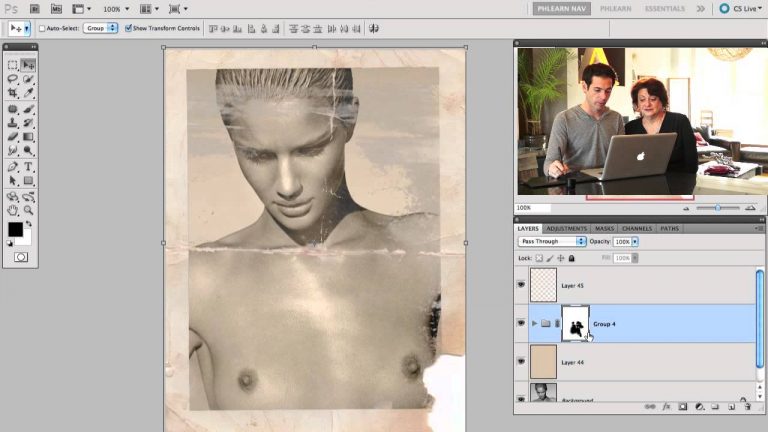
Making Your Image look old in Photoshop

Learn how to take details from an old photo, and apply them to a new photo to make your image look old in Photoshop.Also included is a Photoshop file of the border we use in this tutorial!

This is the Third and final episode with Mom Nace. We had such a good time visiting, and everyone seems to really like Mom. If you missed Part 1 – How to Repair an Old Photo, and Part 2 – How to Repair an old Photo, be sure to check them out!

What You Will Learn

0:30 – Intro to Part 3, and Showing results of Part. 1 & 2
1:20 – Nudity Warning
1:50 – How to use channels to cut out details
3:00 – Making a selection from channels
4:00 – Copying the border from one image to another
4:17 – Changing the mode from grayscale to RGB
6:00 – Coloring the photo to match the frame
6:50 – Separating the border from the photo
7:40 – Changing blending modes to integrate texture
8:30 – Adding Noise to the photo to make it look older
9:20 – Using a gradient map to match colors
10:00 – Using this border on any image.Challenge!
How to apply this to your images

We have even included the Photoshop File, so you can add the exact border from this episode. Just click and drag it over your photo and you are done.

Now it is time to make your image look old in photoshop. I recommend using a photo that has a bit more of a classic feel to it, so the effect doesn’t look out of place. If you choose an image that is really busy, and has a lot of lights flashing everywhere, it may look odd. Boobs are always a plus, as long as they are tastefully incorporated. Don’t stick this effect on porn and expect to hang it in the Louvre. .

Website: http://phlearn.com/
Facebook: https://www.facebook.com/Phlearn
Twitter: https://twitter.com/aknacer
Google+: https://plus.google.com/105267656376269695918/posts

For more tutorials and how to videos check out our extensive Photoshop and photography video channel: http://www.youtube.com/user/PhlearnLLC
We cover everything from Photoshop tutorials, photography tutorials, how to videos and more!
How To Make Fake Blood In Photoshop – A Phlearn Video Tutorial

0

#phlearnmethod – Photoshop Made Simple.
Download Your Free 5 Pack Today – http://bit.ly/1GfvyEq

Check out the full post at: http://phlearn.com/how-to-make-fake-blood

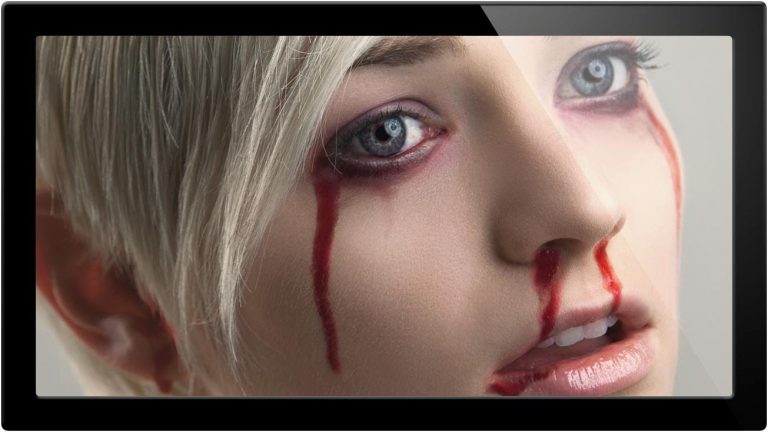
In this tutorial, Aaron Nace covers how to create blood from scratch using Photoshop. This is a special episode for Halloween week.

We decided to make a place for the blood to come out of the model, so some bite holes seemed appropriate. To make the holes in her neck we need to use some custom brush settings and layer FX. This helps give the holes a bit of depth and texture.

When it comes to the blood, using a reference image, we make a shape using the lasso tool, and then refine the edge to make it a bit more smooth. Then we paint in the selection to make the blood look layered.

To make the effects match the resolution and focus of the final image, we need to give it a bit of blur. From here you are free to move your effect around the image, and choose a place that will best suit the effect. To make the blood look as though it is flowing on the neck of the subject, we use the smudge tool. .

Website: http://phlearn.com/
Facebook: https://www.facebook.com/Phlearn
Twitter: https://twitter.com/aknacer
Google+: https://plus.google.com/105267656376269695918/posts

For more tutorials and how to videos check out our extensive Photoshop and photography video channel: http://www.youtube.com/user/PhlearnLLC
We cover everything from Photoshop tutorials, photography tutorials, how to videos and more!
Introducing Photoshop Actions – A Phlearn Video Tutorial

0

Check out the full post at: http://phlearn.com/introducing-actions-contest-to-win-phlearn-pro

Introducing Actions

We are so excited to announce the newest section of Phlearn – ACTIONS. If you have never used actions, your life is about to change. Photoshop Actions are basically an entire workflow in photoshop stored in a document. What this means, is that all you have to do is press PLAY, and the action does the rest for you!

Contest Winners!

Click here to send us your details

Brian – Credit for the Green Gold Sparkle Action
Maga – Light Yellow Glow
Guest – New Old Tone – Renamed from Cindy Prins
What You Will Learn

0:30 – Announcing Contest Winners
1:50 – Changing PRO release day to FRIDAYS
2:50 – How to load your actions
3:30 – Why we give you flexibility in your Actions
4:20 – Activating your Action
5:10 – How these Actions apply to any image
5:30 – Step by step instruction for actions
7:30 – Applying the action to a different photo
8:30 – Before and After
9:00 – Announcing this week’s contest .

Website: http://phlearn.com/
Facebook: https://www.facebook.com/Phlearn
Twitter: https://twitter.com/aknacer
Google+: https://plus.google.com/105267656376269695918/posts

For more tutorials and how to videos check out our extensive Photoshop and photography video channel: http://www.youtube.com/user/PhlearnLLC
We cover everything from Photoshop tutorials, photography tutorials, how to videos and more!
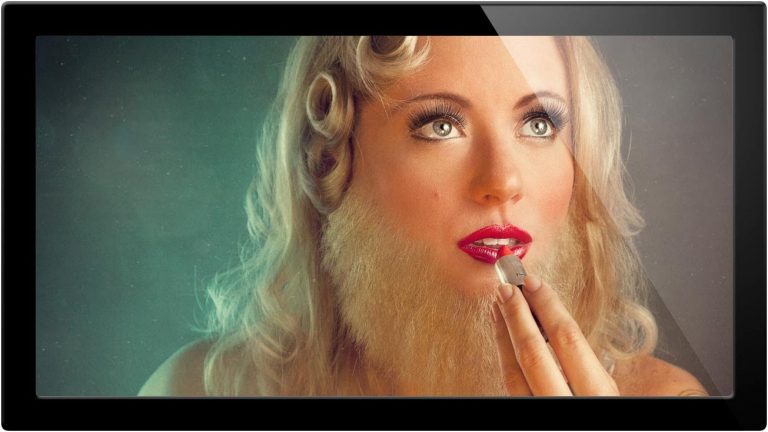
How To Make Your Own Photo Textures Pt 1 – A Phlearn Video Tutorial

0

Check out the full post at: http://phlearn.com/how-to-make-your-own-photo-textures

Why Making Your Own Textures Is Important

Often times finding textures on the internet will mean that they come with a few restrictions. The biggest restriction is often resolution. Very few textures are at a high enough resolution to fit on a full size image without being scaled up. Scaling a photo up too far can really take away a lot of the details that make textures nice in the first place. The second restriction is copyright. If you do not own the texture you place over your image, you can get in trouble legally, and that is not a place we want to be in. Be sure to credit the person who provided the texture if you do choose to use one you have found online.

How to Make Your Own Photo Textures

If you make your own textures, you can make them as high resolution as you want, and you own the copyright to the images. It is a win win situation, and we cover the entire process.

Start out by looking for organic materials, things like stone, fibers, wood, metals. All of these have surfaces with will interact with light differently, producing different effects. The biggest thing to look for in choosing your subject material will be the difference between darks and lights. If you want to add subtle cracks to your image, look for dark cracks on light pavement. If you want to add sparkle, look for small light flecks of stone in a dark granite countertop.

These stark contrasts between dark and light make the process of texturing much easier, because you will be able to use blending modes to do most of the work for you.

What You Will Learn

0:30 – Intro to our 2 part series on making and using your own textures
1:00 – Defining texture
1:20 – Artist Highlights Rosie Hardy & Brooke Shaden
1:50 – Where to find good textures online
2:30 – Issues with using other people’s textures
3:10 – What to look for in making a texture
4:10 – Exposure compensation when photographing textures
6:00 – Taking Photos and explaining blending modes
7:20 – Help focusing on dark subjects
8:00 – Alternate places to photograph textures
9:00 – Challenge to make texture library .

Website: http://phlearn.com/
Facebook: https://www.facebook.com/Phlearn
Twitter: https://twitter.com/aknacer
Google+: https://plus.google.com/105267656376269695918/posts

For more tutorials and how to videos check out our extensive Photoshop and photography video channel: http://www.youtube.com/user/PhlearnLLC
We cover everything from Photoshop tutorials, photography tutorials, how to videos and more!
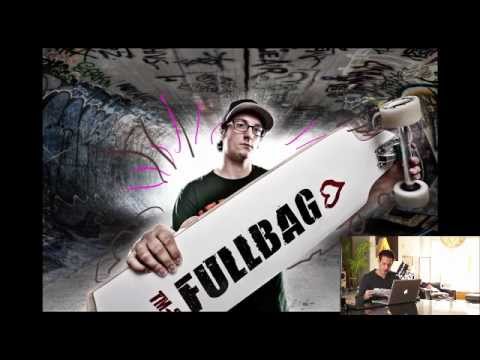
How To Make Your Own Photo Textures Pt 2 – A Phlearn Video Tutorial

0

Check out the full post at: http://phlearn.com/make-photo-textures-2

How to use your photo textures

So you have taken some amazing photos, and are excited about turning them into photo textures, now what? In this episode we cover how to turn your photo into a great texture.

Your best friend when it comes to using your image as a photo texture are BLENDING MODES. Blending modes will take the information in the image, and blend it in different ways depending on what blending mode you choose. For instance if you have an image that is mostly dark, with a few light areas, and you want the darks to dissapear, try using SCREEN or LIGHTEN. In contrast, if you want the LIGHT areas to disappear in your photo textures, try DARKEN or MULTIPLY.

Most Used Blending Modes

These will do the trick about 90% of the time.

Soft Light
Overlay
Multiply
Screen
Color
What You Will Learn

0:30 – Intro to textures
1:15 – Most common blending modes
1:50 – Copying your photo textures onto your image
2:30 – Showing an example of a texture in use
3:10 – Explanation of Blending modes
4:10 – Using levels to enhance your textures
5:30 – Duplicating textures to add more variation
6:30 – Adjusting SATURATION with the HUE/SAT slider (CMD+U)
7:10 – How to quickly flip through your blending modes
8:00 – BLEND IF adds even more control to your texture
9:00 – Masking out areas of your texture to make them less visible in places
10:20 – Why using textures at a low opacity is important
11:00 – What is your opinion on textures? .

Website: http://phlearn.com/
Facebook: https://www.facebook.com/Phlearn
Twitter: https://twitter.com/aknacer
Google+: https://plus.google.com/105267656376269695918/posts

For more tutorials and how to videos check out our extensive Photoshop and photography video channel: http://www.youtube.com/user/PhlearnLLC
We cover everything from Photoshop tutorials, photography tutorials, how to videos and more!
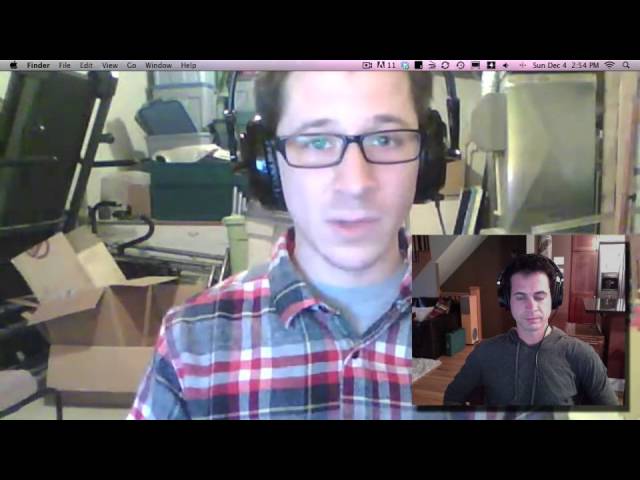
Portfolio Critique Of Philippe Monaco – A Phlearn Video Tutorial

0

Check out the full post at: http://phlearn.com/portfolio-critique-philippe

First Ever Portfolio Critique

Philippe and I are proud to bring you the first ever Portfolio Critique on Phlearn. Philippe contacted me a couple of weeks ago with the same issue that many of us face. People around you tell you that you are doing great, but you know you can do better. You just don’t know how. The purpose of this critique is to help the Phamily learn to see what it takes to improve, and how to succeed in business and photography.

This Episode is over 1:00HR long and took me over 8 hours to make. I know it is asking a LOT to give an hour of your day to this. Don’t feel like you must. We cover 8 images in this Critique, a perfect way to break it up! Watch one or two today, and come back for more later.

What You Will Learn

1:00 – Intro with Philippe, and why this critique is important
5:00 – Ending conversation with Philippe, and beginning of critique
6:00 – Quick look through photos
7:00 – General thoughts on portfolio as a whole
8:00 – Business advice
17:00 – Image 1 – Skateboarder
21:00 – Image 2 – Self Portrait eating hand
28:00 – Image 3 – Tattoo Artist
35:00 – How to use lighting appropriately
38:00 – Image 4 – Man at loading dock
42:00 – Image 5 – Red Headed Female Portrait
45:00 – Image 6 – Band Detail Shoot
53:00 – Image 7 – Using Annie Leibovitz to help with composition
58:00 – Image 8 – Band Shoot in Blue
58:00 – Image 9 – Closing and questions
Your Critique

We need your help! A critique is best when it comes from many sources. Please post your ideas and comments on how to improve. Philippe has agreed to be around all weekend to answer questions and help out.

If you are someone who comes to Phlearn often, but doesn’t comment much, now is the perfect time to do so. This is a safe environment and everyone undersands our intentions are to help each other. .

Website: http://phlearn.com/
Facebook: https://www.facebook.com/Phlearn
Twitter: https://twitter.com/aknacer
Google+: https://plus.google.com/105267656376269695918/posts

For more tutorials and how to videos check out our extensive Photoshop and photography video channel: http://www.youtube.com/user/PhlearnLLC
We cover everything from Photoshop tutorials, photography tutorials, how to videos and more!
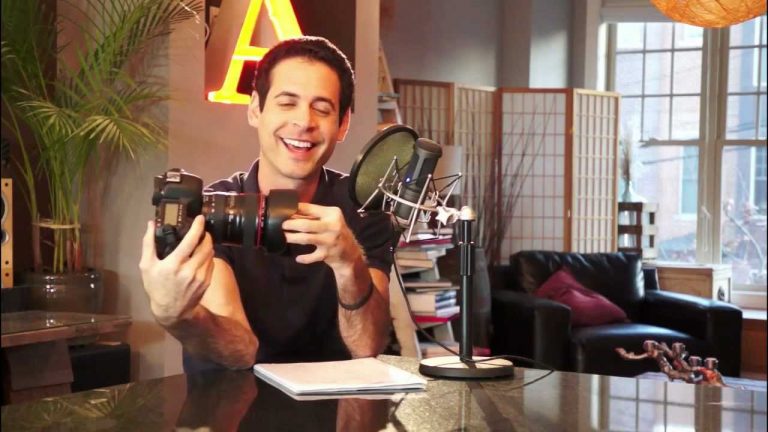
How It Feels To Be Critiqued – A Phlearn Video Tutorial

0

Check out the full post at: http://phlearn.com/critique-reaction

Portfolio Critique

We meet back up with Philippe to see how the critique changed him. He goes into detail about how it made him feel, and gives advice to others who will be critiqued. .

Website: http://phlearn.com/
Facebook: https://www.facebook.com/Phlearn
Twitter: https://twitter.com/aknacer
Google+: https://plus.google.com/105267656376269695918/posts

For more tutorials and how to videos check out our extensive Photoshop and photography video channel: http://www.youtube.com/user/PhlearnLLC
We cover everything from Photoshop tutorials, photography tutorials, how to videos and more!
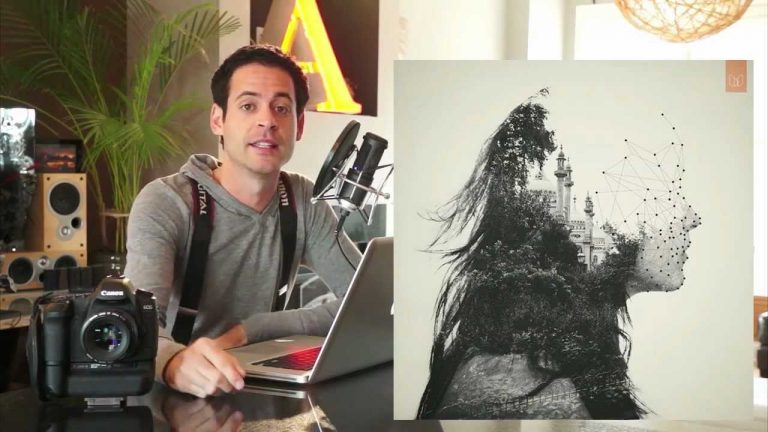
How To Get People To Smile In Photos – A Phlearn Video Tutorial

0

Check out the full post at: http://phlearn.com/how-to-not-suck-at-smiling

How to Get People to Smile for Real in Photos

Have you ever tried to take a picture of someone and they gave you a fake smile that looked HORRIBLE on camera? Maybe you can’t figure out why you always look fake in photos. Today’s episode is perfect for YOU. I will teach you how to fake a real smile, and give you some AMAZING tips on how to get your subjects to get more comfortable in front of the camera, and smile for REAL.

Phlearn is about photoshop and photography, but it is also about helping people get better in life. We all need some inspiration sometimes in life, and that is what today’s episode is all about.

What You Will Learn

0:30 – The origin of aknacer
0:45 – Why people suck at smiling on camera
1:40 – Why faking a smile is lying, and people suck at lying
2:00 – Paul Eckman – Unmasking the Face
3:00 – What most people do wrong when faking a smile
3:40 – How to make a real smile
4:30 – Other techniques to help people feel comfortable when being photographed
5:00 – Why you should never ask someone to smile
6:30 – Why messing with people can produce great photos
8:45 – How to save every photo shoot.
Why Everyone Sucks at Smiling

It turns out that when you fake a smile, you are basically concealing your real emotions. That is lying. Most people suck at lying. Interestingly enough, a study I read found that there is a STRONG correlation between being popular and being good at lying. .

Website: http://phlearn.com/
Facebook: https://www.facebook.com/Phlearn
Twitter: https://twitter.com/aknacer
Google+: https://plus.google.com/105267656376269695918/posts

For more tutorials and how to videos check out our extensive Photoshop and photography video channel: http://www.youtube.com/user/PhlearnLLC
We cover everything from Photoshop tutorials, photography tutorials, how to videos and more!
How To Take Amazing Bokeh Photos – A Phlearn Video Tutorial

0

Check out the full post at: http://phlearn.com/bokeh-contest

How to take AMAZING Bokeh Photos

This week’s contest is so perfect for the holidays. We are gathering together our best Bokeh Photos, and I will show you some great ways to apply them to your images to give them a magical feel. This time of year you will be able to find a lot of small twinkling lights, which are the best subjects for these photos. In this video we talk about some camera settings that will make your job much easier, as well as what to look for when taking these photos.

What You Will Learn

0:30 – Aaron shows off his Canon SUSPENDERS! Hand made by Jack Temple
2:00 – Announcing the winners from last week’s contest
4:30 – Announcing this week’s contest!
5:00 – Showing a great example of our goal with this contest
5:30 – Important camera settings to get the best results
6:00 – Tips on what to look for when taking Bokeh Photos
7:00 – Taking photos around the house
7:50 – Our New Look! .

Website: http://phlearn.com/
Facebook: https://www.facebook.com/Phlearn
Twitter: https://twitter.com/aknacer
Google+: https://plus.google.com/105267656376269695918/posts

For more tutorials and how to videos check out our extensive Photoshop and photography video channel: http://www.youtube.com/user/PhlearnLLC
We cover everything from Photoshop tutorials, photography tutorials, how to videos and more!

Portfolio Critique Of Chris D – A Phlearn Video Tutorial

0

Second Ever Portfolio Critique

Chris, Iram, and I are very proud to bring you the second ever portfolio critique on Phlearn! The goal of this critique is to help not only Chis, but the whole Phamily become better.

This Episode is over 2:00HR long and took me over 12 hours to make. I know it is asking a LOT to give that much time of your day to this. Don’t feel like you must. We cover 6 images in this Critique, a perfect way to break it up! Watch one or two today, and come back for more later.

FROM CHRIS

What I want from the critique:

I want to know what’s representing me in the best way. I want to be able to define and refine my style. I seem to shoot lots of different things but I prefer the portrait/fashion/anything to do with people stuff.
How do I push my images further? I feel that I could do more and excel in conceptual photography. I want to know which images are holding me back and why the strong images are representing me the best way.

Direction I want to take my work:

I want to be able to do photography for a living. I’m giving myself a timeline of around 2 years. I don’t want to have any regrets when I hit 30! I have a good job now, but it’s not fulfilling in the way that photography could be. When I was working in Regina, I was getting pretty busy. Then I moved to MTL, and asides from a mediocre 365 project, really didn’t do much. Recently I’ve been getting back into it and I cannot let it go this time.

What You Will Learn

1:00 – Intro with Chris & Iram, and why this critique is important
9:00 – Starting the Critique & Ground Rules
11:00 – Image 1 – Hot Pants
22:00 – Image 2 – Purple Shoes
38:00 – Image 3 – Girl on Floor
57:00 – Image 4 – I whip My hair back and forth
1:00:00 – Image 5 – Beer Ad
1:15:00 – Image 6 – Landscape & New Day
1:20:00 – Why it is VERY important to be picky
1:28:00 – Online Portfolio Critique
1:45:00 – How to write a proper ABOUT page
1:59:00 – PASSION
Your Critique

We need your help! A critique is best when it comes from many sources. Please post your ideas and comments on how to improve. Chris has agreed to be around all weekend to answer questions and help out.

If you are someone who comes to Phlearn often, but doesn’t comment much, now is the perfect time to do so. This is a safe environment and everyone undersands our intentions are to help each other. .

Website: http://phlearn.com/
Facebook: https://www.facebook.com/Phlearn
Twitter: https://twitter.com/aknacer
Google+: https://plus.google.com/105267656376269695918/posts

For more tutorials and how to videos check out our extensive Photoshop and photography video channel: http://www.youtube.com/user/PhlearnLLC
We cover everything from Photoshop tutorials, photography tutorials, how to videos and more!