Home Blog Page 71

How To COLOR TONE in Photoshop With Selective Color [CINEMATIC EFFECT]

In this Photoshop tutorial, you will learn how to quickly and easily apply a color tone in Photoshop using the Selective Color Adjustment Layer.

We will replicate the Teal and Orange Hollywood Movie Look by dragging a few simple sliders.

? If you would like to know more about Cinematic Color Grading/Color Toning then check out this advanced tutorial. I think it is probably my best Photoshop tutorial:

✅ Subscribe on YouTube Here: https://goo.gl/bwsW68

? INDEX – How To COLOR TONE in Photoshop
00:35 – Selective Color Adjustment
01:20 – Color Explanation
01:38 – Color Balance Comparison
03:11 – Creating the Cinematic Look
05:42 – Adding more effects with the Camera Raw Filter
07:27 – Crop to the Cinematic Aspect Ratio

? This tutorial’s page on our website:
https://photoshoptrainingchannel.com/

? Subscribe + Like + Share + Comment = More Video Tutorials!

Thank you for watching!

– – – – – – – – – – – – – – – – – – – – – – –
⚡ PTC NEWSLETTER

If you enjoyed this video be sure to subscribe to our newsletter to receive free weekly Photoshop tips and more!

➜ ✉️: http://ptcvids.com/subscribe

– – – – – – – – – – – – – – – – – – – – – – –
? PREMIUM TUTORIALS

For more in-depth Photoshop Tutorials be sure to check out our Premium tutorials.

➜ http://ptcvids.com/shop/

– – – – – – – – – – – – – – – – – – – – – – –
⚡ FOLLOW ON

– Facebook: https://fb.com/PhotoshopTrainingChannel

– Instagram: http://instagram.com/jrfromptc

– LinkedIn: http://linkedin.com/company/Photoshop-Training-Channel

– Pinterest: http://pinterest.com/ptcpins

– Behance: https://www.behance.net/JRfromPTC

– Twitter: https://twitter.com/JRfromPTC

– – – – – – – – – – – – – – – – – – – – – – –
⚡ CREDITS

– Stock Images provided by stock.adobe.com

– Photoshop video tutorials by Jesus Ramirez

– This Video’s Youtube Link: http://youtu.be/pHHupVt_irc

MIND-BLOWING Perspective-Bending Effect in Photoshop [EASY Photo Manipulation Tutorial]

In this Photoshop tutorial, you will learn how to create a perspective-bending effect. The resulting cube Earth will be a similar effect to the photo manipulations that you have seen in the movie Inception and Dr. Strange.

The Perspective photo manipulation effect in this video can be replicated with almost any landscape photo where the horizon is visible.

? 90-SECOND Sky Replacement Video: https://www.youtube.com/watch?v=mlgvoBVRYZg&index=3&list=PL3bfN-31F9Rdzg20w9tWbhIySXN11SmzY

? Adobe Stock Image: https://stock.adobe.com/images/aerial-view-of-home-village-in-bangkok-thailand/134554673

✅ Subscribe on YouTube Here: https://goo.gl/bwsW68

? INDEX – Perspective-Bending Effect
01:22 – Setting Up the Photo
03:22 – First Perspective-Bending Effect (Wall)
03:58 – Second Perspective-Bending Effect (Cube)
04:40 – Reposition Layer Mask
05:45 – Match Recognizable Items in Photo
06:38 – Create Shadows and Highlights
10:44 – Clone-Out Imperfections.
13:33 – Create Road Going Off-Screen

? This tutorial’s page on our website:
https://photoshoptrainingchannel.com/perspective-bending-effect/

? Subscribe + Like + Share + Comment = More Video Tutorials!

Thank you for watching!

– – – – – – – – – – – – – – – – – – – – – – –
⚡ PTC NEWSLETTER

If you enjoyed this video be sure to subscribe to our newsletter to receive free weekly Photoshop tips and more!

➜ ✉️: http://ptcvids.com/subscribe

– – – – – – – – – – – – – – – – – – – – – – –
? PREMIUM TUTORIALS

For more in-depth Photoshop Tutorials be sure to check out our Premium tutorials.

➜ http://ptcvids.com/shop/

– – – – – – – – – – – – – – – – – – – – – – –
⚡ FOLLOW ON

– Facebook: https://fb.com/PhotoshopTrainingChannel

– Instagram: http://instagram.com/jrfromptc

– LinkedIn: http://linkedin.com/company/Photoshop-Training-Channel

– Pinterest: http://pinterest.com/ptcpins

– Behance: https://www.behance.net/JRfromPTC

– Twitter: https://twitter.com/JRfromPTC

– – – – – – – – – – – – – – – – – – – – – – –
⚡ CREDITS

– Stock Images provided by stock.adobe.com

– Photoshop video tutorials by Jesus Ramirez

– This Video’s Youtube Link: http://youtu.be/mqpACr1Kak4

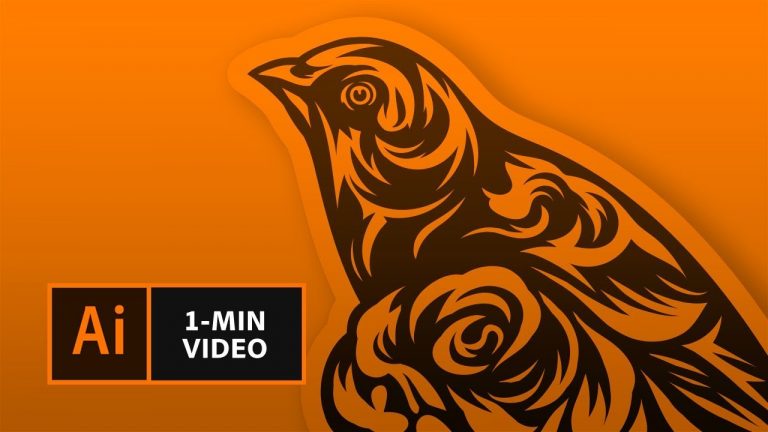
How to Make a Die-Cut Sticker with Adobe Illustrator | Adobe Creative Cloud

0

Learn how to create custom-shaped stickers to showcase your artwork.

Start from scratch, or download practice files [https://adobe.ly/2F99WS4] for a head start. Steps below.

1. Open your drawing, or use ours (sticker-art.ai).
2. Create space around your design: Choose the Selection Tool. Click and drag to select the artwork. Choose Object – Path – Offset Path.
3. Modify the offset angle: Enter an Offset value, select Joins – Round, check the Preview box. Click OK.

Tip: The sample uses an Offset value of 12 pts and Joins is set to Round to create a rounded corner (use Miter for pointed corners, or Bevel for squared corners). The Miter limit is set to 4. You may want to choose a higher limit for shapes with acute angles.

4. With the object selected, go to the Pathfinder panel (Window – Pathfinder), choose Unite (first icon in the Shape Modes section).
5. Reverse the Fill and Stroke color: If the default Fill color, in the Toolbar, is set to black and the default Stroke color is set to None (indicated by a red slash), click the double arrow between the boxes to reverse the settings.

Tip: If the default Fill and Stroke colors are different, click once on the Fill box and click the white icon with the red slash in the Color panel to set it to None. Then, click once on the Stroke box and click the black icon in the Color panel.

6. Move Outline to new layer: In the Layers panel (Window – Layers), create a new layer, double-click the layer name, and call it Cut Line. With the artwork still selected, choose Object – Arrange – Send to Current Layer.

Tip: When you’re finished with your sticker design, you can send it to a printer who can print and die cut your sticker so you can share as a decal, branding, or decoration.

That’s it!

To learn more, visit our Illustrator Tutorials page: https://adobe.ly/2Glz0EX

Subscribe: https://www.youtube.com/user/adobecreativecloud?sub_confirmation=1

LET’S CONNECT
Facebook: http://facebook.com/adobecreativecloud
Twitter: http://twitter.com/creativecloud
Instagram: http://www.instagram.com/adobecreativecloud/

Adobe Creative Cloud gives you the world’s best creative apps so you can turn your brightest ideas into your greatest work across your desktop and mobile devices.

Vintage Logo Intro in After Effects – After Effects Tutorial – No Third Party Plugin – Easy Steps

0

Check Out the Music Video: https://goo.gl/t13ohF

Hey Everyone, Welcome back to my another After Effects Tutorial.In this Tutorial, I am going to show you have to Make A Logo reveal in Vintage Style. This Tutorial will also cover How to make Lyrics Music video, Camera slide animation, camera animation in after effects, and how to make page slide animation in After Effects, So, give your simple Text to a nice looking paper look.

Free Download Font: https://goo.gl/kfebJr
Files: https://goo.gl/n3ywzk

As always, this tutorial is Free, and we are not using any third party plugin for creating this.

Every single Tutorial on my channel is made with Love and Hard work, So don’t forget to leave a Like.. 🙂

————————————————-

Join me on social networks.
Twitter: https://goo.gl/EU9EcF
YouTube Channel: https://goo.gl/1kzZ8K
Facebook: https://goo.gl/ZOaQUp

Support Me on Patreon: https://goo.gl/iSTaoU

—————————————————-

For Business Enquiry, Email me:
avnish.parker@gmail.com

—————————————————-

Watch my other useful tutorials

• Cinematic Film Intro in After Effects: https://goo.gl/WBZHdU

• Elegant Color Transition in After Effects: https://goo.gl/ALWDyo

• Page Folding Logo Animation in After Effects: https://goo.gl/OzaCnU

• How to Render in After Effects: https://goo.gl/UFjm9W

• Metallic Logo Animation in After Effects: https://goo.gl/tVm3D7

• Kinetic Typography in After Effects: https://goo.gl/N5ASF6

• How To Make Lower Third in After Effects: https://goo.gl/2uvfrb

• Class Logo Animation in After Effects: https://goo.gl/zN80cx

• Flip Text Animation in After Effects: https://goo.gl/K5CbcK

• Shine Logo Animation in After Effects: https://goo.gl/bsrNll

• Wipe Text Animation in After Effects: https://goo.gl/xxeV8P

• Transformation Logo Animation in After Effects: https://goo.gl/aArgO4

• Sliced Logo Animation in After Effects: https://goo.gl/FQRyxv

• Text Animation Presets in After Effects: https://goo.gl/xOzRDU

• Spark Logo Animation in After Effects: https://goo.gl/twUi36

• Inside Text Animation in After Effects: https://goo.gl/FgSg6p

• How to Add Sound Effects in Videos: https://goo.gl/I5PG9o

• Neon Text Animation in After Effects: https://goo.gl/IApQFX

• How to Make Logo in Photoshop (For Beginners): https://goo.gl/7JZ2N0

• Make Free YouTube Intro in 2 Minutes – Without any Software: https://goo.gl/Fr8HeU

• Reveal Text Animation in After Effects: https://goo.gl/K4JcT4

• 50 Free Optical Flares: https://goo.gl/0rJTU6

• Smooth Text Animation in After Effects: https://goo.gl/sDL4a1

• 15 Free After Effects Color Grading Filters: https://goo.gl/8qzJ8l

• Colorful Logo Animation: https://goo.gl/e1mXzK

• How to Make Long Shadow in After Effects (Easy Method): https://goo.gl/hnfgYj

• How to Make 3D Text in After Effects (No Third party plugin): https://goo.gl/oqv7Xi

• How to Make YouTube Channel Intro (Free): https://goo.gl/kI9gyh

• Light Leaks Tutorial – Adobe After Effects: https://goo.gl/Cp9nqp

—————————————————–

Thanks for Watching.

Stroke Text Animation in After Effects – After Effects Tutorial – No Third Party Plugin

0

Visit Website: https://goo.gl/epw1Ax

Hey Everyone, Welcome back to my another After Effects Tutorial. In this Tutorial, I am going to show you have to Make a nice looking Stroke Text Animation with lens flare in After After Effects, and text Reveal animation in After Effects.
Also, Learn how to make smooth text animation in after effects, and Text Animation in After Effects, without using any third party plugin. Follow these simple steps and create a nice looking intro for your YouTube Channel.

Free Download Font: https://goo.gl/5HGiok

Music: Otis McMusic Sting
https://goo.gl/XuBJz8

As always, this tutorial is Free, and we are not using any third party plugin for creating this.

Every single Tutorial on my channel is made with Love and Hard work, So don’t forget to leave a Like.. 🙂

————————————————-

Join me on social networks.
Twitter: https://goo.gl/EU9EcF
YouTube Channel: https://goo.gl/1kzZ8K
Facebook: https://goo.gl/ZOaQUp

Support Me on Patreon: https://goo.gl/iSTaoU

—————————————————-

For Business Enquiry, Email me:
avnish.parker@gmail.com
[NO FREE INTROS PLEASE]

—————————————————-

Watch my other useful tutorials

• Vintage Logo Intro in After Effects: https://goo.gl/nYxvAZ

• Cinematic Film Intro in After Effects: https://goo.gl/WBZHdU

• Elegant Color Transition in After Effects: https://goo.gl/ALWDyo

• Page Folding Logo Animation in After Effects: https://goo.gl/OzaCnU

• How to Render in After Effects: https://goo.gl/UFjm9W

• Metallic Logo Animation in After Effects: https://goo.gl/tVm3D7

• Kinetic Typography in After Effects: https://goo.gl/N5ASF6

• How To Make Lower Third in After Effects: https://goo.gl/2uvfrb

• Class Logo Animation in After Effects: https://goo.gl/zN80cx

• Flip Text Animation in After Effects: https://goo.gl/K5CbcK

• Shine Logo Animation in After Effects: https://goo.gl/bsrNll

• Wipe Text Animation in After Effects: https://goo.gl/xxeV8P

• Transformation Logo Animation in After Effects: https://goo.gl/aArgO4

• Sliced Logo Animation in After Effects: https://goo.gl/FQRyxv

• Text Animation Presets in After Effects: https://goo.gl/xOzRDU

• Spark Logo Animation in After Effects: https://goo.gl/twUi36

• Inside Text Animation in After Effects: https://goo.gl/FgSg6p

• How to Add Sound Effects in Videos: https://goo.gl/I5PG9o

• Neon Text Animation in After Effects: https://goo.gl/IApQFX

• How to Make Logo in Photoshop (For Beginners): https://goo.gl/7JZ2N0

• Make Free YouTube Intro in 2 Minutes – Without any Software: https://goo.gl/Fr8HeU

• Reveal Text Animation in After Effects: https://goo.gl/K4JcT4

• 50 Free Optical Flares: https://goo.gl/0rJTU6

• Smooth Text Animation in After Effects: https://goo.gl/sDL4a1

• 15 Free After Effects Color Grading Filters: https://goo.gl/8qzJ8l

• Colorful Logo Animation: https://goo.gl/e1mXzK

• How to Make Long Shadow in After Effects (Easy Method): https://goo.gl/hnfgYj

• How to Make 3D Text in After Effects (No Third party plugin): https://goo.gl/oqv7Xi

• How to Make YouTube Channel Intro (Free): https://goo.gl/kI9gyh

• Light Leaks Tutorial – Adobe After Effects: https://goo.gl/Cp9nqp

—————————————————–

Thanks for Watching.

Cinematic Logo Reveal in After Effects – After Effects Tutorial – No Third Party Plugin

0

Make Your Own Website: https://www.wix.com

Hey Everyone, Thank you so much for 50 Thousand Subscribes, All credit goes to you. You Make it Possible Only. Anyway. Today in this Tutorial, I am going show you how to make Cinematic Logo Intro in After Effects, That can be used in Film Intros or YouTube Channel Intro. Everything is Simple, you don’t have to download any specific Plugin to do it. 100% After Effects Tutorial.

Download Music:
Cinematic Logo Intro: https://goo.gl/twKf7u

Download Files: https://goo.gl/ia7LR7

As always, this tutorial is Free, and we are not using any third party plugin for creating this.

Every single Tutorial on my channel is made with Love and Hard work, So don’t forget to leave a Like.. 🙂

————————————————-

Join me on social networks.
Twitter: https://goo.gl/EU9EcF
YouTube Channel: https://goo.gl/1kzZ8K
Facebook: https://goo.gl/ZOaQUp
My Official Website: https://goo.gl/epw1Ax

Support Me on Patreon: https://goo.gl/iSTaoU

—————————————————-

For Business Enquiry, Email me:
avnish.parker@gmail.com
[NO FREE INTROS PLEASE]

—————————————————-

Watch my other useful tutorials

• Stroke Text Animation: https://goo.gl/cYWF56

• Vintage Logo Intro in After Effects: https://goo.gl/nYxvAZ

• Cinematic Film Intro in After Effects: https://goo.gl/WBZHdU

• Elegant Color Transition in After Effects: https://goo.gl/ALWDyo

• Page Folding Logo Animation in After Effects: https://goo.gl/OzaCnU

• How to Render in After Effects: https://goo.gl/UFjm9W

• Metallic Logo Animation in After Effects: https://goo.gl/tVm3D7

• Kinetic Typography in After Effects: https://goo.gl/N5ASF6

• How To Make Lower Third in After Effects: https://goo.gl/2uvfrb

• Class Logo Animation in After Effects: https://goo.gl/zN80cx

• Flip Text Animation in After Effects: https://goo.gl/K5CbcK

• Shine Logo Animation in After Effects: https://goo.gl/bsrNll

• Wipe Text Animation in After Effects: https://goo.gl/xxeV8P

• Transformation Logo Animation in After Effects: https://goo.gl/aArgO4

• Sliced Logo Animation in After Effects: https://goo.gl/FQRyxv

• Text Animation Presets in After Effects: https://goo.gl/xOzRDU

• Spark Logo Animation in After Effects: https://goo.gl/twUi36

• Inside Text Animation in After Effects: https://goo.gl/FgSg6p

• How to Add Sound Effects in Videos: https://goo.gl/I5PG9o

• Neon Text Animation in After Effects: https://goo.gl/IApQFX

• How to Make Logo in Photoshop (For Beginners): https://goo.gl/7JZ2N0

• Make Free YouTube Intro in 2 Minutes – Without any Software: https://goo.gl/Fr8HeU

• Reveal Text Animation in After Effects: https://goo.gl/K4JcT4

• 50 Free Optical Flares: https://goo.gl/0rJTU6

• Smooth Text Animation in After Effects: https://goo.gl/sDL4a1

• 15 Free After Effects Color Grading Filters: https://goo.gl/8qzJ8l

• Colorful Logo Animation: https://goo.gl/e1mXzK

• How to Make Long Shadow in After Effects (Easy Method): https://goo.gl/hnfgYj

• How to Make 3D Text in After Effects (No Third party plugin): https://goo.gl/oqv7Xi

• How to Make YouTube Channel Intro (Free): https://goo.gl/kI9gyh

• Light Leaks Tutorial – Adobe After Effects: https://goo.gl/Cp9nqp

—————————————————–

Thanks for Watching.

Elegant Reflection in After Effects – After Effects Tutorial – Simple Method

0

Check out Forum: https://goo.gl/n97FGo

Hey Everyone, Welcome back to my another After Effects Tutorial. You always wondered, How I have made this nice looking reflection over my Logo, Well, the Answer is here. Watch this Amazing After Effects Tutorial, and create your own Reflections on your logo. Few Simple Steps to Add Shine Effects to your logo, or even add Shine effects on text in After Effects.

Music
Nostalgia by Tobu https://soundcloud.com/7obu
Creative Commons — Attribution 3.0 Unported— CC BY 3.0
http://creativecommons.org/licenses/b…
Music provided by Audio Library https://youtu.be/03AKy9bhOMU

As always, this tutorial is Free, and we are not using any third party plugin for creating this.

Every single Tutorial on my channel is made with Love and Hard work, So don’t forget to leave a Like.. 🙂

————————————————-

Join me on social networks.
Twitter: https://goo.gl/EU9EcF
YouTube Channel: https://goo.gl/1kzZ8K
Facebook: https://goo.gl/ZOaQUp
My Official Website: https://goo.gl/epw1Ax

Support Me on Patreon: https://goo.gl/iSTaoU

—————————————————-

For Business Enquiry, Email me:
avnish.parker@gmail.com
[NO FREE INTROS PLEASE]

—————————————————-

Watch my other useful tutorials

• Cinematic Logo Reveal in After Effects: https://goo.gl/iqzJTN

• Stroke Text Animation: https://goo.gl/cYWF56

• Vintage Logo Intro in After Effects: https://goo.gl/nYxvAZ

• Cinematic Film Intro in After Effects: https://goo.gl/WBZHdU

• Elegant Color Transition in After Effects: https://goo.gl/ALWDyo

• Page Folding Logo Animation in After Effects: https://goo.gl/OzaCnU

• How to Render in After Effects: https://goo.gl/UFjm9W

• Metallic Logo Animation in After Effects: https://goo.gl/tVm3D7

• Kinetic Typography in After Effects: https://goo.gl/N5ASF6

• How To Make Lower Third in After Effects: https://goo.gl/2uvfrb

• Class Logo Animation in After Effects: https://goo.gl/zN80cx

• Flip Text Animation in After Effects: https://goo.gl/K5CbcK

• Shine Logo Animation in After Effects: https://goo.gl/bsrNll

• Wipe Text Animation in After Effects: https://goo.gl/xxeV8P

• Transformation Logo Animation in After Effects: https://goo.gl/aArgO4

• Sliced Logo Animation in After Effects: https://goo.gl/FQRyxv

• Text Animation Presets in After Effects: https://goo.gl/xOzRDU

• Spark Logo Animation in After Effects: https://goo.gl/twUi36

• Inside Text Animation in After Effects: https://goo.gl/FgSg6p

• How to Add Sound Effects in Videos: https://goo.gl/I5PG9o

• Neon Text Animation in After Effects: https://goo.gl/IApQFX

• How to Make Logo in Photoshop (For Beginners): https://goo.gl/7JZ2N0

• Make Free YouTube Intro in 2 Minutes – Without any Software: https://goo.gl/Fr8HeU

• Reveal Text Animation in After Effects: https://goo.gl/K4JcT4

• 50 Free Optical Flares: https://goo.gl/0rJTU6

• Smooth Text Animation in After Effects: https://goo.gl/sDL4a1

• 15 Free After Effects Color Grading Filters: https://goo.gl/8qzJ8l

• Colorful Logo Animation: https://goo.gl/e1mXzK

• How to Make Long Shadow in After Effects (Easy Method): https://goo.gl/hnfgYj

• How to Make 3D Text in After Effects (No Third party plugin): https://goo.gl/oqv7Xi

• How to Make YouTube Channel Intro (Free): https://goo.gl/kI9gyh

• Light Leaks Tutorial – Adobe After Effects: https://goo.gl/Cp9nqp

—————————————————–

Thanks for Watching.

Liquid Logo Animation in After Effects – After Effects Tutorial – No Third Party Plugins

0

You already know, This effect is trending everywhere. So I am here to show you the exact way how to create it. Follow few Simple steps, and make your own Liquid Logo Intro. In this Tutorial, I am covering, How to make liquid logo intro, how to make logo animation in After Effects, line animation in After Effects, 2D Flat Logo intro in After effects, and much more

————————————————

Download

Liquid Logo Intro Music: https://goo.gl/twKf7u

Water Splash Sound Effects: https://goo.gl/sGWYvB

Background Image: https://goo.gl/2bGGcj

Fonts: https://goo.gl/sD8Vqb

————————————————–

As always, this tutorial is Free, and we are not using any third party plugin for creating this.

Every single Tutorial on my channel is made with Love and Hard work, So don’t forget to leave a Like.. 🙂

————————————————-

Join me on social networks.
Twitter: https://goo.gl/EU9EcF
YouTube Channel: https://goo.gl/1kzZ8K
Facebook: https://goo.gl/ZOaQUp
My Official Website: https://goo.gl/epw1Ax

Support Me on Patreon: https://goo.gl/iSTaoU

—————————————————-

For Business Enquiry, Email me:
avnish.parker@gmail.com
[NO FREE INTROS PLEASE]

—————————————————-

Watch my other useful tutorials

•Elegant Logo Reflection in After Effects: https://goo.gl/krwnYv

• Cinematic Logo Reveal in After Effects: https://goo.gl/iqzJTN

• Stroke Text Animation: https://goo.gl/cYWF56

• Vintage Logo Intro in After Effects: https://goo.gl/nYxvAZ

• Cinematic Film Intro in After Effects: https://goo.gl/WBZHdU

• Elegant Color Transition in After Effects: https://goo.gl/ALWDyo

• Page Folding Logo Animation in After Effects: https://goo.gl/OzaCnU

• How to Render in After Effects: https://goo.gl/UFjm9W

• Metallic Logo Animation in After Effects: https://goo.gl/tVm3D7

• Kinetic Typography in After Effects: https://goo.gl/N5ASF6

• How To Make Lower Third in After Effects: https://goo.gl/2uvfrb

• Class Logo Animation in After Effects: https://goo.gl/zN80cx

• Flip Text Animation in After Effects: https://goo.gl/K5CbcK

• Shine Logo Animation in After Effects: https://goo.gl/bsrNll

• Wipe Text Animation in After Effects: https://goo.gl/xxeV8P

• Transformation Logo Animation in After Effects: https://goo.gl/aArgO4

• Sliced Logo Animation in After Effects: https://goo.gl/FQRyxv

• Text Animation Presets in After Effects: https://goo.gl/xOzRDU

• Spark Logo Animation in After Effects: https://goo.gl/twUi36

• Inside Text Animation in After Effects: https://goo.gl/FgSg6p

• How to Add Sound Effects in Videos: https://goo.gl/I5PG9o

• Neon Text Animation in After Effects: https://goo.gl/IApQFX

• How to Make Logo in Photoshop (For Beginners): https://goo.gl/7JZ2N0

• Make Free YouTube Intro in 2 Minutes – Without any Software: https://goo.gl/Fr8HeU

• Reveal Text Animation in After Effects: https://goo.gl/K4JcT4

• 50 Free Optical Flares: https://goo.gl/0rJTU6

• Smooth Text Animation in After Effects: https://goo.gl/sDL4a1

• 15 Free After Effects Color Grading Filters: https://goo.gl/8qzJ8l

• Colorful Logo Animation: https://goo.gl/e1mXzK

• How to Make Long Shadow in After Effects (Easy Method): https://goo.gl/hnfgYj

• How to Make 3D Text in After Effects (No Third party plugin): https://goo.gl/oqv7Xi

• How to Make YouTube Channel Intro (Free): https://goo.gl/kI9gyh

• Light Leaks Tutorial – Adobe After Effects: https://goo.gl/Cp9nqp

—————————————————–

Thanks for Watching.

Audio Visualizer in After Effects – After Effects Tutorial – No Third-Party Plugin

0

Support me on Patreon: https://goo.gl/iSTaoU

Hey Everyone, Many of you have requested about How to make Audio Spectrum or Visualizer in After Effects, so here it is. Presenting Two fresh looks of Audio Spectrum, 100% After Effects. Also, Learn how to make a Progress bar in After Effects, and, How to make a timer in after effects. Watch this Easy After Effects Tutorial, and Create your own Advance Audio Reactor.

———————————————–

Clock Script: https://goo.gl/3UjR7T

————————————————

Song: Culture Code – Make Me Move (feat. Karra) [Tobu Remix] | NCS Release
Music provided by NoCopyrightSounds.
Watch: https://youtu.be/MRwmxS1AL6E
Download/Stream: http://ncs.io/TobuRemixCr

————————————————–

As always, this tutorial is Free, and we are not using any third party plugin for creating this.

Every single Tutorial on my channel is made with Love and Hard work, So don’t forget to leave a Like.. 🙂

————————————————-

Join me on social networks.
Twitter: https://goo.gl/EU9EcF
YouTube Channel: https://goo.gl/1kzZ8K
Facebook: https://goo.gl/ZOaQUp
My Official Website: https://goo.gl/epw1Ax

Support Me on Patreon: https://goo.gl/iSTaoU

—————————————————-

For Business Enquiry, Email me:
avnish.parker@gmail.com
[NO FREE INTROS PLEASE]

—————————————————-

Watch my other useful tutorials

• Liquid Logo Animation in After Effects: https://goo.gl/Us4Ptq

• Elegant Logo Reflection in After Effects: https://goo.gl/krwnYv

• Cinematic Logo Reveal in After Effects: https://goo.gl/iqzJTN

• Stroke Text Animation: https://goo.gl/cYWF56

• Vintage Logo Intro in After Effects: https://goo.gl/nYxvAZ

• Cinematic Film Intro in After Effects: https://goo.gl/WBZHdU

• Elegant Color Transition in After Effects: https://goo.gl/ALWDyo

• Page Folding Logo Animation in After Effects: https://goo.gl/OzaCnU

• How to Render in After Effects: https://goo.gl/UFjm9W

• Metallic Logo Animation in After Effects: https://goo.gl/tVm3D7

• Kinetic Typography in After Effects: https://goo.gl/N5ASF6

• How To Make Lower Third in After Effects: https://goo.gl/2uvfrb

• Class Logo Animation in After Effects: https://goo.gl/zN80cx

• Flip Text Animation in After Effects: https://goo.gl/K5CbcK

• Shine Logo Animation in After Effects: https://goo.gl/bsrNll

• Wipe Text Animation in After Effects: https://goo.gl/xxeV8P

• Transformation Logo Animation in After Effects: https://goo.gl/aArgO4

• Sliced Logo Animation in After Effects: https://goo.gl/FQRyxv

• Text Animation Presets in After Effects: https://goo.gl/xOzRDU

• Spark Logo Animation in After Effects: https://goo.gl/twUi36

• Inside Text Animation in After Effects: https://goo.gl/FgSg6p

• How to Add Sound Effects in Videos: https://goo.gl/I5PG9o

• Neon Text Animation in After Effects: https://goo.gl/IApQFX

• How to Make Logo in Photoshop (For Beginners): https://goo.gl/7JZ2N0

• Make Free YouTube Intro in 2 Minutes – Without any Software: https://goo.gl/Fr8HeU

• Reveal Text Animation in After Effects: https://goo.gl/K4JcT4

• 50 Free Optical Flares: https://goo.gl/0rJTU6

• Smooth Text Animation in After Effects: https://goo.gl/sDL4a1

• 15 Free After Effects Color Grading Filters: https://goo.gl/8qzJ8l

• Colorful Logo Animation: https://goo.gl/e1mXzK

• How to Make Long Shadow in After Effects (Easy Method): https://goo.gl/hnfgYj

• How to Make 3D Text in After Effects (No Third party plugin): https://goo.gl/oqv7Xi

• How to Make YouTube Channel Intro (Free): https://goo.gl/kI9gyh

• Light Leaks Tutorial – Adobe After Effects: https://goo.gl/Cp9nqp

—————————————————–

Thanks for Watching.

Glitch Logo Animation in After Effects – After Effects Tutorial – Easy Method

0

Support me on Patreon: https://goo.gl/iSTaoU

I am so sorry for not uploading the Tutorial last week. and Thank you so much for your continuous support.
Anyways, many people have requested me for the Glitch logo Animation, so here it is. Create your own Glitch logo Animation, in few simple steps, you don’t need to download any footage or anything. Just everything built inside the after effects. Learn how to make glitch effect in after effects, as well as, how to make RGB Split effect in After Effects.

Download Font: https://goo.gl/rj7M5Z

Background Music: Glitch Logo Intro
https://www.avnishparker.com/logo-intro-music

Glitch Sound Effects:
https://www.avnishparker.com/sfx

————————————————–

As always, this tutorial is Free, and we are not using any third party plugin for creating this.

Every single Tutorial on my channel is made with Love and Hard work, So don’t forget to leave a Like.. 🙂

————————————————-

Join me on social networks.
Twitter: https://goo.gl/EU9EcF
YouTube Channel: https://goo.gl/1kzZ8K
Facebook: https://goo.gl/ZOaQUp
My Official Website: https://goo.gl/epw1Ax

Support Me on Patreon: https://goo.gl/iSTaoU

—————————————————-

For Business Enquiry, Email me:
avnish.parker@gmail.com
[NO FREE INTROS PLEASE]

—————————————————-

Watch my other useful tutorials

• Audio Visualizer in After Effects: https://goo.gl/AQHExe

• Liquid Logo Animation in After Effects: https://goo.gl/Us4Ptq

• Elegant Logo Reflection in After Effects: https://goo.gl/krwnYv

• Cinematic Logo Reveal in After Effects: https://goo.gl/iqzJTN

• Stroke Text Animation: https://goo.gl/cYWF56

• Vintage Logo Intro in After Effects: https://goo.gl/nYxvAZ

• Cinematic Film Intro in After Effects: https://goo.gl/WBZHdU

• Elegant Color Transition in After Effects: https://goo.gl/ALWDyo

• Page Folding Logo Animation in After Effects: https://goo.gl/OzaCnU

• How to Render in After Effects: https://goo.gl/UFjm9W

• Metallic Logo Animation in After Effects: https://goo.gl/tVm3D7

• Kinetic Typography in After Effects: https://goo.gl/N5ASF6

• How To Make Lower Third in After Effects: https://goo.gl/2uvfrb

• Class Logo Animation in After Effects: https://goo.gl/zN80cx

• Flip Text Animation in After Effects: https://goo.gl/K5CbcK

• Shine Logo Animation in After Effects: https://goo.gl/bsrNll

• Wipe Text Animation in After Effects: https://goo.gl/xxeV8P

• Transformation Logo Animation in After Effects: https://goo.gl/aArgO4

• Sliced Logo Animation in After Effects: https://goo.gl/FQRyxv

• Text Animation Presets in After Effects: https://goo.gl/xOzRDU

• Spark Logo Animation in After Effects: https://goo.gl/twUi36

• Inside Text Animation in After Effects: https://goo.gl/FgSg6p

• How to Add Sound Effects in Videos: https://goo.gl/I5PG9o

• Neon Text Animation in After Effects: https://goo.gl/IApQFX

• How to Make Logo in Photoshop (For Beginners): https://goo.gl/7JZ2N0

• Make Free YouTube Intro in 2 Minutes – Without any Software: https://goo.gl/Fr8HeU

• Reveal Text Animation in After Effects: https://goo.gl/K4JcT4

• 50 Free Optical Flares: https://goo.gl/0rJTU6

• Smooth Text Animation in After Effects: https://goo.gl/sDL4a1

• 15 Free After Effects Color Grading Filters: https://goo.gl/8qzJ8l

• Colorful Logo Animation: https://goo.gl/e1mXzK

• How to Make Long Shadow in After Effects (Easy Method): https://goo.gl/hnfgYj

• How to Make 3D Text in After Effects (No Third party plugin): https://goo.gl/oqv7Xi

• How to Make YouTube Channel Intro (Free): https://goo.gl/kI9gyh

• Light Leaks Tutorial – Adobe After Effects: https://goo.gl/Cp9nqp

—————————————————–

Thanks for Watching.