Home Blog Page 461

What Does Phlearn Mean To You

0

Check out the full post at: http://phlearn.com/phlearn-mean-to-you

What Does Phlearn Mean To You?

The Holidays are all about spending time with the people you love, and we hope that means the Phamily too.

I am home in Pittsburgh with my parents for Christmas, and give you a quick preview of their life.

After I introduce him, Chris takes over, and does an amazing job relaying what Phlearn is really about. Phlearn is more than just tutorials, we are changing lives.

What You Will Learn

0:30 – Intro to Chris
1:30 – Growing up around scantily clad women
2:00 – How has Phlearn Changed You Life
3:00 – Chris Takes Over
7:10 – Getting the right point of view
12:00 – Chris talks about Ira Glass
14:00 – How we change lives
Your Story

Chris has done a really amazing thing here, opening himself up to the Phamily. I have watched this so many times, and each time, I become very emotional.

Chris is not alone. I receive emails with similar messages every day. Now it is time for your voice. Please remember, that I am just a voice, and that the REAL POWER of Phlearn is the PHAMILY.

How has Phlearn changed you? What does it mean to you? .

Website: http://phlearn.com/
Facebook: https://www.facebook.com/Phlearn
Twitter: https://twitter.com/aknacer
Google+: https://plus.google.com/105267656376269695918/posts

For more tutorials and how to videos check out our extensive Photoshop and photography video channel: http://www.youtube.com/user/PhlearnLLC
We cover everything from Photoshop tutorials, photography tutorials, how to videos and more!
What To Do When People Steal Your Image – A Phlearn Video Tutorial

0

Check out the full post at: http://phlearn.com/what-i-do-to-people-who-steal-images

There are Thieves Amongst Us

This episode is very time appropriate. I literally just finished making another episode when Beth, Omalix, and Angela told me that someone had stolen one of my photos and claimed it as their own.

Everyone wanted to know what I was planning on doing about it, and how I felt about the matter. That is what Phlearn is all about, here is my response to it.

The Work

I am not going to link to the perp. Here is why – There is no need for me to dramatise this. I know someone else will probably link to it. I know that people will send him hate mail. He will probably take it down, and in a few days the link will be broken anyway.

The best thing to give to your enemy is forgiveness; to an opponent, tolerance; to a friend, your heart; to your child, a good example; to a father, deference; to your mother, conduct that will make her proud of you; to yourself, respect; to all men, charity. – Arthur Balfour

Today’s Episode Timeline

1:00 – How I feel about this person stealing my work.
2:30 – Digital content is losing value
3:30 – Why I feel the way I do.
4:40 – The pressure to succeed
7:10 – The people who are important know, and the people who don’t know, aren’t important.
8:40 – My positive spin on the situation
About The Intern

Everyone deserves a good role model and a second chance. I have seen good people do bad things, and bad people do good things. I have done some crappy things in my life, but I was fortunate enough to be surrounded by people to lift me back up.

I need to believe that there is good in people, and that some people just get misguided. It is our jobs to show them the light, not keep them in the dark. So would I really take a person like this to be an intern? Yes I would. Who knows, that experience just might change their life.

What Would You Do?

What do you think of the situation? Have you ever experienced something similar? Where do you draw the line? .

Website: http://phlearn.com/
Facebook: https://www.facebook.com/Phlearn
Twitter: https://twitter.com/aknacer
Google+: https://plus.google.com/105267656376269695918/posts

For more tutorials and how to videos check out our extensive Photoshop and photography video channel: http://www.youtube.com/user/PhlearnLLC
We cover everything from Photoshop tutorials, photography tutorials, how to videos and more!
How to Cut Images Out of Background

0

Our #1 PRO Tutorial ever is now on Sale! https://phlearn.com/popular

A Much Easier Way to Draw

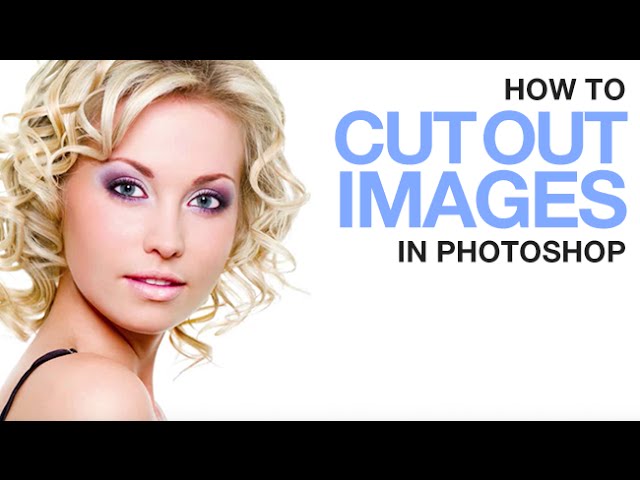
If you have ever had a really hard time making a layer mask or retouching someone’s skin, this cool tip will really help you.

This seems like a really silly tool, but it actually does make painting in Photoshop much easier. I know that when I draw on a normal piece of paper, I am always rotating it around to make my lines better and to make it more comfortable. This is basically the same thing.

We all have a natural motion that our hands move in, this is consistent whether you are using a mouse or a tablet. Trying to make well controlled strokes that go against that motion often results in failure.

Or you are like me, and twist your head and neck around every time you do something to the point of near injury.

OpenGL

I make it pretty obvious in this video that I don’t really know what this means. I know one of you brilliant Phamily members does though. Help us out!

Your Tricks

Have you learned any cool tips or trick when it comes to Photoshop or photography lately?
Let us know what they are – The coolest tip will get a Phlearn PRO.

VISIT PHLEARN.COM FOR MORE FREE TUTORIALS

Homepage

SUBSCRIBE TO OUR CHANNEL FOR MORE FREE TIPS AND TRICKS
http://www.youtube.com/subscription_center?add_user=phlearnllc

GET FREE TUTORIALS IN YOUR EMAIL + DISCOUNTS ON OUR PRO TUTORIALS!
https://phlearn.com/mail

BUY THE TABLET AARON USES! https://phlearn.com/tablet

LET’S BE FRIENDS!
Instagram ► https://www.instagram.com/phlearn/
Facebook ► https://facebook.com/phlearn
Twitter ► https://twitter.com/phlearn
Google+ ► https://plus.google.com/116791098059215639405
Phlearn ► https://phlearn.com

————————————————————————————————————-
Check out the full post at: http://phlearn.com/hate-cutting-things-out

Secret To Creating Shadows In Photoshop – A Phlearn Video Tutorial

0

Check out the full post at: http://phlearn.com/the-secret-to-creating-shadows-in-photoshop

How to calculate light in shadows

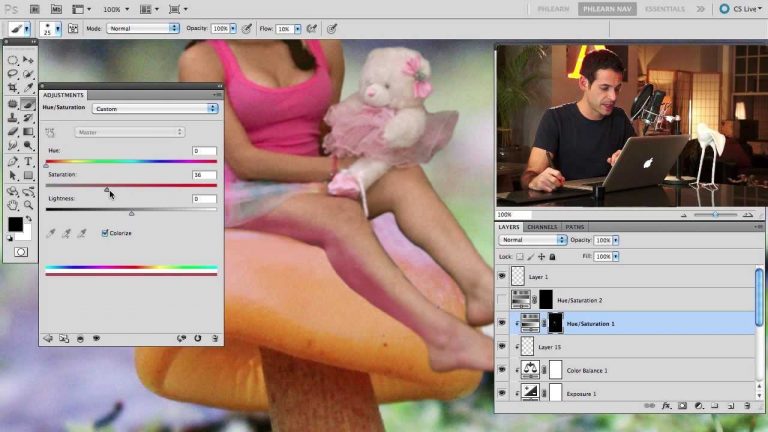
Creating realistic shadows in Photoshop really is about the hardest thing you can do. The reason for this, is that there is so much more going on than what most people think about. In today’s episode, I am going to shed some light on what needs to be done to create perfect composites.

Today’s Episode Timeline

0:32 – Announcing Amelia’s Move & what that means for you
1:00 – Announcing the winners from last week’s contest!
3:00 – The secret that no one thinks about when doing composites
4:20 – Showing light bouncing back and forth
6:20 – Why this contest is going to benefit you
7:30 – Adding a bit more to the mushroom
8:50 – Fixing exposure and color
10:10 – Taking the light and color from the mushroom
16:20 – Adding depth to the shadow
19:30 – EPISODE PUMP UP .

Website: http://phlearn.com/
Facebook: https://www.facebook.com/Phlearn
Twitter: https://twitter.com/aknacer
Google+: https://plus.google.com/105267656376269695918/posts

For more tutorials and how to videos check out our extensive Photoshop and photography video channel: http://www.youtube.com/user/PhlearnLLC
We cover everything from Photoshop tutorials, photography tutorials, how to videos and more!
The Secret Behind Levels Vs Curves In Photoshop – A Phlearn Video Tutorial

0

Check out the full post at: http://phlearn.com/the-secret-behind-levels-vs-curves-in-photoshop

Why Curves and Levels Are Important

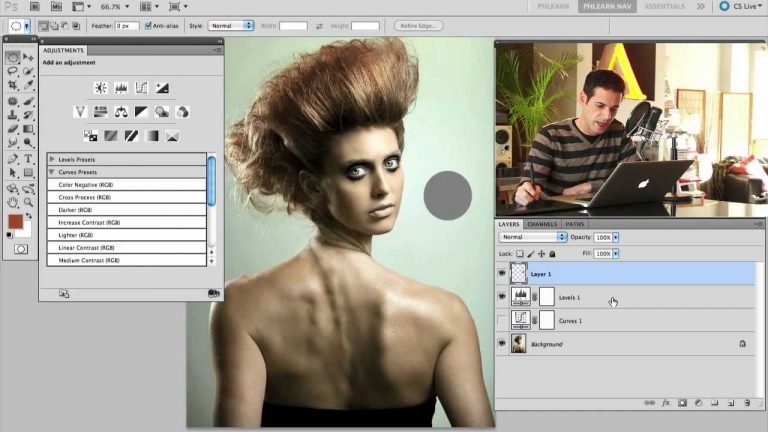
Curves and Levels are the bread and butter of photo editing, but it can be difficult to know which one to use. Today we analyze both, and give the strengths and weakness of each. I also cover when I use levels and when I use curves, and how to make the process more simple.

Today’s Episode Timeline

0:03 – Adjustment layers are like Jelly Beans
1:30 – What Curves and Levels have to do with editing.
2:40 – Overview of when I use Curves
3:15 – Overview of when I use Levels
4:40 – Explaining input and output levels
7:00 – Showing the parallels between levels and curves
8:20 – Drastic changes with Curves
9:30 – How to make Curves very user friendly
13:30 – Choosing your black point, grey point and white point.
14:00 – A great tip for people who shoot with a grey card
13:30 – Choosing your black point, grey point and white point.
16:30 – Teach me something about Curves and Levels
What to use if you don’t like graphs

There is a hand tool in the curves adjustment layer that will allow you to click directly in your image and change your values and colors based on where you click. It takes all the technical stuff out of editing, and just leaves the fun. Highly suggested.

Curves

In general, curves are a bit more user friendly, and will allow you to make more dramatic changes than levels. With the ability to change things drastically comes the ability to either really mess an image up, or make it great.
Here is when I will use Curves

Adjusting the colors of highlights, mid-tones and shadows
Adjusting very specific values (Using the Hand)
Creating Vignettes (Pull RGB up in center slightly)
In compositing, often you will need to change colors, lights and darks to make an image fit. Curves handle this very well
Making drastic changes
Levels

Levels are perfect for large global adjustments such as making the lights of an entire image a little less bright. They are a bit more subtle than curves.
Here is when I use Levels

Making subtle changes
Adding slight color to highlights and shadows (as depicted in the image be Annie Leibovitz below)
Making white leves slightly darker so things don’t look blown out
In this amazing image of the White Stripes, Annie’s retoucher Pascal Dangin uses levels to add the perfect amount of cyan into the shadows. This is a perfect application for Levels. .

Website: http://phlearn.com/
Facebook: https://www.facebook.com/Phlearn
Twitter: https://twitter.com/aknacer
Google+: https://plus.google.com/105267656376269695918/posts

For more tutorials and how to videos check out our extensive Photoshop and photography video channel: http://www.youtube.com/user/PhlearnLLC
We cover everything from Photoshop tutorials, photography tutorials, how to videos and more!
How To Use Adjustment Layers In Photoshop – A Phlearn Video Tutorial

0

Check out the full post at: http://phlearn.com/unlocking-the-mystery-of-adjustment-layers-in-photoshop

Which Adjustment Layer is Best?

The right one for the job of course. Knowing what that is can be a headache however. Today we are going through the rest of the Adjustment Layers, and showing you which ones should be used in what circumstances. You will be able to make your images much better in less time by knowing the right layer to grab.

For Curves and Levels, check out yesterday’s episode: The Secret Behind Levels VS Curves in Photoshop

Today’s Episode Timeline

0:30 – Intro to all the adjustment layers
1:10 – Using the Hue/Sat adj layer
2:40 – One of the best uses for Hue/Sat
4:00 – Showing how Selective Color is amazing for skin
6:20 – Learn how to make great cross tones
7:30 – Why Vibrance is better than Saturation
9:20 – Color Balance is for finishing images off
11:10 – Fun with Photo Filter
12:30 – Using a Gradient Map to Color Your Image
13:40 – Extreme Power with the Channel Mixer
17:30 – Showing Color Depth vs Hue/Sat
18:30 – Everything Else!
Hue/Sat

This is a great layer to use if you want to make crude color changes, something like turning a green car into a blue car. It is not the best tool for skin, because it tends to flatten everything out, and produce a less deep image.

If you do need to color something that is not saturated, click on the colorize button, and you are good to go. You will likely have to add colors to the highlights and the shadows to give your object depth.

Selective Color

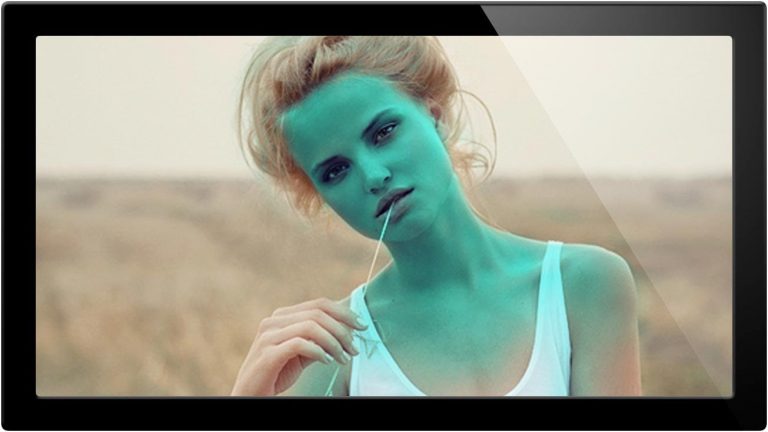
This is one of my favorites. It is the perfect tool to adjust skin tone, providing you want your skin to look like skin. This is not the tool to use if you are trying to make a person’s skin blue, but if you are adjusting subtleties, there is none better.

It will also create stunning cross process images very easily, as I show in this episode

Color Balance

A great way to finish off an image. Adding a bit of color to the midtones and highlights can draw some attention to your image in a great way, as long as you keep it subtle.

Color Balance Tip: Stay away from the shadows slider, most of the time it will make your image look worse.

Vibrance

A great way to add some POP to your image without going overboard. This tool does a great job at keeping mid tones and skin tones in place. Compare this to Saturation, and you will like the results much better!

Channel Mixer

The Big Boy! Using the channel mixer is very hard, so don’t worry if it doesn’t come naturally to you. It is the perfect tool for some dramatic black and white images.

When you are using the Channel Mixer with colors, it will allow you to greatly alter your image, which can be a really good thing, as long as you keep it under control. Too much, and you will wind up with something crazy.

Photo Filter

This thing is just fun. Choose what color cast you want on your image, and how strong you want it, couldn’t be easier!

Gradient Map

The Gradient Map will completely colorize your image, allowing you to choose which colors make up the highlights/midtones/shadows and everything in between. .

Website: http://phlearn.com/
Facebook: https://www.facebook.com/Phlearn
Twitter: https://twitter.com/aknacer
Google+: https://plus.google.com/105267656376269695918/posts

For more tutorials and how to videos check out our extensive Photoshop and photography video channel: http://www.youtube.com/user/PhlearnLLC
We cover everything from Photoshop tutorials, photography tutorials, how to videos and more!
How To Come Up With Great Ideas: Photo Shoot

0

What do you do when you have no ideas for a photo shoot? This is something we will all face from time to time, and today we are talking about some great techniques on how to come up with ideas, pre-visualize, make props, and work out the details of a shoot before a shoot happens.

Check out the full post at: http://phlearn.com/how-to-come-up-with-great-ideas

Today’s Episode Timeline

0:30 -Deciding what Amelia will be on Twitter
0:40 – Shout Out to Chad North for sending my an awesome shirt
1:30 – Going over everything we are going to be using for our new shoot
2:30 – Sketching out a shoot idea
4:20 – Great tips on how to make your sketch come to life
9:00 – How to make a miniature for a photo shoot
10:20 – The best ways to come up with ideas!
12:10 – Time for the photo shoot!
12:30 – Using a Gradient Map to Color Your Image
13:40 – Extreme Power with the Channel Mixer
17:30 – Showing Color Depth vs Hue/Sat
18:30 – Everything Else!
Amelia Comes To Phlearn

We are really excited to have Amelia Fletcher on the Phlearn Team full time. She will be working as our content coordinator, basically making sure that a lot more awesome happens. This means photo shoots, videos, behind the scenes, production, tutorials, images, and more!

My Favorite Way To Come Up With Ideas

Everyone has their own ritual for coming up with ideas for photo shoots. They all seem to have something in common, you can’t force ideas.

I have a way of forcing myself that is not forcing myself. It always results in a plethora of ideas, and they are always fresh. Basically I just start drawing on paper, lines shapes, and with nothing in mind. In the same way that you can make familiar objects come to life in looking at clouds, your brain will try to make some sense of the madness.

In the process of making randomness, your brain adds order, and you will actually see something in the chaos. This is great because it is often VERY suprising what you see. It can be something you would have never thought of on your own.

How Do You Do It?

Amelia says the shower is the perfect time for ideas to come to her, what works for you?? .

Website: http://phlearn.com/
Facebook: https://www.facebook.com/Phlearn
Twitter: https://twitter.com/aknacer
Google+: https://plus.google.com/105267656376269695918/posts

For more tutorials and how to videos check out our extensive Photoshop and photography video channel: http://www.youtube.com/user/PhlearnLLC
We cover everything from Photoshop tutorials, photography tutorials, how to videos and more!
How To Create A Photoshop Composite Image – A Phlearn Video Tutorial

0

Check out the full post at: http://phlearn.com/photoshop-composite-image

Where to start with a composite?

It can be very difficult to know what elements to start with when making a Photoshop Composite Image. The best way to do it in my experience is to start with the element you can’t really control, and work towards the elements you can.

Today’s Episode Timeline

0:30 -Rules on building a composite
2:00 – Matching lighting in a composite
3:00 – Putting together the background
3:30 – Adding a sky
4:20 – Adding a light source
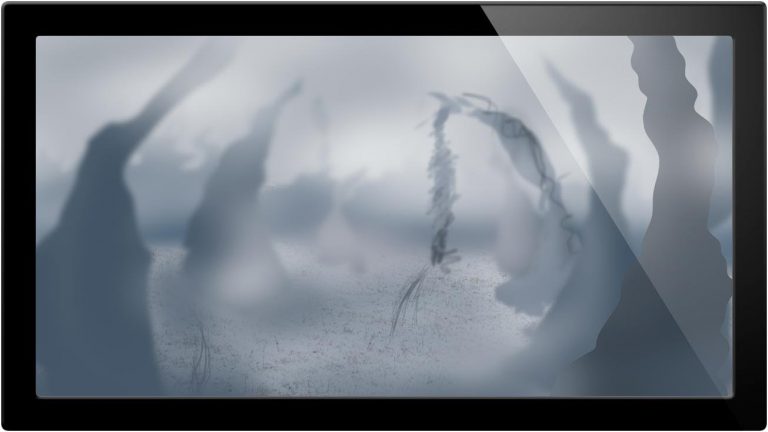
5:30 – Sketching on top of our background
6:20 – Showing Amelia’s Foam Work!
7:30 – 3d Modeling Vs. Building Props
8:30 – Working from what you can’t control
9:30 – Blackjack teaches Photoshop
First Things First

For this composite, we are starting with the background and building up from there. There are a lot of complex things going on in this final photo, and getting them all to work together is very hard.

By starting with the background, we know how the entire image is lit, and we can model and photograph everything else to make sure that it does match. This also helps for choosing what angle to photograph your subject.

What Are Your Ideas?

I will be making this image into a Phlearn PRO! What ideas do you have for the final, you can be famous! .

Website: http://phlearn.com/
Facebook: https://www.facebook.com/Phlearn
Twitter: https://twitter.com/aknacer
Google+: https://plus.google.com/105267656376269695918/posts

For more tutorials and how to videos check out our extensive Photoshop and photography video channel: http://www.youtube.com/user/PhlearnLLC
We cover everything from Photoshop tutorials, photography tutorials, how to videos and more!
How To Use Saturation To Make Images Amazing – A Phlearn Video Tutorial

0

Check out the full post at: http://phlearn.com/saturation-amazing-images

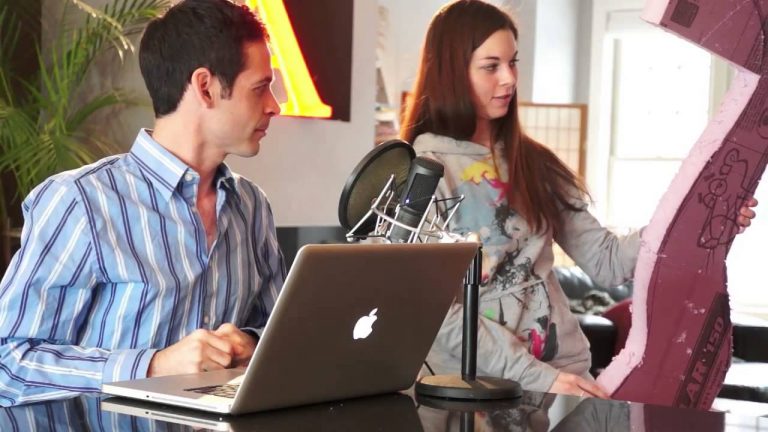
How to use saturation to enhance composition

Creating mood and emotion in images can help give your images that extra touch. Adding and subtracting color in different areas can help create a focal point and balance your composition. Today I go over different blend modes and effects you can use to check color levels in your photos.

Today’s Episode Timeline

0:28 – Announcing last week’s contest winners
2:00 – Analyzing color in an image
2:40 – Using luminosity to analyze saturation levels
6:30 – Create focal point
9:00 – Use hue to check saturation levels
10:34 – Announcing this week’s contest
11:40 – Hubris .

Website: http://phlearn.com/
Facebook: https://www.facebook.com/Phlearn
Twitter: https://twitter.com/aknacer
Google+: https://plus.google.com/105267656376269695918/posts

For more tutorials and how to videos check out our extensive Photoshop and photography video channel: http://www.youtube.com/user/PhlearnLLC
We cover everything from Photoshop tutorials, photography tutorials, how to videos and more!
How To Adjust Hue In Photos – A Phlearn Video Tutorial

0

Check out the full post at: http://phlearn.com/hue-better-photos

How does hue work?

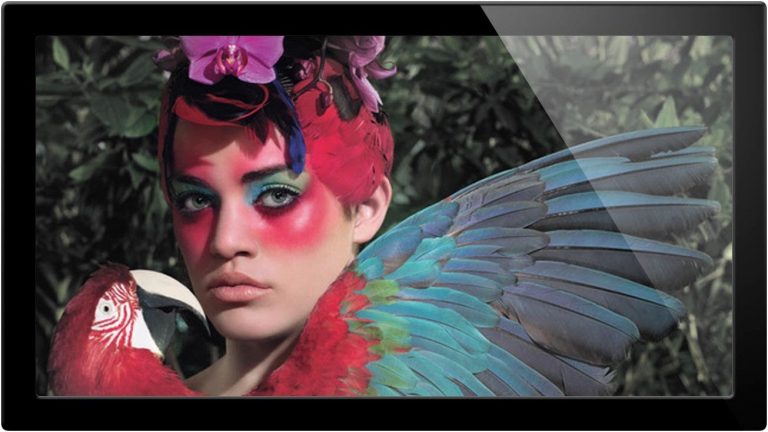
Hues are much like saturation in that they can completely change the look and feel of a photo. It’s easy to leave the colors the way they were shot, but here we show you how to use them in a way that will help your work. Hue has the power to change the emotional feel of an image as well as make something stand out from its background.

Today’s Episode Timeline

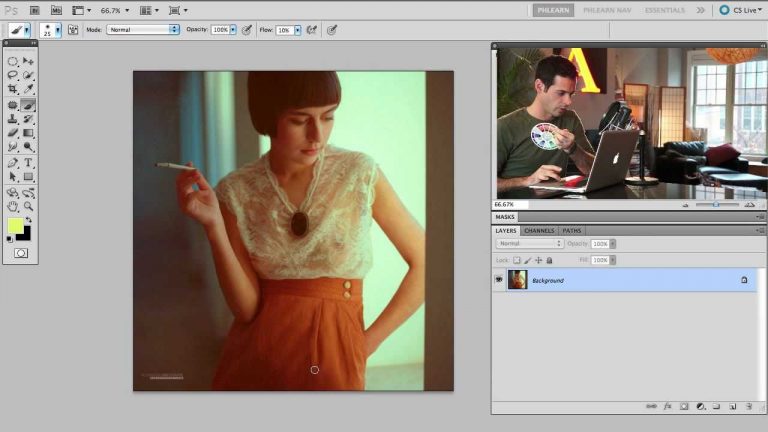
0:30 -Explanation of hue and color wheel
2:45 – Examples of artists that have used these tools successfully, and why they work
3:00 – Putting together the background
7:45 – Trying this method out for ourselves using adjustment layers
12:50 – Show me your images!
13:20- That’s better.
Learn from the greats

Almost every great artist I can think of uses color in an interesting way to enhance their work and help with the overall success of their images. Once you understand the different ways to work with color you can use this to your advantage with your own photos.

Don’t forget to use a color wheel

Color wheels are a great tool and can be purchased for CHEAP on amazon or you can simply use a website. .

Website: http://phlearn.com/
Facebook: https://www.facebook.com/Phlearn
Twitter: https://twitter.com/aknacer
Google+: https://plus.google.com/105267656376269695918/posts

For more tutorials and how to videos check out our extensive Photoshop and photography video channel: http://www.youtube.com/user/PhlearnLLC
We cover everything from Photoshop tutorials, photography tutorials, how to videos and more!