Home Blog Page 462

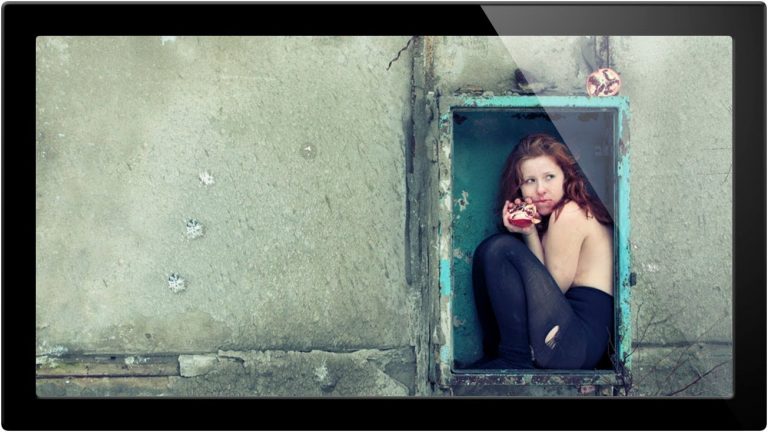
The Basics Of Studium And Punctum In Photo – A Phlearn Video Tutorial

0

Check out the full post at: http://phlearn.com/punctum-better-image

The Studium and the Punctum

Studium is the element that initially gets your attention. It can be colors, a cool background, a pose, really anything. But the punctum is what Roland describes as the thing that “pricks or bruises.” It’s that rare detail that makes the viewer feel something and pushes the photo even further. The punctum can be an object or expression on someone’s face, something you wouldn’t naturally expect that makes the image more effective.

Today’s Episode Timeline

0:20 -Roland Barthes
1:35 – Defining the terms
2:20 – Analyzing how Katerina Plotnikova uses this principle and more explanation
7:00 – Ways to use a punctum
9:30 – How it can make the image
10:00 – Philosopher you
How can you can apply this to your own work?

A punctum can be anything. If you are looking for ideas try going to through a magazine and looking at random objects then adding that element into one of your photos. Consider what this object could symbolize and how it will change your image to create a narrative .

Show us some examples

Have you used this same idea without realizing it? What are some other artists that use a punctum? .

Website: http://phlearn.com/
Facebook: https://www.facebook.com/Phlearn
Twitter: https://twitter.com/aknacer
Google+: https://plus.google.com/105267656376269695918/posts

For more tutorials and how to videos check out our extensive Photoshop and photography video channel: http://www.youtube.com/user/PhlearnLLC
We cover everything from Photoshop tutorials, photography tutorials, how to videos and more!
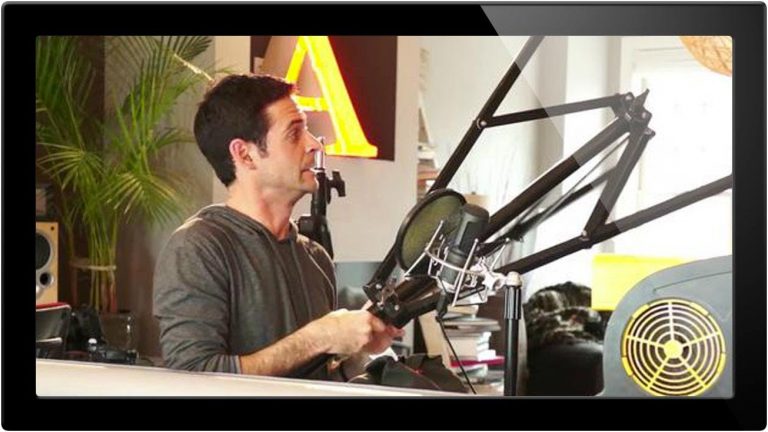

Tips To Building Your Home Photography Studio – A Phlearn Video Tutorial

0

Check out the full post at: http://phlearn.com/5-essentials-to-building-your-home-studio

You Don’t Need a Studio to Look Like You Have a Studio.

What most photographers won’t tell you is that “studio” shots are usually done in their living room. No shame in this, in fact I am going to help you get an awesome home studio.

Today’s Episode Timeline

1:00 -Why we got our new studio
1:41 – Background Seamless Paper
1:60 – Manfrotto Backdrop Holder
3:05 – Reliable Light Stands Also Work For Backdrop Stands
4:30 – Small Stands for Indoor Backdrops
5:30 – Suggestions for people without studio lighting
6:10 – Using a Boom – Like this Avenger a475B
7:30 – The importance of sandbags
8:40 – Using a fan to add movement to your image
10:00 – Canvas Vs. Paper
Backdrop/Light Stands

You don’t have to get special stands for your backdrops, you can totally use the same stands you have for your lights.

Seamless Paper

If you are debating between canvas and paper, you are not alone. I have thought may times throughout my career that I should be using canvas, Mostly because it is more expensive, so I assume it is better.

I don’t think it is better. If you have a studio backdrop that will stay up 24/7 in a dedicated studio, canvas may be the option for you. If you plan on being a bit more mobile, paper is usually a good option, especially if you don’t need the full size rolls.

What Are Your Tricks?

We all love saving money. I am no exception. Do you have any tricks to save some money in your studio by using things you can find around the house?

How do you set up your home studio?? .

Website: http://phlearn.com/
Facebook: https://www.facebook.com/Phlearn
Twitter: https://twitter.com/aknacer
Google+: https://plus.google.com/105267656376269695918/posts

For more tutorials and how to videos check out our extensive Photoshop and photography video channel: http://www.youtube.com/user/PhlearnLLC
We cover everything from Photoshop tutorials, photography tutorials, how to videos and more!
Softboxes Vs Umbrellas – A Phlearn Video Tutorial

0

Check out the full post at: http://phlearn.com/softboxes-vs-umbrellas

Which lights produce which effects

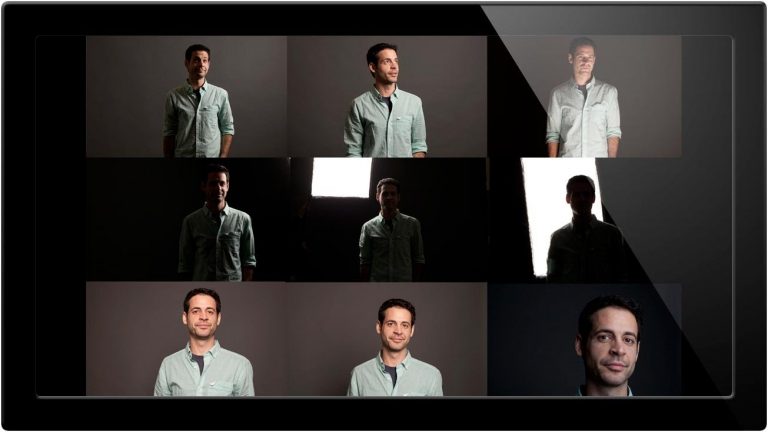
Softboxes produce a different effect than the umbrellas, here we show you the difference and how you can use it to your advantage.

The bigger the softbox the softer your shadows. Different types can produce different effects, and it’s not only the size that can change the final image but also the shape and distance from the camera. Timeline

0:20 Our new studio
1:00- Lighting effects of umbrellas and how they effect your image
2:30- Example of light from umbrella
2:45- Softbox lighting
3:20- Anatomy of a softbox
4:15- OCTOBOX
5:44- Moving the light source farther away
6:15- Why I prefer softboxes
6:30- Adam Elmakias version
6:48-Using a grid .

Website: http://phlearn.com/
Facebook: https://www.facebook.com/Phlearn
Twitter: https://twitter.com/aknacer
Google+: https://plus.google.com/105267656376269695918/posts

For more tutorials and how to videos check out our extensive Photoshop and photography video channel: http://www.youtube.com/user/PhlearnLLC
We cover everything from Photoshop tutorials, photography tutorials, how to videos and more!
9 Ways To Light A Photo – A Phlearn Video Tutorial

0

Check out the full post at: http://phlearn.com/9-ways-to-light-a-photo

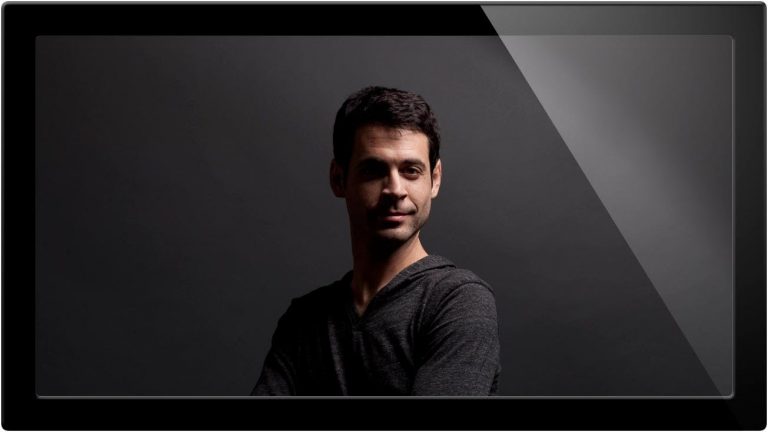
Using one light to get many effects

In this episode I’ll show you how one light can change the result of your image through the distance and height from your subject. We show you where the light was with each photo and explain why some angles are better than others.

What’s covered

0:30 Change lighting by moving your softbox
1:26- Using a Light Meter
2:10- Side lit images
2:30- Lit from underneath
2:40- Back lighting
3:00- Lit from above and in front , closeup!
3:20- Explanation of modeling light and how it can be used to help
4:00- Which angles work better and why
4:47- Contest info! .

Website: http://phlearn.com/
Facebook: https://www.facebook.com/Phlearn
Twitter: https://twitter.com/aknacer
Google+: https://plus.google.com/105267656376269695918/posts

For more tutorials and how to videos check out our extensive Photoshop and photography video channel: http://www.youtube.com/user/PhlearnLLC
We cover everything from Photoshop tutorials, photography tutorials, how to videos and more!
How To Use A Beauty Dish – A Phlearn Video Tutorial

0

Phlearn has some amazing deals happening from now until the end of the year!
Check out some of our awesome photoshop products here: http://bit.ly/1wX5X45

Phlearn PRO Photoshop Tutorials
View Our Bestselling Bundles – http://bit.ly/1Abrt1R

Where to buy this Calumet Boom: http://www.calumetphoto.com/eng/product/calumet_standard_light_boom/mf6245

Check out the full post at: http://phlearn.com/how-to-use-a-beaut…

Hard and Soft Light

A beauty dish is unique in that it creates a hard light that has soft edges. It does not have a “hot spot” in the middle of it like most reflectors, and can be used to make portraits very compelling.

What’s covered

0:30 Congrats to Dave for winning the Phlearn PRO contest!
1:16- Using our shotgun mic
3:10- Why relative size is important
4:00- When to use a beauty dish
4:40- When to not use a beauty dish
6:00- Making a DIY beautydish
6:45- balancing a boom
8:00- Best postion for a beauty dish
10:00- placing a beauty dish too far from your subject
Why Distance Is Important

Beauty dishes have a “Sweet Spot” where they work the best. The reason this modifier exists is to create a hard light source with semi-soft edges, and no hot spot in the middle of the light. Perfect for portraits.

That being said, these are pretty much only good for portraits. You won’t get the benefits of the light if your beauty dish is too far from your subject, it will just appear to be a small light source.

For most beauty dishes, you want to place them from 6 inches to 2 ft from your subject’s face. .

Website: http://phlearn.com/
Facebook: https://www.facebook.com/Phlearn
Twitter: https://twitter.com/aknacer
Google+: https://plus.google.com/1052676563762…

For more tutorials and how to videos check out our extensive Photoshop and photography video channel: http://www.youtube.com/user/PhlearnLLC
We cover everything from Photoshop tutorials, photography tutorials, how to videos and more!
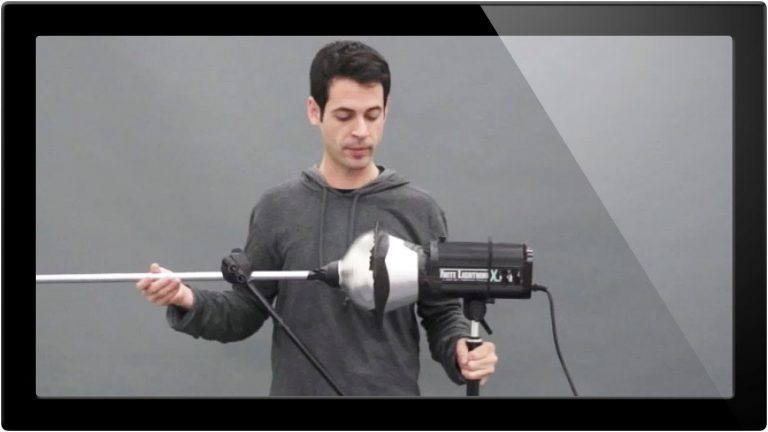
How To Use A Fill Light – A Phlearn Video Tutorial

0

Check out the full post at: http://phlearn.com/using-fill-light

Using Main and Fill Light

In this episode we cover what’s called “clamshell lighting,” with a beauty dish as our main light and softbox as fill. We go over the power levels of each and how they can best be used together.

All the Info

0:20 News and Updates
1:35- Using a main/key light and issues
2:35- Why a fill light will help, why it shouldn’t be as strong as fill
2:45- Our light setup with softbox
3:20- How the light will affect the shadows
3:55- Measuring ratio using the light meter
4:35- Metering for the main light
5:45- Turning up the fill light to full power and showing example
07:15- Lowering the light to half power
08:18- Explanation of a stop
09:20- Using ratio with the light, not in camera
10:10 Using the 3:1 ratio
11:48- Putting this ratio into practice
Why Fill Should be Based off the Main Light

Your key or main light is the primary source of light in the image. The fill is simply used to add detail back into your shadows, and if you add to much or too little it can throw off the look of the photo. Using a 3:1 ratio will help you bracket so that you have an image showing detail in every area. .

Website: http://phlearn.com/
Facebook: https://www.facebook.com/Phlearn
Twitter: https://twitter.com/aknacer
Google+: https://plus.google.com/105267656376269695918/posts

For more tutorials and how to videos check out our extensive Photoshop and photography video channel: http://www.youtube.com/user/PhlearnLLC
We cover everything from Photoshop tutorials, photography tutorials, how to videos and more!
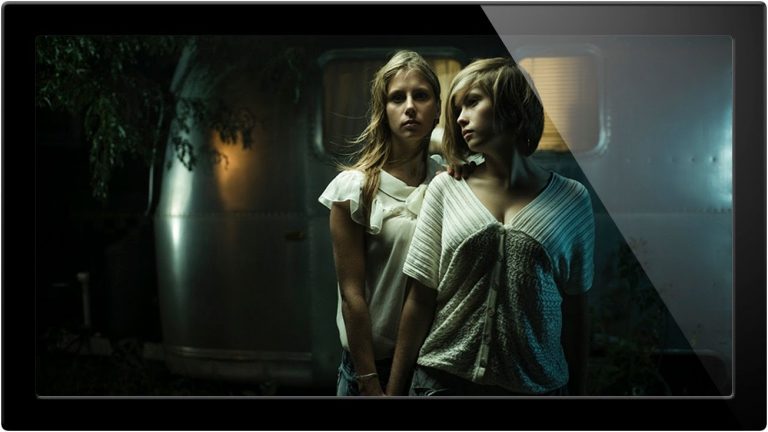
Do It Yourself Light Modifiers – A Phlearn Video Tutorial

0

Check out the full post at: http://phlearn.com/light-modifier

Easy ways to Customize Lighting Setup

In today’s episode I explain how to make a snoot and the best materials to make lighting modifiers with. Using things available at any hardware store can save you from buying expensive equipment and help you get different creative effects.

All the Info

0:35 New Contest for this week
1:35- Definition of the super snoot
2:00- DIY vs. buying
2:30- How I made this modifier and materials used
3:30- Attaching the snoot to light stand or boom
4:30- Testing it out
4:55- Plan for the shoot and how the light will be used
7:00- Showing how the light will hit subject
07:30- Best ways to make a modifier .

Website: http://phlearn.com/
Facebook: https://www.facebook.com/Phlearn
Twitter: https://twitter.com/aknacer
Google+: https://plus.google.com/105267656376269695918/posts

For more tutorials and how to videos check out our extensive Photoshop and photography video channel: http://www.youtube.com/user/PhlearnLLC
We cover everything from Photoshop tutorials, photography tutorials, how to videos and more!
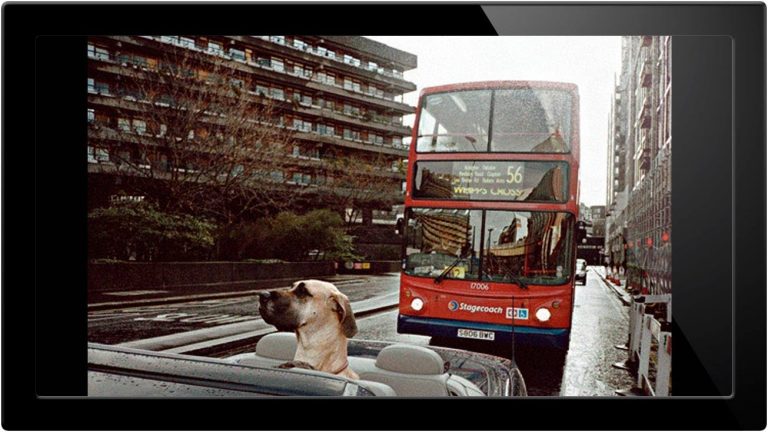
How To Use Gels In Photography – A Phlearn Video Tutorial

0

Check out the full post at: http://phlearn.com/gels

Change Up Your Lights

Its very easy to mess up an image by using a gel too directly and by using too many colors. This episode covers how to use them in a subtle way to change the overall mood of your photos and which lighting works best.

Pick up our own pack of gels HERE

Timeline

0:00- Ferdinand Magellan
0:30- Explanation of gels and how to use them
2:00- Gel grades
3:15- Light setup
4:10- Using full power with orange gel
4:30- Using complimentary colors
5:20- Softbox lighting
6:20- Let us know if you have any examples!
How to Choose Colors

Complimentary colors always work well together. Try using a warm and cool combination when choosing which gels you want to use, and combining them in a way that makes sense. Colors are much easier to get right by using a color wheel and planning out your final image before you start. You can also try placing the warmer tones in the foreground and cooler in the back, or vice versa. .

Website: http://phlearn.com/
Facebook: https://www.facebook.com/Phlearn
Twitter: https://twitter.com/aknacer
Google+: https://plus.google.com/105267656376269695918/posts

For more tutorials and how to videos check out our extensive Photoshop and photography video channel: http://www.youtube.com/user/PhlearnLLC
We cover everything from Photoshop tutorials, photography tutorials, how to videos and more!
Tips To Change Color Tones In A Photo – A Phlearn Video Tutorial

0

Check out the full post at: http://phlearn.com/duotone

Change up Your Colors

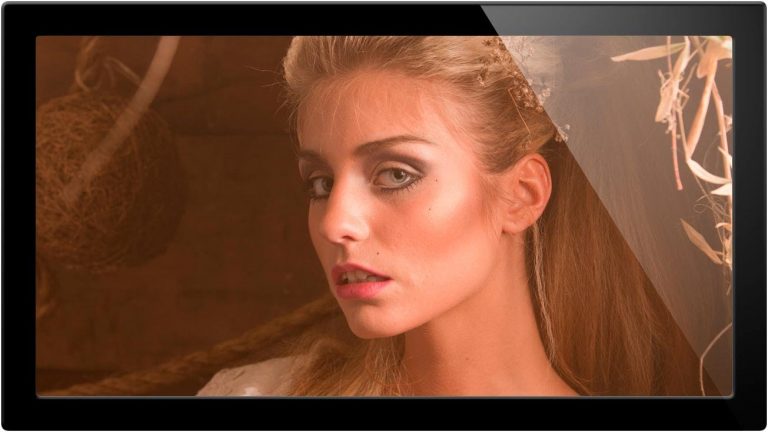
In today’s episode see a cool way to add different tones into your image with a couple easy steps using Duotone. The colors in these presets determine what your shadows, midtones, and highlights will look like. You can also choose your own color palette, and combine the layers using different blend mode and opacity combinations.

Today’s Episode Timeline

0:30 -Upcoming shoot
1:50 – Getting into color
2:15 – Duotone and Tritone
2:50 – Making a new document
3:01 – Working in grayscale
4:15- Using presets
5:15- Choosing your own colors
6:26- Curves
7:45- Blending these colors with your original images
9:50- Taking it one step further
10:20- Adding noise
11:10- Light rays
12:35- Show us your effects
Working Non-Destructively

Because you have to work in grayscale to be able to use this feature I would recommend making a new document. Grayscale converts the image into black and white, meaning you can’t make any changes later. To prevent this you can just bring the new document in as a layer after you finish in Duotone.

Push it Further

Another option after you finish is to add in light and grain to get the vintage style or film type look. You can add light into your photo quickly and easily by using the brush tool on dissolve and experimenting with opacity on that as well. .

Website: http://phlearn.com/
Facebook: https://www.facebook.com/Phlearn
Twitter: https://twitter.com/aknacer
Google+: https://plus.google.com/105267656376269695918/posts

For more tutorials and how to videos check out our extensive Photoshop and photography video channel: http://www.youtube.com/user/PhlearnLLC
We cover everything from Photoshop tutorials, photography tutorials, how to videos and more!

How To Make Images Look Great On The Web

0

Check out the full post at: http://phlearn.com/how-to-make-sure-your-images-look-great-on-the-web

Making Your Images Look Great

There are a lot of options to check when you are editing your images. Choosing the right ones will make sure your images will look great no matter where they are viewed.

In this episode we cover 16bit vs 8bit and colorspace. These may sound boring, but they do make a big difference in your final image.

Today’s Episode Timeline

0:30 -Making sure your images look good on the internet
1:00 – 16 bit vs. 8 bit.(Here is a great article)
2:45 – Opening the DNG
3:50 – Changing your color space
5:30- Opening your image from the RAW Dialogue
6:00- editing your image
7:26- Saving Multiple copies of your images
8:00- Saving your images for the internet
9:30- Deciding your quality
10:30- Opening your image on the internet
12:10- Keeping you from getting pissed off!
Starting with a lot of information

Be sure you are shooting in RAW! You want to start off with the most info possible and then work your way down.

Here is a decent workflow

Shoot with your camera in RAW mode. If your camera does not have RAW, choose the FINE under the JPG settings.
Import into Lightroom or aperture – these programs will read your RAW files.
Edit your image in Photoshop – 16 bit mode, ProphotoRGB or Adobe RGB 1998
Save a copy of your image as a .PSD file – this will allow you to have layers so you can edit the image further later if you decide to.
Save another copy of your image for the web using FILE-SAVE FOR WEB AND DEVICES from Photoshop. Be sure it embeds the color profile SRGB and is around 80 quality.
Upload to the internet! .

Website: http://phlearn.com/
Facebook: https://www.facebook.com/Phlearn
Twitter: https://twitter.com/aknacer
Google+: https://plus.google.com/105267656376269695918/posts

For more tutorials and how to videos check out our extensive Photoshop and photography video channel: http://www.youtube.com/user/PhlearnLLC
We cover everything from Photoshop tutorials, photography tutorials, how to videos and more!