Home Blog Page 109

After Effects Tutorial: How To Casey Neistat Glitch Effect!!!

Today’s adobe after effects tutorial will be showing you how to achieve a Casey Neistat Glitch effects tutorial in premiere pro and after effects. Lately in 2017 in caseys recent videos he has been using a glitch effect and I wanted to show you how to replicate it.

Project File: http://www.mediafire.com/file/axeuzj8v3j22xk1/Casey_Glitch_Tutorial.rar

Equipment:
My Camera: http://amzn.to/2ijSHFQ
His Drone: http://amzn.to/2o32oKo
My Drone: http://amzn.to/2nynZtG
Small Camera: http://amzn.to/2nzel9I
Medium Camera: Panasonic G7: http://amzn.to/2nlsQxQ
Speedbooster: http://amzn.to/2ofrTFt
Main Lense: http://amzn.to/2ox4mzf
Favorite Lense: http://amzn.to/2pWko6G
Big Camera: Blackmagic Mini Ursa: http://amzn.to/2nrKRst
Lense: The Panasonic Lumix 20mm f1.7 Mk2
Panasonic 14-42/3.5-5.6 ASPH. MEGA O.I.S.
Software: Adobe Premiere Pro CC 2015
After Effects CC 2015

Music by order:
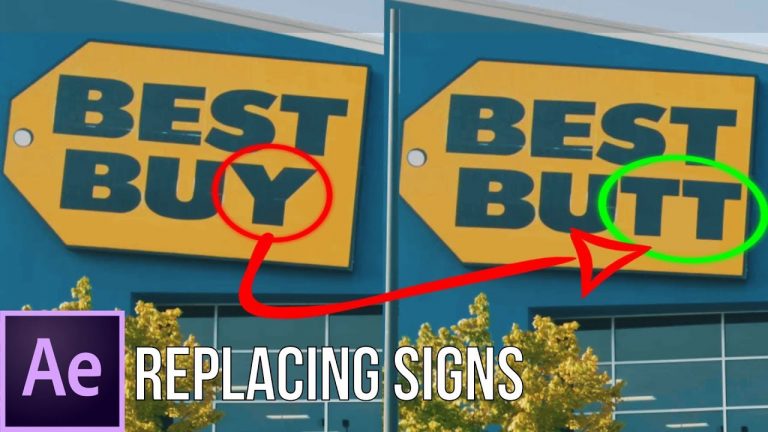
After Effects Tutorial: How to Replace a Sign!!!

This adobe after effects tutorial explains how to replace a sign. Specifically change a best buy sign to best butt lol. Anyways i realize this adobe after effects tutorial might not complete help everyone with their specific sign. If someone want’s a more in depth tutorial on more basic after effects training things comment below and let me know. Part of the adobe creative cloud 2017. Adobe cc 2017.

Project File: https://www.mediafire.com/file/hesad94q9m1n9b5/Sign%20replacement%20tutorial.zip

Equipment:
My Camera: http://amzn.to/2ijSHFQ
His Drone: http://amzn.to/2o32oKo
My Drone: http://amzn.to/2nynZtG
Small Camera: http://amzn.to/2nzel9I
Medium Camera: Panasonic G7: http://amzn.to/2nlsQxQ
Speedbooster: http://amzn.to/2ofrTFt
Main Lense: http://amzn.to/2ox4mzf
Favorite Lense: http://amzn.to/2pWko6G
Big Camera: Blackmagic Mini Ursa: http://amzn.to/2nrKRst
Lense: The Panasonic Lumix 20mm f1.7 Mk2
Panasonic 14-42/3.5-5.6 ASPH. MEGA O.I.S.
Software: Adobe Premiere Pro CC 2015
After Effects CC 2015

Music by order:
After Effects Tutorial: How to Character Intro Sequence (Free Project File)

Hey guys! Welcome back to another adobe after effects tutorial from Colin Ross. Only said my name there for metadata purposes lol. In this after effects tutorial i am going to be showing you how to create a character intro sequence.

Project File: https://www.mediafire.com/file/oz6ddy4mq7mpn6r/Character%20Intro%20Tutorial.zip

Equipment:
My Camera: http://amzn.to/2ijSHFQ
His Drone: http://amzn.to/2o32oKo
My Drone: http://amzn.to/2nynZtG
Small Camera: http://amzn.to/2nzel9I
Medium Camera: Panasonic G7: http://amzn.to/2nlsQxQ
Speedbooster: http://amzn.to/2ofrTFt
Main Lense: http://amzn.to/2ox4mzf
Favorite Lense: http://amzn.to/2pWko6G
Big Camera: Blackmagic Mini Ursa: http://amzn.to/2nrKRst
Lense: The Panasonic Lumix 20mm f1.7 Mk2
Panasonic 14-42/3.5-5.6 ASPH. MEGA O.I.S.
Software: Adobe Premiere Pro CC 2015
After Effects CC 2015

Music by order:
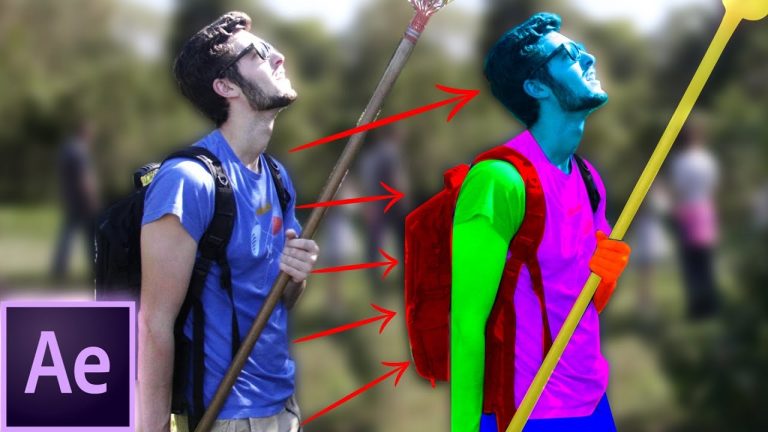
After Effects Tutorial: Learn How to Rotoscope in 6 minutes!!!

Hey guys Colin Ross here with another adobe after effects tutorial attempting to help you learn how to rotoscope in 6 minutes. This is not only an after effects tutorial but also a breakdown of what rotoscoping is actually doing with real life objects.

Equipment:
My Camera: http://amzn.to/2ijSHFQ
His Drone: http://amzn.to/2o32oKo
My Drone: http://amzn.to/2nynZtG
Small Camera: http://amzn.to/2nzel9I
Medium Camera: Panasonic G7: http://amzn.to/2nlsQxQ
Speedbooster: http://amzn.to/2ofrTFt
Main Lense: http://amzn.to/2ox4mzf
Favorite Lense: http://amzn.to/2pWko6G
Big Camera: Blackmagic Mini Ursa: http://amzn.to/2nrKRst
Lense: The Panasonic Lumix 20mm f1.7 Mk2
Panasonic 14-42/3.5-5.6 ASPH. MEGA O.I.S.
Software: Adobe Premiere Pro CC 2015
After Effects CC 2015

Music by order:
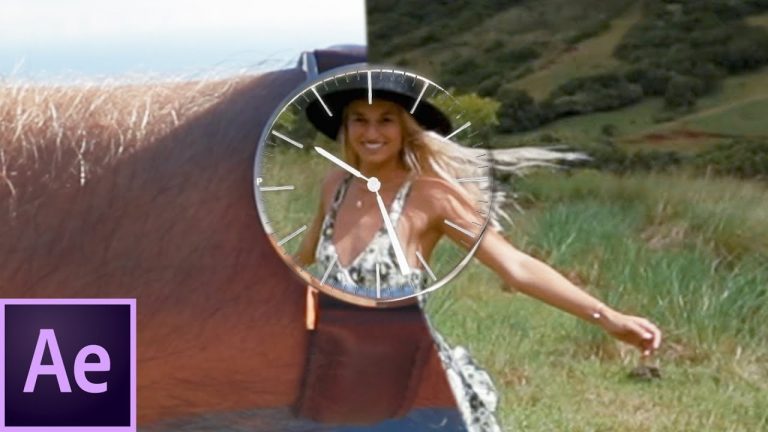
After Effects Tutorial: Ticking Watch Reveal Transition

Hello Colin Ross here with an Adobe after effects tutorial on a ticking watch reveal transition. I took the shot from Amir Zakeri’s new video and made a tutorial on the basic effects of the shot (check him out here https://www.instagram.com/amirzakeri/) . If someone want’s a more in depth tutorial on more basic after effects training things comment below and let me know. This video should show you how it is possible to make a ticking watch reveal in after effects. Part of the adobe creative cloud 2018. Adobe cc 2018.

Project File: https://www.mediafire.com/file/aeau26gi0ay45xm/Watch%20Ticking%20Tutorial.zip

Equipment:
My Camera: http://amzn.to/2ijSHFQ
His Drone: http://amzn.to/2o32oKo
My Drone: http://amzn.to/2nynZtG
Small Camera: http://amzn.to/2nzel9I
Medium Camera: Panasonic G7: http://amzn.to/2nlsQxQ
Speedbooster: http://amzn.to/2ofrTFt
Main Lense: http://amzn.to/2ox4mzf
Favorite Lense: http://amzn.to/2pWko6G
Big Camera: Blackmagic Mini Ursa: http://amzn.to/2nrKRst
Lense: The Panasonic Lumix 20mm f1.7 Mk2
Panasonic 14-42/3.5-5.6 ASPH. MEGA O.I.S.
Software: Adobe Premiere Pro CC 2017
After Effects CC 2017

Music by order:

After Effects Tutorial: Police Light Effects With Optical Flares

Today I’m going to show you an after effects tutorial for after effects cc 2018 on how to create police lights with optical flares.
Equipment:
My Camera: http://amzn.to/2ijSHFQ
His Drone: http://amzn.to/2o32oKo
My Drone: http://amzn.to/2nynZtG
Small Camera: http://amzn.to/2nzel9I
Medium Camera: Panasonic G7: http://amzn.to/2nlsQxQ
Speedbooster: http://amzn.to/2ofrTFt
Main Lense: http://amzn.to/2ox4mzf
Favorite Lense: http://amzn.to/2pWko6G
Big Camera: Blackmagic Mini Ursa: http://amzn.to/2nrKRst
Lense: The Panasonic Lumix 20mm f1.7 Mk2
Panasonic 14-42/3.5-5.6 ASPH. MEGA O.I.S.
Software: Adobe Premiere Pro CC 2015
After Effects CC 2018

After Effects Tutorial: Luma Key Sky Replacement Tutorial

Today we are looking at an adobe after effects tutorial about how to achieve a matte painting with the luma key effect to achieve a sky replacement.

Casey Neistat vs. The FAA https://www.youtube.com/watch?v=u3y5ty5jS1E

Check out my kit to see all the gear i use for my daily vlogs!
https://kit.com/ColinRoss/vlogging-gear

Filmed on Panasonic GH5

Colin Ross Production adobe after effects cc 2018

Adobe After Effects Tutorial: Eye Reflection Transition

Today I have an after effects tutorial for you guys that shows you how to achieve and eye reflection transition! This was a requested tutorial if you want to request something DM me on instagram.

https://www.instagram.com/cpross7/

Check out my kit to see all the gear i use for my daily vlogs!
https://kit.com/ColinRoss/vlogging-gear

Free Project File: https://www.mediafire.com/file/apqiapt0v2x5jcj/after%20effects%20eye%20transition%20tutorial.zip

Filmed on Panasonic GH5

Colin Ross Production

Adobe After Effects Tutorial: My 3D Compositing Workflow!

Every wondered about my 3d workflow between adobe after effects, 3ds max and boujou? Well today I go over my workflow! Adobe after effects tutorial.

Check out my kit to see all the gear i use for my daily vlogs!
https://kit.com/ColinRoss/vlogging-gear

Filmed on Panasonic GH5

Colin Ross Production

How to Creatively Film Silhouettes | Cinematography Tutorial

0

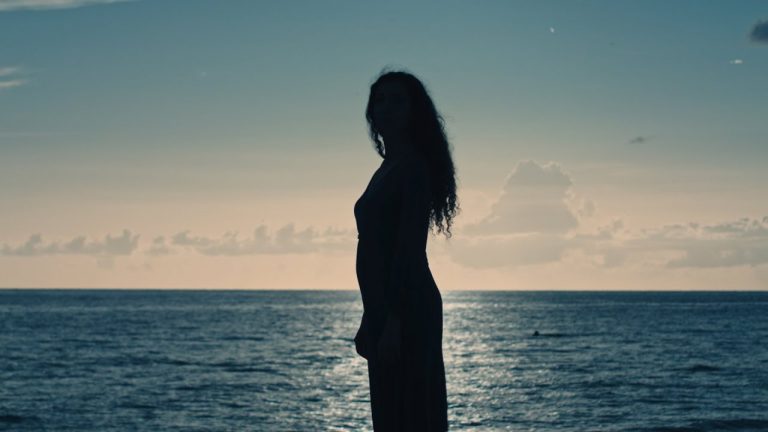
Silhouettes are one of the most creative type shots you can film. They are visually pleasing, however, they can showcase a powerful moment within your film. For that reason, this cinematography tutorial shows you how to correctly film silhouettes. Always make sure that your talent is in front of a bright source of light and whatever you are hoping to make a silhouette has less light.

Like the music? Get your royalty free music at Artlist.io.
http://bit.ly/2t7xrrP

Social Media:
Drop a like on Facebook: https://www.facebook.com/sonduckfilm
Hit me up on Instagram: http://instagram.com/sonduckfilm
Follow me on Twitter: https://twitter.com/SonduckFilm
Connect with me on Linkedin: https://www.linkedin.com/in/joshnoel

Some Gear I use:
CAMERA
BlackMagic Cinema Camera: http://amzn.to/2pwEEzq

LENSES
Canon L 16-35mm: http://amzn.to/2p1wJZF
Rokinon 50mm: http://amzn.to/2q3msNW
Rokinon 85mm: http://amzn.to/2oJ8UTL

LIGHTING
Key Light: http://amzn.to/2tbkw7X
Diffusion for Key Light: http://amzn.to/2sbU894
Fresnel for Key Light: http://amzn.to/2sbZOja
Back & Ambient Light: http://amzn.to/2otKXE3

GELS
Color Correction: http://amzn.to/2taVhCc
Color Effects: http://amzn.to/2taJjbD
Music from PremiumBeat.com
https://www.premiumbeat.com/

LIGHT STANDS & GRIP
C-Stand: http://amzn.to/2rjyC6D
Light Stand: http://amzn.to/2rb3an7

Visit our website https://www.sonduckfilm.com for more tutorials, giveaways and film and photo gear!