Home Blog Page 129

FAMOUS Landmark Typography Effect in Photoshop

0

CHECK OUT ALL THE COOL EXAMPLES AND HOW IT’S DONE! | We will break it all down and create a sicker than sick text effect in Photoshop that you’re just going to love.

? Buy the Photoshop Course and Support the Channel → http://bit.ly/28NuwFy

? My Instagram: http://instagram.com/tutvid

? Subscribe for Daily Tutorials → https://goo.gl/DN4Nln

In this Photoshop CC tutorial, we will create this awesome double exposure style text/type effect using color fill layers, text, masks, and a bunch more cool and useful features in Photoshop that any graphic designer or photographer should know. If you create this effect, tag me on Instagram @tutvid so I can see the effect you create!

Check out the stock photos I used in this tutorial:
NYC: https://unsplash.com/photos/PeFk7fzxTdk
Castle: https://unsplash.com/search/castle?photo=CpQBg5qyW5M
Louvre: https://unsplash.com/photos/-aDl1z8_nGY
Golden Gate: https://unsplash.com/photos/n7n-nkadHRM
Yellow Smoke: https://unsplash.com/photos/PvPayVQwUiA

⚡️ written tutorial here: http://bit.ly/2ultX0O

INSTAGRAM: http://instagram.com/tutvid
TWITTER: http://twitter.com/tutvid
FACEBOOK: https://www.facebook.com/tutvid
SNAPCHAT: tutvid.com

tutvid is a YouTube channel dedicated to creating the best Adobe Photoshop, Premiere Pro, Lightroom, and Illustrator tutorials. My goal is to create the best, most informative, and entertaining tutorials on the web. If you enjoy my videos, the best way to support what I do here is to purchase my course linked above or simply subscribe to the YouTube channel by pressing the red button.

✉️ business inquiries: nate@tutvid.com

5 SPEED, STUTTER, & REVERSE Video Intro Effects in Premiere Pro

0

MAKE YOUR MUSIC STUTTER, POP, AND JITTER ALONG WITH MUSIC! | Check out and follow along as we use time remapping, multiple clips and more to create some cool and trendy travel vlog style effects.

? Buy the Photoshop Course and Support the Channel → http://bit.ly/28NuwFy

? My Instagram: http://instagram.com/tutvid

? Subscribe for Daily Tutorials → https://goo.gl/DN4Nln

? ↓ VIDEO GUIDE ↓ ?
02:25 – Time Remapping
04:16 – The Reverse Stutter
05:40 – High-Speed Stutter
07:47 – Duplicated Cut Stutter
09:57 – Faking Slow Motion (even with 24fps or 30fps)

In this Premiere Pro video editing tutorial, we will breakdown using time remapping, creating a reverse stutter effect, a high-speed stutter effect, a duplicate jump cut effect, and a cool trick for slowing down footage to create slomo footage even if you only shot your video in 24fps or 30fps. Thanks for watching!

⚡️ written tutorial here: http://bit.ly/2u6dBxF

INSTAGRAM: http://instagram.com/tutvid
TWITTER: http://twitter.com/tutvid
FACEBOOK: https://www.facebook.com/tutvid
SNAPCHAT: tutvid.com

tutvid is a YouTube channel dedicated to creating the best Adobe Photoshop, Premiere Pro, Lightroom, and Illustrator tutorials. My goal is to create the best, most informative, and entertaining tutorials on the web. If you enjoy my videos, the best way to support what I do here is to purchase my course linked above or simply subscribe to the YouTube channel by pressing the red button.

✉️ business inquiries: nate@tutvid.com

Create Fake Handheld Footage in After Effects

0

LEARN TO USE THE WIGGLE EXPRESSION IN AFTER EFFECTS! | Use scaling and position expressions to create a fake handheld camera effect in mere moments.

? Buy the Photoshop Course and Support the Channel → http://bit.ly/28NuwFy

? My Instagram: http://instagram.com/tutvid

? Subscribe for Daily Tutorials → https://goo.gl/DN4Nln

In this After Effects tutorial, we will quickly create a handheld camera effect, complete with old school VHS style overlays in After Effects. It’s much simpler than you may think and if you’ve never used After Effects, this might be the perfect beginner tutorial for you to check out!

⚡️ written tutorial here: http://bit.ly/2u5sJXT

INSTAGRAM: http://instagram.com/tutvid
TWITTER: http://twitter.com/tutvid
FACEBOOK: https://www.facebook.com/tutvid
SNAPCHAT: tutvid.com

tutvid is a YouTube channel dedicated to creating the best Adobe Photoshop, Premiere Pro, Lightroom, and Illustrator tutorials. My goal is to create the best, most informative, and entertaining tutorials on the web. If you enjoy my videos, the best way to support what I do here is to purchase my course linked above or simply subscribe to the YouTube channel by pressing the red button.

✉️ business inquiries: nate@tutvid.com

5 HOT Photoshop Tips & Tricks in Five Minutes

0

LEARN A FEW THINGS YOU NEVER KNEW YOU NEEDED TO KNOW ABOUT PHOTOSHOP! | Find out the banana trick and duplicating transform effects and a few other things, too.

? Buy the Photoshop Course and Support the Channel → http://bit.ly/28NuwFy

? My Instagram: http://instagram.com/tutvid

? Subscribe for Daily Tutorials → https://goo.gl/DN4Nln

In this Photoshop tutorial, we will take a very fast look at five different effects that are pretty unknown by most Photoshop users and are tips and tricks that will make your life just a little bit easier in a few different ways.
We will cover:
The Banana Tool
The Duplicated Transform
Stripping out “Copy”
Adding Precision to the Lens Flare
Merging Selected Layers to a new layer

⚡️ written tutorial here: http://bit.ly/2vvldJG

INSTAGRAM: http://instagram.com/tutvid
TWITTER: http://twitter.com/tutvid
FACEBOOK: https://www.facebook.com/tutvid
SNAPCHAT: tutvid.com

tutvid is a YouTube channel dedicated to creating the best Adobe Photoshop, Premiere Pro, Lightroom, and Illustrator tutorials. My goal is to create the best, most informative, and entertaining tutorials on the web. If you enjoy my videos, the best way to support what I do here is to purchase my course linked above or simply subscribe to the YouTube channel by pressing the red button.

✉️ business inquiries: nate@tutvid.com

Masking & Masks in Illustrator in 5 Minutes!

0

CLIPPING MASKS, LAYER MASKS, AND MORE! | Learn all about masks in Adobe Illustrator in a snap!

? Buy the Photoshop Course and Support the Channel → http://bit.ly/28NuwFy

? My Instagram: http://instagram.com/tutvid

? Subscribe for Daily Tutorials → https://goo.gl/DN4Nln

In this Illustrator tutorial, we will talk about how to create clipping masks and why and when to use them and I’ll also cover how to create and edit layer masks. We will talk about all kinds of tips and tricks for using masks and how to take great advantage of them for your graphic design projects!

⚡️ written tutorial here: http://bit.ly/2upypeO

INSTAGRAM: http://instagram.com/tutvid
TWITTER: http://twitter.com/tutvid
FACEBOOK: https://www.facebook.com/tutvid
SNAPCHAT: tutvid.com

tutvid is a YouTube channel dedicated to creating the best Adobe Photoshop, Premiere Pro, Lightroom, and Illustrator tutorials. My goal is to create the best, most informative, and entertaining tutorials on the web. If you enjoy my videos, the best way to support what I do here is to purchase my course linked above or simply subscribe to the YouTube channel by pressing the red button.

✉️ business inquiries: nate@tutvid.com

COMPREHENSIVE Guide: How to Remove Background Noise, Buzzing, Hum in Premiere Pro

0

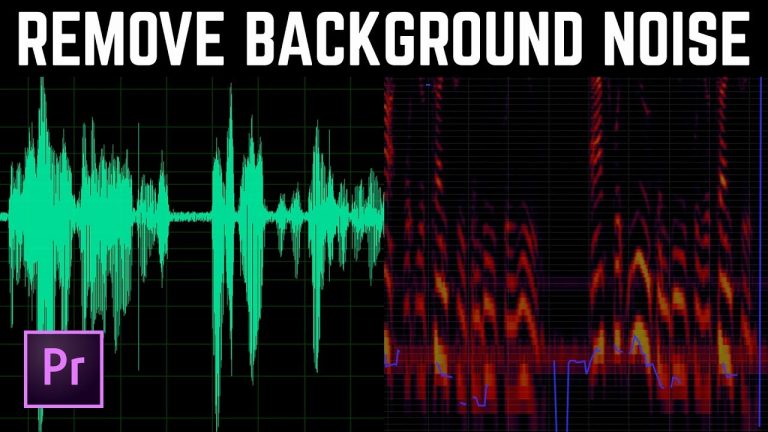
LEARN ALL THE SECRETS OF ADAPTIVE NOISE REDUCTION! | Finally learn to use Adaptive Noise Reduction to achieve results that actually work and learn to get rid of that 2-second delay we all know and hate. Also check out the amazing power of Audition CC and use that with Premiere Pro for even better background noise removal.

? Buy the Photoshop Course and Support the Channel → http://bit.ly/28NuwFy

? My Instagram: http://instagram.com/tutvid

? Subscribe for Daily Tutorials → https://goo.gl/DN4Nln

In this Premiere Pro video editing tutorial, we will dive into the technical side of reducing and removing background noise, background buzz, background hum, and any buzzing or humming sounds using the Adaptive Noise Reduction and shipping the audio track over to Audition for heavy duty background noise reduction and the seamless workflow of Premiere and Audition. We will also FINALLY cover what all those sliders in Adaptive Noise Reduction are, how to reduce that annoying two second “Adapting” phase of the effect, and a super secret trick to applying the Noise Reduction to multiple clips without the re-adapting for each new clip. If you deal with sound, interviews, spoken word, or other in Premiere, you will find great value in this video.

⚡️ written tutorial here: http://bit.ly/2wcKfLC

INSTAGRAM: http://instagram.com/tutvid
TWITTER: http://twitter.com/tutvid
FACEBOOK: https://www.facebook.com/tutvid
SNAPCHAT: tutvid.com

tutvid is a YouTube channel dedicated to creating the best Adobe Photoshop, Premiere Pro, Lightroom, and Illustrator tutorials. My goal is to create the best, most informative, and entertaining tutorials on the web. If you enjoy my videos, the best way to support what I do here is to purchase my course linked above or simply subscribe to the YouTube channel by pressing the red button.

✉️ business inquiries: nate@tutvid.com

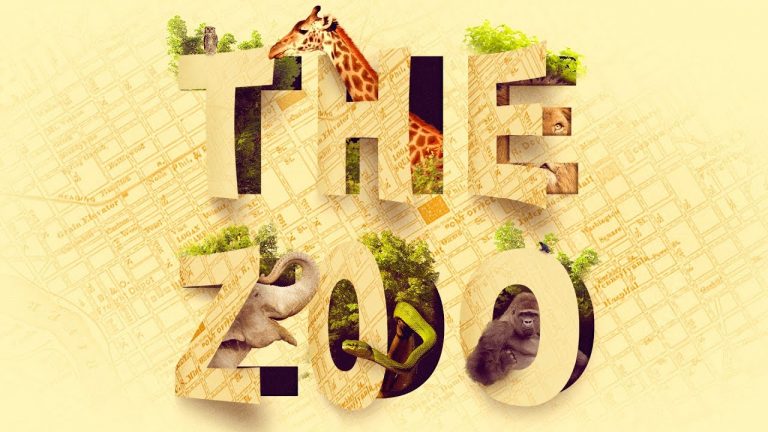
Amazing Cutout ZOO TYPOGRAPHY Text Effect Photoshop Tutorial

0

CREATE THIS 3D TEXT EFFECT THAT WILL BLOW YOUR MIND! | We will create this text effect using nothing but a few stock images of animals. Anybody should be able to follow this tutorial and have fun!

? Buy the Photoshop Course and Support the Channel → http://tutvid.com/advanced-photoshop-tutorial-bundle/

? My Instagram: http://instagram.com/tutvid

? Subscribe for Daily Tutorials → https://goo.gl/DN4Nln

? ↓ VIDEO GUIDE ↓ ?
02:05 After looking over the assets, create the new file
03:23 Overlay the map graphic
04:44 Colorizing the map and background
05:57 Placing the text
07:37 Creating the Cutout/Peeling Effect
08:36 Changing the color of the cutouts
11:25 Adding the first round of shadows
12:51 Create the 3D shadows for the cutouts
16:13 Creating the inner shadow for depth
17:45 Adding the Giraffe
21:35 Adding the Lion
25:09 Adding the Elephant
27:15 Adding the Snake
29:14 Adding the Gorilla
33:12 Cleaning up the 3D shadows
34:38 Painting the shadows for the animals
36:06 Adding the trees/foliage
42:51 Adding the Owl and Dart Frog
45:45 Adding the final tree garnish and the global colorizing effect to finish everything.

In this Photoshop tutorial, we will use a simple typeface mixed with color effects to build a paper style background and then create a 3D peeling letter effect and then talk about masking in animals for our “ZOO” as well as mixing foliage, shadows, and much more to create a very cool looking type effect that you’re sure to love.

We will talk about Dodging and Burning, Shape Layers, Layer Masks, Creating Shadows, Building Depth, Compositing Elements of a Photo Manipulation, Color Effects, Faking 3D, Isolating Objects using Color Range, Working with Multiple Files at Once, and SO much more! Thanks for watching!

!!ATTENTION!! If you do create this effect, please upload it to Instagram and tag me in the image so I can see what you made! My Instagram is: @tutvid

⚡️ written tutorial here: http://bit.ly/2unT7kg

STOCK USED IN THIS VIDEO:
Trees: https://www.dreamstime.com/royalty-free-stock-image-isolated-trees-image29085176
Owl: https://www.dreamstime.com/stock-photos-great-horned-owl-bubo-virginianus-subarcticus-image16407823
Giraffe: https://www.dreamstime.com/royalty-free-stock-photography-giraffe-kenya-image4295827
Lion: https://www.dreamstime.com/royalty-free-stock-photo-lion-standing-panthera-leo-years-old-isolated-white-image40402975
Elephant: https://www.dreamstime.com/royalty-free-stock-image-elephant-image1085446
Snake: https://www.dreamstime.com/stock-photo-pit-viper-snake-curled-tree-branch-thailand-image85636322
Gorilla: https://www.dreamstime.com/royalty-free-stock-images-gorilla-male-sat-rock-image39474629
Frog: https://www.dreamstime.com/stock-photo-blue-poison-dart-frog-dendrobates-tinctorius-azureus-white-background-image88131534

INSTAGRAM: http://instagram.com/tutvid
TWITTER: http://twitter.com/tutvid
FACEBOOK: https://www.facebook.com/tutvid
SNAPCHAT: tutvid.com

tutvid is a YouTube channel dedicated to creating the best Adobe Photoshop, Premiere Pro, Lightroom, and Illustrator tutorials. My goal is to create the best, most informative, and entertaining tutorials on the web. If you enjoy my videos, the best way to support what I do here is to purchase my course linked above or simply subscribe to the YouTube channel by pressing the red button.

✉️ business inquiries: nate@tutvid.com

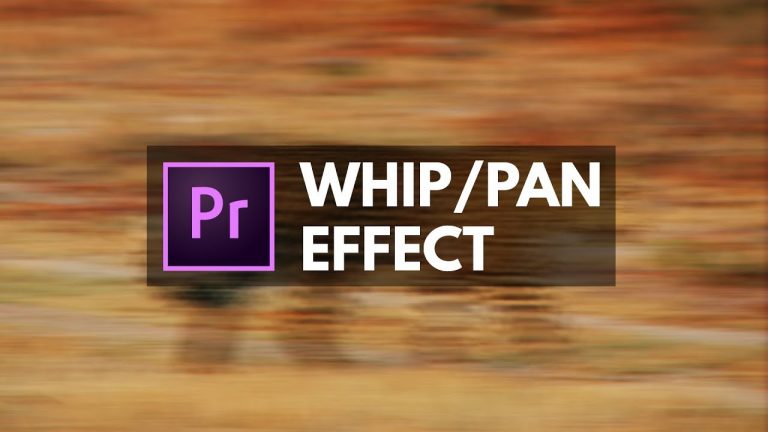
Whip Pan Blurring TRANSITION EFFECT Premiere Pro

0

CREATE THIS CAMERA WHIPPING TRANSITION EFFECT! | Learn to create this simple transition with a single Adjustment Layer and even save it as a preset!

? Buy the Photoshop Course and Support the Channel → http://bit.ly/28NuwFy

? My Instagram: http://instagram.com/tutvid

? Subscribe for Daily Tutorials → https://goo.gl/DN4Nln

In this Premiere Pro video editing tutorial, we will use an Adjustment Layer and a few built in effects to create a simple whip pan transition effect. I will also show you how to create the keyframed animation and copy the whole thing and save it as a transition that will automatically adjust to the speed or duration of any transition or Adjustment Layer you choose to use. Enjoy!

⚡️ written tutorial here: http://bit.ly/2uyrBfR

INSTAGRAM: http://instagram.com/tutvid
TWITTER: http://twitter.com/tutvid
FACEBOOK: https://www.facebook.com/tutvid
SNAPCHAT: tutvid.com

tutvid is a YouTube channel dedicated to creating the best Adobe Photoshop, Premiere Pro, Lightroom, and Illustrator tutorials. My goal is to create the best, most informative, and entertaining tutorials on the web. If you enjoy my videos, the best way to support what I do here is to purchase my course linked above or simply subscribe to the YouTube channel by pressing the red button.

✉️ business inquiries: nate@tutvid.com

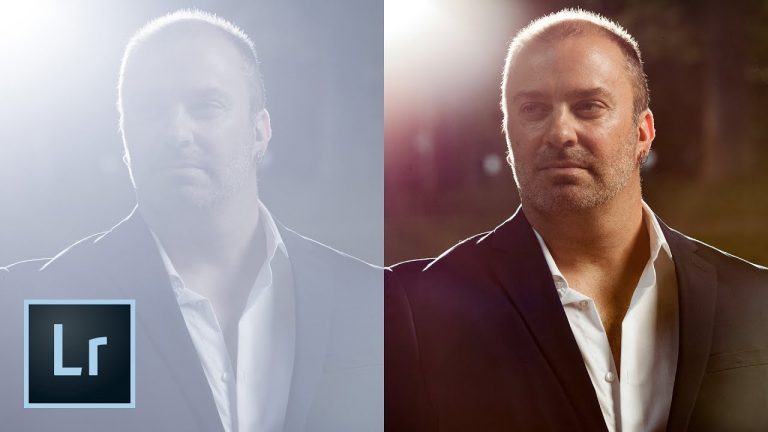
The INCREDIBLE Power of Lightroom’s Dehaze Feature

0

CHECK OUT THE INSANE POWER OF THE DEHAZE FEATURE IN LIGHTROOM! WOAH!

? Buy the Photoshop Course and Support the Channel → http://bit.ly/28NuwFy

? My Instagram: http://instagram.com/tutvid

? Subscribe for Daily Tutorials → https://goo.gl/DN4Nln

In this Lightroom tutorial, we will tackle a photo that is extremely washed out thanks to the back light flashing into the front of the lens. Working with a RAW file, we will be able to use the Dehaze feature in Lightroom to restore and bring back an incredible level of detail in our image. This is a feature that is a lot of fun at times and flat-out mind-blowing at other times. Check out the video and thanks for watching!

⚡️ written tutorial here: http://bit.ly/2vQzJfv

INSTAGRAM: http://instagram.com/tutvid
TWITTER: http://twitter.com/tutvid
FACEBOOK: https://www.facebook.com/tutvid
SNAPCHAT: tutvid.com

tutvid is a YouTube channel dedicated to creating the best Adobe Photoshop, Premiere Pro, Lightroom, and Illustrator tutorials. My goal is to create the best, most informative, and entertaining tutorials on the web. If you enjoy my videos, the best way to support what I do here is to purchase my course linked above or simply subscribe to the YouTube channel by pressing the red button.

✉️ business inquiries: nate@tutvid.com

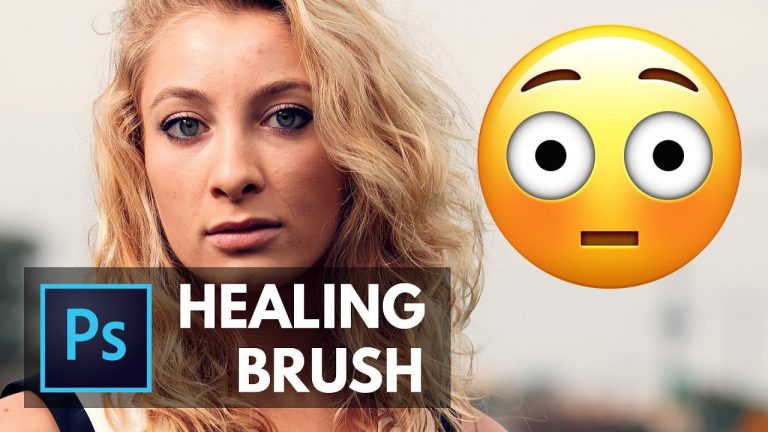
Learn the HEALING BRUSH in About 5 Minutes! Photoshop Tutorial

0

Learn Tips & Tricks of Both Healing Brushes in Photoshop!! | Learn the difference between the Spot Healing Brush and the regular Healing Brush and how to effectively use them!

? Buy the Photoshop Course and Support the Channel → http://bit.ly/28NuwFy

? My Instagram: http://instagram.com/tutvid

? Subscribe for Daily Tutorials → https://goo.gl/DN4Nln

In this Photoshop tutorial, we will break down the pros and cons of each Healing Brush in Photoshop. We will talk about using the Healing Brushes non-destructively, how to better work with edges, more solid healing situations, flyaway hairs, angles and curves, and the ins and outs of one of the most powerful tools in Photoshop–The Healing Brush!

⚡️ written tutorial here: http://bit.ly/2vVzn7p

INSTAGRAM: http://instagram.com/tutvid
TWITTER: http://twitter.com/tutvid
FACEBOOK: https://www.facebook.com/tutvid
SNAPCHAT: tutvid.com

tutvid is a YouTube channel dedicated to creating the best Adobe Photoshop, Premiere Pro, Lightroom, and Illustrator tutorials. My goal is to create the best, most informative, and entertaining tutorials on the web. If you enjoy my videos, the best way to support what I do here is to purchase my course linked above or simply subscribe to the YouTube channel by pressing the red button.

✉️ business inquiries: nate@tutvid.com