Home Blog Page 340

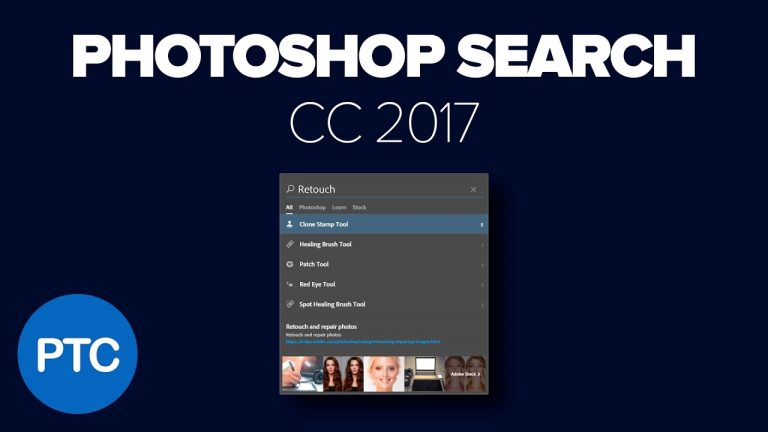
Photoshop Search Tutorial – Search Feature Explained – CC 2017

Photoshop CC 2017 tutorial showing you how the Search Feature Works.

One of the best and most noteworthy additions to Adobe Photoshop CC 2017 is the powerful multi-scope Search. You can think about it as Google inside of Photoshop. It is a great tool for both beginner and experienced users alike.

You can use the Photoshop Search feature to quickly find tools, menus, tutorials, tips, assets, documents, layers and more; all from a unified dialog box.

Search integrates with Adobe Stock to help you find assets and Photoshop Templates. Search also integrates with helpx.adobe.com to retrieve relevant help documentation and instructional material.

If you have any questions, please leave them below
or head over to this tutorial’s page on our website:

https://photoshoptrainingchannel.com/photoshop-cc-2017-tutorials

Subscribe + Like + Share + Comment = More Video Tutorials!

Thank you for watching!

===================================

If you enjoyed this video be sure to subscribe to our newsletter to receive free weekly Photoshop tips and more!

Subscribe: http://ptcvids.com/subscribe

For more in-depth Photoshop Tutorials be sure to check out our Premium tutorials.

http://ptcvids.com/shop/

===================================
LINKS

Website:
https://photoshoptrainingchannel.com

Facebook:
https://www.facebook.com/PhotoshopTrainingChannel

Instagram:
http://instagram.com/jrfromptc

LinkedIn:
http://linkedin.com/company/Photoshop-Training-Channel

Pinterest:
http://pinterest.com/ptcpins

Behance:
https://www.behance.net/JRfromPTC

YouTube Channel:
https://www.youtube.com/user/photoshoptrainingch

Google +:
https://google.com/+Photoshoptrainingchannel

This Video’s Youtube Link:

Stock Images provided by stock.adobe.com

Photoshop video tutorials by Jesus Ramirez
The New Document Dialog & Photoshop Templates In Photoshop CC 2017

Photoshop CC 2017 tutorial showing you how to the New Document dialog and the Photoshop Templates work.

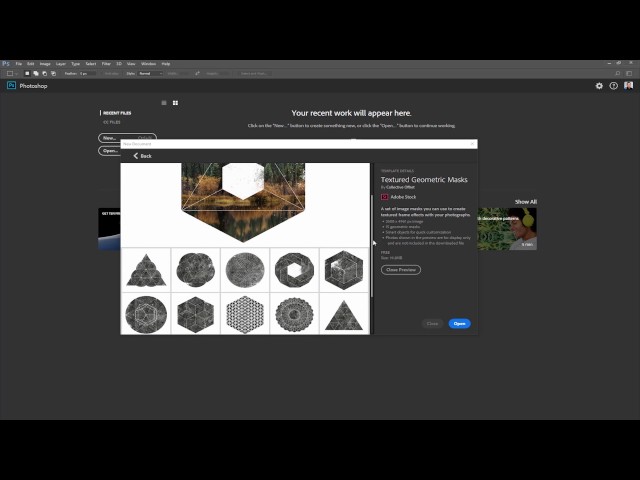
One of the biggest changes in Adobe Photoshop CC 2017 is the completely redesigned New Document dialog box. This redesign still has all the functionality of the legacy dialog box but in a more modern and visual layout.

This update is much more than a cosmetic change. The New Document dialog now comes loaded with free templates from Adobe Stock that allow you to jump start your creative process right away.

If you have any questions, please leave them below
or head over to this tutorial’s page on our website:

https://photoshoptrainingchannel.com/photoshop-cc-2017-tutorials

Subscribe + Like + Share + Comment = More Video Tutorials!

Thank you for watching!

===================================

If you enjoyed this video be sure to subscribe to our newsletter to receive free weekly Photoshop tips and more!

Subscribe: http://ptcvids.com/subscribe

For more in-depth Photoshop Tutorials be sure to check out our Premium tutorials.

http://ptcvids.com/shop/

===================================
LINKS

Website:
https://photoshoptrainingchannel.com

Facebook:
https://www.facebook.com/PhotoshopTrainingChannel

Instagram:
http://instagram.com/jrfromptc

LinkedIn:
http://linkedin.com/company/Photoshop-Training-Channel

Pinterest:
http://pinterest.com/ptcpins

Behance:
https://www.behance.net/JRfromPTC

YouTube Channel:
https://www.youtube.com/user/photoshoptrainingch

Google +:
https://google.com/+Photoshoptrainingchannel

This Video’s Youtube Link:

Stock Images provided by stock.adobe.com

Photoshop video tutorials by Jesus Ramirez
SVG Fonts In Photoshop CC 2017 – Emojis In Photoshop!

Photoshop CC 2017 tutorial showing you how SVG fonts work.

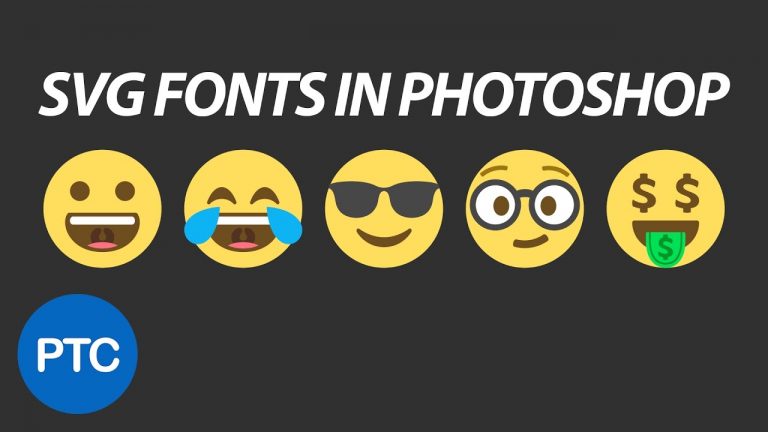
The biggest enhancement to Type in Photoshop CC 2017 is the addition of SVG Color Fonts to the list of supported font types. SVG fonts support multiple colors and gradients in a single glyph.

Photoshop CC 2017 also ships with the Trajan Color Concept and EmojiOne font. This means that you can now use Emojis in Photoshop! 🙂

If you have any questions, please leave them below
or head over to this tutorial’s page on our website:

https://photoshoptrainingchannel.com/

Subscribe + Like + Share + Comment = More Video Tutorials!

Thank you for watching!

===================================

If you enjoyed this video be sure to subscribe to our newsletter to receive free weekly Photoshop tips and more!

Subscribe: http://ptcvids.com/subscribe

For more in-depth Photoshop Tutorials be sure to check out our Premium tutorials.

http://ptcvids.com/shop/

===================================
LINKS

Website:
https://photoshoptrainingchannel.com

Facebook:
https://www.facebook.com/PhotoshopTrainingChannel

Instagram:
http://instagram.com/jrfromptc

LinkedIn:
http://linkedin.com/company/Photoshop-Training-Channel

Pinterest:
http://pinterest.com/ptcpins

Behance:
https://www.behance.net/JRfromPTC

YouTube Channel:
https://www.youtube.com/user/photoshoptrainingch

Google +:
https://google.com/+Photoshoptrainingchannel

This Video’s Youtube Link:

Stock Images provided by stock.adobe.com

Photoshop video tutorials by Jesus Ramirez
Photoshop CC 2017 Tutorials

Photoshop tutorial showing you how to the best new features of Adobe Photoshop CC 2017.

Major Updates:

00:41 Start Workspace
03:22 New Document Window & Photoshop Templates
11:00 Photoshop Search
20:50 SVG Color Fonts
27:00 Other Enhancements and Updates

Photoshop CC 2017 rolls out exciting new features for designers and digital photographers. The Photoshop CC 2017 tutorials below, showcase the many improvements and features added to this new release.

Adobe’s new features and enhancements to Photoshop follow two themes. Create a more modern, and more connected Photoshop, lowering the learning barrier for beginners.

Photoshop is now more connected to the Creative Cloud and the other apps in the Adobe ecosystem.

A more modern, more connected Photoshop – connection to CC and other apps in the Adobe ecosystem.

Lowering the learning barrier for beginners – New things to help users get started and achieve success quickly.

If you have any questions, please leave them below
or head over to this tutorial’s page on our website:

https://photoshoptrainingchannel.com/

Subscribe + Like + Share + Comment = More Video Tutorials!

Thank you for watching!

===================================

If you enjoyed this video be sure to subscribe to our newsletter to receive free weekly Photoshop tips and more!

Subscribe: http://ptcvids.com/subscribe

For more in-depth Photoshop Tutorials be sure to check out our Premium tutorials.

http://ptcvids.com/shop/

===================================
LINKS

Website:
https://photoshoptrainingchannel.com

Facebook:
https://www.facebook.com/PhotoshopTrainingChannel

Instagram:
http://instagram.com/jrfromptc

LinkedIn:
http://linkedin.com/company/Photoshop-Training-Channel

Pinterest:
http://pinterest.com/ptcpins

Behance:
https://www.behance.net/JRfromPTC

YouTube Channel:
https://www.youtube.com/user/photoshoptrainingch

Google +:
https://google.com/+Photoshoptrainingchannel

This Video’s Youtube Link:

Stock Images provided by stock.adobe.com

Photoshop video tutorials by Jesus Ramirez

Remove Tourists From Photos In Photoshop – Stack Mode Tutorial

In this Photoshop tutorial, we’re going to use an Image Stack to remove people walking through a scene. This is a great technique that does require some planning and the use of multiple photos, but the results are amazing!

The Image Stack Mode technique is perfect for removing people from crowded places or unwanted objects that are moving through a scene. The Image Stack Mode will take a statistical average of the content found in all the photos. It will keep identical areas and remove everything that changes between the different shots.

It is very likely that cars and people will move and change locations, thus they will be removed when the algorithm is applied, leaving only the background.

What you will learn:

01:39 Load Layers Into Stack
03:20 Auto Align Layers
04:30 Put The Aligned Images into Smart Object
05:02 Apply The Median Stack Mode To The Smart Object
06:00 Statistics Script
07:40 Fixing Image Stack Errors
09:32 Camera Raw Tonal Adjustments
11:00 Automatic Upright
11:50 Crop The Image

If you have any questions, please leave them below
or head over to this tutorial’s page on our website:

➜ http://ptcvids.com/remove-tourists-stack-mode/

Subscribe + Like + Share + Comment = More Video Tutorials!

Thank you for watching!

– – – – – – – – – – – – – – – – – – – – – – –
PREMIUM TUTORIALS

If you enjoyed this video be sure to subscribe to our newsletter to receive free weekly Photoshop tips and more!

Subscribe: http://ptcvids.com/subscribe

For more in-depth Photoshop Tutorials be sure to check out our Premium tutorials.

➜ http://ptcvids.com/shop/

– – – – – – – – – – – – – – – – – – – – – – –
FOLLOW PTC ON

– Facebook: https://fb.com/PhotoshopTrainingChannel

– Instagram: http://instagram.com/jrfromptc

– LinkedIn: http://linkedin.com/company/Photoshop-Training-Channel

– Pinterest: http://pinterest.com/ptcpins

– Behance: https://www.behance.net/JRfromPTC

– – – – – – – – – – – – – – – – – – – – – – –
LINKS

– Website: https://photoshoptrainingchannel.com

– YouTube Channel: https://youtube.com/user/photoshoptrainingch

– Google +: https://google.com/+Photoshoptrainingchannel

– This Video’s Youtube Link: http://youtu.be/g7uf64MHmD8

– – – – – – – – – – – – – – – – – – – – – – –
CREDITS

– Stock Images provided by stock.adobe.com

– Photoshop video tutorials by Jesus Ramirez
Color Matching in Photoshop Tutorial – Pantone Color of The Year

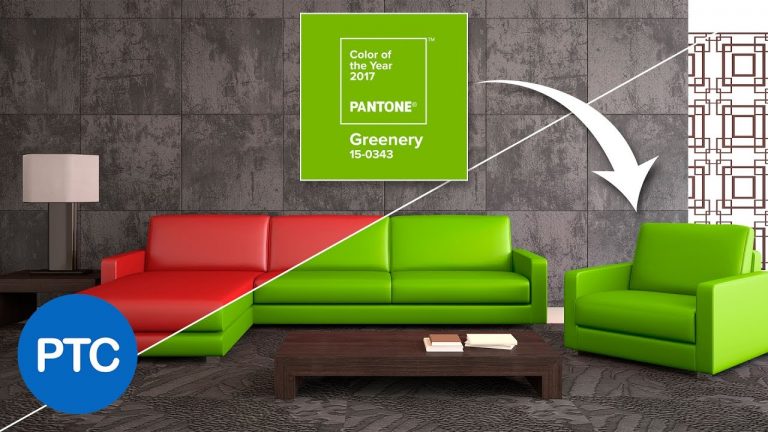
In this three-part Photoshop tutorial, we will learn how to use Adobe Stock’s visual search to find the right images for your projects faster, as well as learn two color matching techniques.

01:40 – Using Adobe Stock’s Visual Search
03:45 – Color Matching Using Hue Blending Mode
07:30 – Color Matching Using The Lab Color Mode

You can use the first method to change the color of an object quickly and easily using the Hue Blending Mode. The second method creates a more accurate color match using the Lab color mode.

The color that we’re going to match onto the objects in our images is Greenery, the Pantone Color of The Year 2017.

Every year since 2000, the Pantone Color Institute has chosen a color that reflects the current cultural climate. The Pantone color of the year has historically influenced trends in all facets of design. Including architecture, interior décor, fashion, food, travel, and many others fields.

If you have any questions, please leave them below
or head over to this tutorial’s page on our website:

➜ https://photoshoptrainingchannel.com/color-matching-photoshop/

Subscribe + Like + Share + Comment = More Video Tutorials!

Thank you for watching!

– – – – – – – – – – – – – – – – – – – – – – –
PREMIUM TUTORIALS

If you enjoyed this video be sure to subscribe to our newsletter to receive free weekly Photoshop tips and more!

Subscribe: http://ptcvids.com/subscribe

For more in-depth Photoshop Tutorials be sure to check out our Premium tutorials.

➜ http://ptcvids.com/shop/

– – – – – – – – – – – – – – – – – – – – – – –
FOLLOW PTC ON

– Facebook: https://fb.com/PhotoshopTrainingChannel

– Instagram: http://instagram.com/jrfromptc

– LinkedIn: http://linkedin.com/company/Photoshop-Training-Channel

– Pinterest: http://pinterest.com/ptcpins

– Behance: https://www.behance.net/JRfromPTC

– – – – – – – – – – – – – – – – – – – – – – –
LINKS

– Website: https://photoshoptrainingchannel.com

– YouTube Channel: https://youtube.com/user/photoshoptrainingch

– Google +: https://google.com/+Photoshoptrainingchannel

– This Video’s Youtube Link: http://youtu.be/4UAYhFaPTAA

– – – – – – – – – – – – – – – – – – – – – – –
CREDITS

– Stock Images provided by stock.adobe.com

– Photoshop video tutorials by Jesus Ramirez
HOW TO CREATE A FIREWORKS INTRO in AFTER EFFECTS

0

â–º How to create a fireworks intro with After Effects
â–º SUBSCRIBE! – http://bit.ly/ignaceyt

â–º BUY TEMPLATE HERE – http://bit.ly/NYIntroFireworks
â–º TOLERATED STORE – http://bit.ly/storeyt

♦ Uploading:
Every single day!

♦ Music from:
http://bit.ly/1tfTfh7

Adobe Store:
http://bit.ly/productsadobe

♦ Basic Recording Gear:
– Panasonic GH4
– Metabones Canon EF
– Sigma 17-50mm F2.8 Lens.

♦ Popular Playlists:
– Adobe After Effects Tutorials http://bit.ly/2dxxoil
– Adobe Premiere Pro Tutorials http://bit.ly/2cYW252
– Maxon Cinema 4D Tutorials http://bit.ly/2dDBSQx
– Hardware reviews http://bit.ly/2dxwO4q
– News & Updates http://bit.ly/2dAciwF
– Speed Art http://bit.ly/2dxwZwu

♦ Social Media:
– Twitter http://www.twitter.com/ignacealeya
– Instagram http://instagram.com/ignacealeya
– Facebook http://bit.ly/toleratedfacebook
– Site http://www.toleratedstore.com

♦ Business:
info@tolerated.be

Be sure to leave a comment and to check out my channel! I have a lot more video’s.
Let’s start creating!

Host & Creator
Ignace Aleya

CREATE REALISTIC FIREWORKS IN AFTER EFFECTS – TUTORIAL

0

► Learn how to create your own fireworks using after effects! 🙂
â–º SUBSCRIBE! – http://bit.ly/ignaceyt

â–º FIREWORKS PACK – http://bit.ly/FireworksPack
â–ºFREEBIES – http://bit.ly/freebiestc
â–º TOLERATED STORE – http://bit.ly/storeyt

♦ Uploading:
Every single day!

♦ Music from:
http://bit.ly/1tfTfh7

Adobe Store:
http://bit.ly/productsadobe

♦ Basic Recording Gear:
– Panasonic GH4
– Metabones Canon EF
– Sigma 17-50mm F2.8 Lens.

♦ Popular Playlists:
– Adobe After Effects Tutorials http://bit.ly/2dxxoil
– Adobe Premiere Pro Tutorials http://bit.ly/2cYW252
– Maxon Cinema 4D Tutorials http://bit.ly/2dDBSQx
– Hardware reviews http://bit.ly/2dxwO4q
– News & Updates http://bit.ly/2dAciwF
– Speed Art http://bit.ly/2dxwZwu

♦ Social Media:
– Twitter http://www.twitter.com/ignacealeya
– Instagram http://instagram.com/ignacealeya
– Facebook http://bit.ly/toleratedfacebook
– Site http://www.toleratedstore.com

♦ Business:
info@tolerated.be

Be sure to leave a comment and to check out my channel! I have a lot more video’s.
Let’s start creating!

Host & Creator
Ignace Aleya

NEW YEAR PROMO in AFTER EFFECTS TUTORIAL

0

â–º Learn how to create a cool new year promo in After Effects
â–º SUBSCRIBE! – http://bit.ly/ignaceyt

â–º AFTER EFFECTS TEMPLATE – http://bit.ly/2017AETemp
â–º TOLERATED STORE – http://bit.ly/storeyt

♦ Uploading:
Every single day!

♦ Music from:
http://bit.ly/1tfTfh7

Adobe Store:
http://bit.ly/productsadobe

♦ Basic Recording Gear:
– Panasonic GH4
– Metabones Canon EF
– Sigma 17-50mm F2.8 Lens.

♦ Popular Playlists:
– Adobe After Effects Tutorials http://bit.ly/2dxxoil
– Adobe Premiere Pro Tutorials http://bit.ly/2cYW252
– Maxon Cinema 4D Tutorials http://bit.ly/2dDBSQx
– Hardware reviews http://bit.ly/2dxwO4q
– News & Updates http://bit.ly/2dAciwF
– Speed Art http://bit.ly/2dxwZwu

♦ Social Media:
– Twitter http://www.twitter.com/ignacealeya
– Instagram http://instagram.com/ignacealeya
– Facebook http://bit.ly/toleratedfacebook
– Site http://www.toleratedstore.com

♦ Business:
info@tolerated.be

Be sure to leave a comment and to check out my channel! I have a lot more video’s.
Let’s start creating!

Host & Creator
Ignace Aleya

? HARRY POTTER TELEPORT ‘APPARITION’ EFFECT in AFTER EFFECTS

0

â–º Learn how to teleport like Harry Potter in After Effects
â–º SUBSCRIBE! – http://bit.ly/ignaceyt

â–º DOWNLOAD FOOTAGE – http://bit.ly/HarryPotterTeleport

â–º TOLERATED STORE – http://bit.ly/storeyt

♦ Uploading:
Every single day!

♦ Music from:
http://bit.ly/1tfTfh7

Adobe Store:
http://bit.ly/productsadobe

♦ Basic Recording Gear:
– Panasonic GH4
– Metabones Canon EF
– Sigma 17-50mm F2.8 Lens.

♦ Popular Playlists:
– Adobe After Effects Tutorials http://bit.ly/2dxxoil
– Adobe Premiere Pro Tutorials http://bit.ly/2cYW252
– Maxon Cinema 4D Tutorials http://bit.ly/2dDBSQx
– Hardware reviews http://bit.ly/2dxwO4q
– News & Updates http://bit.ly/2dAciwF
– Speed Art http://bit.ly/2dxwZwu

♦ Social Media:
– Twitter http://www.twitter.com/ignacealeya
– Instagram http://instagram.com/ignacealeya
– Facebook http://bit.ly/toleratedfacebook
– Site http://www.toleratedstore.com

♦ Business:
info@tolerated.be

Be sure to leave a comment and to check out my channel! I have a lot more video’s.
Let’s start creating!

Host & Creator
Ignace Aleya