Home Blog Page 369

All About the STROKE Feature – Photoshop CC

0

Check out another of my videos: “BREAKDOWN: Select and Mask vs. Refine Edge – Photoshop CC”

-~-~~-~~~-~~-~-

Check out our sponsor, GraphicStock.com Use this link for the deal in the video: http://graphicstock.com/x/TutVid_0416

Much like my tutorial on the Fill feature in Photoshop, the Stroke feature is also a tough one to get excited about, that is until you actually start playing with some of what you can do with strokes in Photoshop. Sure there is the Layer Style stuff (and I’ll cover that in this tutorial,) but when you start mixing brushes, paths, and brush options, you can get some really, really cool effects. This tutorial is an absolute must-watch for anyone who likes cool stuff and likes Photoshop.

See more of this and other tutorials at: http://tutvid.com/

INSTAGRAM & MORE:
http://instagram.com/tutvid

https://www.facebook.com/tutvid
Photoshop CC: Puppet Warp, What!?

0

Check out another of my videos: “BREAKDOWN: Select and Mask vs. Refine Edge – Photoshop CC”

-~-~~-~~~-~~-~-

Check out our sponsor, GraphicStock.com Use this link for the deal in the video: http://graphicstock.com/x/TutVid_0416

Puppet Warp is like Liquify, but with structure. We can use this feature to entirely restructure the shape of somebody’s body, to add weight, or to remove weight, and much, much more! If you work with figures in Photoshop and need to change the shape of a person’s body, this tool is for you! Check out the tutorial and say something nice in the comments below, I’ll be sure to respond!

See more of this and other tutorials at: http://tutvid.com/

INSTAGRAM & MORE:
http://instagram.com/tutvid

https://www.facebook.com/tutvid
COOL! Misty Mosiac Effect – Photoshop Tutorial

0

Check out another of my videos: “BREAKDOWN: Select and Mask vs. Refine Edge – Photoshop CC”

-~-~~-~~~-~~-~-

Join the discussion and view the tutorial on Tutvid.com: http://tutvid.com/photoshop/quick-photoshop-cs6-tutorial-misty-mosaic-effect

CONNECT:

https://www.facebook.com/tutvid
https://plus.google.com/+NathanielDodson
http://instagram.com/endyphoto

DESCRIPTION:
In this quick little tutorial we’ll use a few tricks in Photoshop to create a really cool looking misty mosaic effect. Using almost any kind of grunge texture brush and a filter here and a blend mode there, we’ll be able to create a very editable and very cool looking color style that could be used in any web and graphic design. Check it out after the jump!

Photoshop Tutorial: AWESOME Perspective Warp

0

Check out another of my videos: “BREAKDOWN: Select and Mask vs. Refine Edge – Photoshop CC”

-~-~~-~~~-~~-~-

Check out our sponsor, GraphicStock.com Use this link for the deal in the video: http://graphicstock.com/x/TutVid_0416

Photoshop makes it very easy to change the perspective of a photo with the Perspective Warp feature. This tool is particularly useful when you are creating composites, working with architectural photography, or have any kind of flat or straight lines in a photo that needs adjusting. We’ll cover it all in this tutorial and you’ll be a master with Perspective Warp by the end of the video!

See written tutorial on site: http://tutvid.com/photoshop-tutorials/photoshop-cc-what-is-perspective-warp/

INSTAGRAM & MORE:
http://instagram.com/tutvid

https://www.facebook.com/tutvid

Create Hand Stitched Icons with Photoshop

0

Check out another of my videos: “BREAKDOWN: Select and Mask vs. Refine Edge – Photoshop CC”

-~-~~-~~~-~~-~-

In this tutorial we’re going to take a look at how to create some very cool little hand-stitched icons for Facebook, Twitter, and Google Plus. Even if you’re brand new to Photoshop you will be able to follow along with this tutorial and create some great little graphics for your next web or design project.

Like Tutvid on Facebook: http://www.facebook.com/tutvidFan

Follow me on Twitter: http://www.twitter.com/tutvid

10 Things You Never Knew About Photoshop CC (Tutorial)

0

In this fast-paced and hard-hitting Photoshop tutorial, we’ll cover ten different features, tricks, and hotkeys that you probably don’t know. We’re going to change that! We’ll explore the Revert Reconstruction option, The Rubber Band Feature, Preserving Transparency with a hotkey, Spring-Loaded Hand and Zooming, Using Channels to create black and white images, Loading channels as a selection and masking with channels, previewing Adjustment Layers with a hotkey, Scrubby sliders with precision and arrow keys in input fields, Lens Flare placement exactly where you want it (finally!), Adding filters with customization a second time, and some bonus action with the Rulers in Photoshop. If you like Photoshop, you’re going to love this video!

Written Photoshop tutorial: http://bit.ly/2hnZc9D

Pick up my image retouching tutorial package ($27) right here: http://tutvid.com/retouching-photos-photoshop/

INSTAGRAM, SNAPCHAT, & MORE:
http://instagram.com/tutvid

https://www.facebook.com/tutvid

? tutvid.com

CREDITS:
Social Icons in outro: http://www.freepik.com/free-vector/six-social-networking-icons-with-infographic-resources_982300.htm

Photoshop Tutorial: Use Transform FASTER

0

Check out another of my videos: “BREAKDOWN: Select and Mask vs. Refine Edge – Photoshop CC”

-~-~~-~~~-~~-~-

Check out our sponsor, GraphicStock.com Use this link for the deal in the video: http://graphicstock.com/x/TutVid_0416

Using the Transform command has never been easier and with the tricks and hotkeys we’ll look at in this tutorial, it will have never been this faster either! If you need to adjust perspective in an image, scale something, skew something, warp something, or generally move and tweak virtually anything in Photoshop, Transform is for you!

See written tutorial on site: http://tutvid.com/photoshop-tutorials/photoshop-tutorial-use-transform-faster/

INSTAGRAM & MORE:
http://instagram.com/tutvid

https://www.facebook.com/tutvid
Create Slick Web Tags — Photoshop CS5 Tutorial

0

Check out another of my videos: “BREAKDOWN: Select and Mask vs. Refine Edge – Photoshop CC”

-~-~~-~~~-~~-~-

Check out the written tutorial! http://iceflowstudios.com/2012/tutorials/create-slick-web-tags-photoshop-cs5-tutorial/

Like Tutvid on Facebook: http://www.facebook.com/tutvidFan
Follow me on Twitter: http://www.twitter.com/tutvid

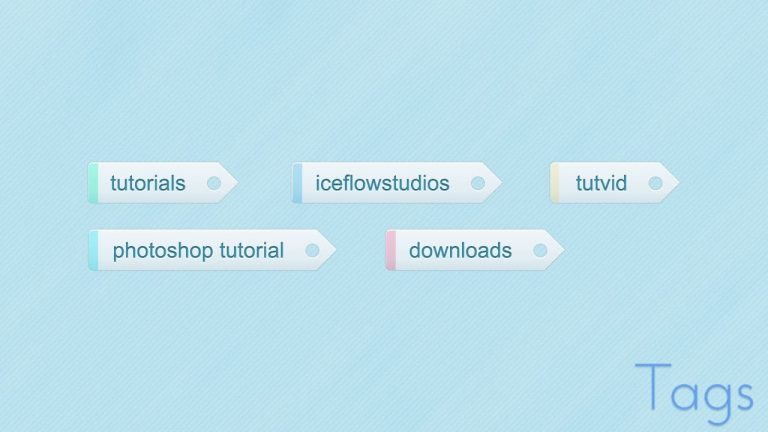
Tags are crazy cool and super useful when designing your own website! Learn how to create your very own custom tags using Photoshop CS5 and a combination of Shape Layers and Layer Styles in this quick and easy tutorial! Use these in a web design project or file them away for future use in UI projects! Have fun with these!

Tutorial Inspiration: http://365psd.com/day/2-198/

This tutorial is one in the continued series the Howard from http://www.IceflowStudios.com and I are creating. Inspiration is draw from the amazing http://www.365psd.com and any number of the quality, free PSD downloads they provide! Check them out now!

36 Essential Beginner Hotkeys for Photoshop CC

0

Check out another of my videos: “BREAKDOWN: Select and Mask vs. Refine Edge – Photoshop CC”

-~-~~-~~~-~~-~-

So you’ve been doing well working with Photoshop, but learning and mastering hotkeys is the best way to turn the page and really become more proficient and fast while working with Photoshop. In this Photoshop CC tutorial, we’ll cover 36 of my favorite hotkeys that are absolutely essential for you to know. These hotkeys will help you work so much faster in Photoshop and generally feel more comfortable when you need to perform everyday tasks in your favorite app, Photoshop. P.S. I talk a little about each hotkey too. If you want a straight list of the important hotkeys, see the comment below for the entire list of hotkeys!

Check out the blog post too: http://tutvid.com/photoshop-tutorials/36-essential-beginner-hotkeys-for-photoshop-cc

Pick up my image retouching tutorial package ($27) right here: http://tutvid.com/retouching-photos-photoshop/

SNAPCHAT & MORE:
http://instagram.com/tutvid

https://www.facebook.com/tutvid
? tutvid.com

Create Facebook & Twitter Buttons -Photoshop Tutorial

0

Check out another of my videos: “BREAKDOWN: Select and Mask vs. Refine Edge – Photoshop CC”

-~-~~-~~~-~~-~-

Like Me! Follow Me! (I’m desperate for attention!)
http://www.facebook.com/tutvidFan | http://www.twitter.com/tutvid

Tutorial Inspiration: http://365psd.com/day/2-52/

Create Facebook & Twitter Buttons –Photoshop Tutorial

Everyone is using social media these days and Twitter and Facebook are larger than ever! When you create your website you are sure to need some great social media buttons and with Facebook and Twitter leading the social media pack, we’ll take some time today and learn how to make two great little buttons to make sure your website visitors follow your social media channels!

Learn to use Vector Shape Layers, Layer Styles, Text, and more in this in-depth and very easy-to-follow tutorial!

I have traced out both the Twitter ‘tweetie’ bird and a Facebook “f” for use in this tutorial as Vector Shapes.

Download the vector icons we use in the tutorial here: http://tutvid.com/style/files/facebook-tweetie-PSD.zip