Home Blog Page 385

Dreamweaver CS4: Define Site Local Root Folder

0

Check out another of my videos: “BREAKDOWN: Select and Mask vs. Refine Edge – Photoshop CC”

-~-~~-~~~-~~-~-

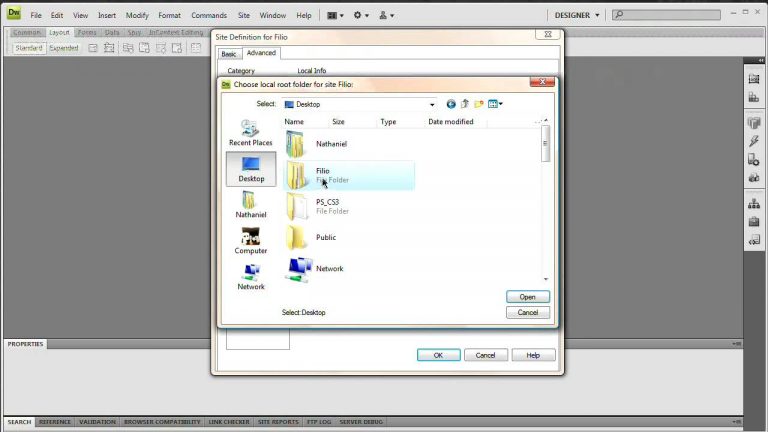
Defining your site or local root folder as Dreamweaver calls it is the one thing you absolutely want to be able to do. Defining this root folder is the first step to using Dreamweaver very effectively and allowing Dreamweaver to manage your site for you and keep all of the links-everything from images to other pages-updated as you move pages, elements, and files around in your site.
Defining a root folder takes a lot of the headache out of managing a website and allows you to properly use Dreamweaver. We are using Dreamweaver CS4 in this video but you should be fine following up to several versions back. Have fun!

This is one of the tutorials found in the May-June 2009 Tutvid.com newsletter.
Subscribe to the newsletter here: http://tutvid.com/newsletter/index.php

Check out the May-June newsletter here: http://tutvid.com/newsletter/issues/t…

Twitter! http://www.twitter.com/tutvid
Be sure to check out http://www.tutvid.com
Check out the blog @ http://tutvid.wordpress.com

[HD] Dreamweaver CS4: CSS Pixy Style Rollovers

0

Check out another of my videos: “BREAKDOWN: Select and Mask vs. Refine Edge – Photoshop CC”

-~-~~-~~~-~~-~-

Rollovers are hot, and CSS rollovers are hot-ter. Creating rollovers using CSS prevents you from having issues as far as people not having JavaScript enabled and from having to worry about JavaScript and your rollovers.

The beauty of Pixy style rollovers is they are automatically preloaded due to the way we set them up so you will not have any flashing or issues showing up when people rollover your buttons. Learn how to build them in Dreamweaver here!
Be sure to check out http://www.tutvid.com
Check out the blog @ http://tutvid.wordpress.com

[HD] Website Drop Shadow with CSS Dreamweaver Tutorial!

0

Check out another of my videos: “BREAKDOWN: Select and Mask vs. Refine Edge – Photoshop CC”

-~-~~-~~~-~~-~-

Let’s learn how to create a drop shadow that runs along your site, and, if your site expands, expands with it! We will start in Photoshop where we will create a nice little drop shadow graphic and then it’s off to Dreamweaver for some CSS and Div-tacular fun… yep that was certifiably lame, but enjoy the video anyway!

Be sure to check out http://www.tutvid.com
Check out the blog @ http://tutvid.wordpress.com

[HD] Spry Tooltips: Dreamweaver CS4 Tutorial

0

Check out another of my videos: “BREAKDOWN: Select and Mask vs. Refine Edge – Photoshop CC”

-~-~~-~~~-~~-~-

One of the coolest new features in Dreamweaver CS4 is the addition of Spry ToolTips. Those of you that have used Spry anything know it is a breeze to create Spry objects and with a little CSS knowledge it is easy to edit too! We will discuss creating, add content to, and styling with CSS tooltips.

Be sure to check out http://www.tutvid.com
Check out the blog @ http://tutvid.wordpress.com

[HD] Spry Drop Down Menus & CSS Dreamweaver Tutorial

0

Check out another of my videos: “BREAKDOWN: Select and Mask vs. Refine Edge – Photoshop CC”

-~-~~-~~~-~~-~-

Spry drop down menus make creating drop down menus cake work in Dreamweaver! In this video we will create and edit our drop down menu and then edit the CSS to create a truely customized drop down menu. Learn how to use and edits the generic CSS style sheet Dreamweaver gives you spry drop down when you first insert it into the page. We will cover Spry and CSS in Dreamweaver in this video tutorial!

Be sure to check out http://www.tutvid.com
Check out the blog @ http://tutvid.wordpress.com

Link to a Download! Dreamweaver Tutorial

0

Check out another of my videos: “BREAKDOWN: Select and Mask vs. Refine Edge – Photoshop CC”

-~-~~-~~~-~~-~-

This is a pretty hotly requested tutorial which I finally sat down and hammered out. How do I setup a link to download a file onto the users computer? That is essentially what we answer in the following video. It is pretty quick, easy, and simple to do. Using the combination of WinZip and Dreamweaver to create a fool-proof way to set it all up.

Be sure to check out http://www.tutvid.com
Check out the blog @ http://tutvid.wordpress.com

Simple Thumbnail Gallery Webpage: Dreamweaver Tutorial!

0

Check out another of my videos: “BREAKDOWN: Select and Mask vs. Refine Edge – Photoshop CC”

-~-~~-~~~-~~-~-

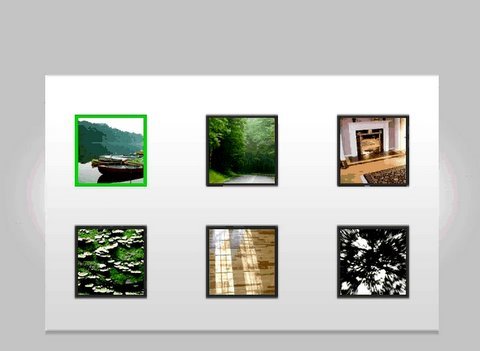
Here it is, finally creating a tutorial with a little foresight as far as using what we make here for many other tutorials. We will create a simple metal type panel with these six thumbnails sitting on it. Using CSS to style the panel and the thumbnails we are able to create a really nice clean effect as well as giving out thumbnails rollovers and all of this is done very easily and is also super easy to update! Check it out, follow along using the files at the site!

Be sure to check out http://www.tutvid.com
Check out the blog @ http://tutvid.wordpress.com

Check this video out in Hi-Res here: http://www.tutvid.com/tutorials/dreamweaver/tutorials/simpleThumbPhotoGallery.php

Download the files for this video here: http://www.tutvid.com/resources/projectFiles/index.php

[CSS] Build a Simple Web Page in Dreamweaver!

0

Check out another of my videos: “BREAKDOWN: Select and Mask vs. Refine Edge – Photoshop CC”

-~-~~-~~~-~~-~-

Check this out in higher res here: http://www.tutvid.com/tutorials/dreamweaver/tutorials/createCompleteCSSLayout.php

In this video we will start with a folder of images and in about 30 minutes construct a very simple 2 column layout using CSS to style our page! We will learn all about using divs, creating CSS rules, targeting divs, creating a background, and so much more! Start learning to harness the raw power of Cascading Style Sheets to create, layout, and style your web pages today!

Files for this video are here: http://www.tutvid.com/tutorials/dreamweaver/projectFiles/createCompleteCSSLayoutFiles.zip

Flash CS4: Complete Flash XML Gallery Tutorial AS 3.0

0

Check out another of my videos: “BREAKDOWN: Select and Mask vs. Refine Edge – Photoshop CC”

-~-~~-~~~-~~-~-

Watch Full Video: http://www.tutvid.com/tutorials/flash/tutorials/xmlSimpleGallery.php

In this video we will create a complete, yet simple XML gallery. This tutorial is somewhere between Intermediate and Advanced level so if you know a little bit about actionscript you should be just fine, but if you are adventurous you should be able be fine no matter your skill level. We will create nice click-through gallery using XML and actionscript 3.0.

Twitter! http://www.twitter.com/tutvid
Be sure to check out http://www.tutvid.com
Check out the blog @ http://tutvid.wordpress.com

Insert a Favicon Dreamweaver/XHTML Tutorial!

0

Check out another of my videos: “BREAKDOWN: Select and Mask vs. Refine Edge – Photoshop CC”

-~-~~-~~~-~~-~-

Check this video out at Hi-Res here: http://www.tutvid.com/tutorials/dreamweaver/tutorials/favicon.php

In this video we will take a look at the different ways to export the needed .ico file and get a favicon up on the web for your site very soon!

Please enjoy the video and check out the site http://www.tutvid.com