Home Blog Page 175

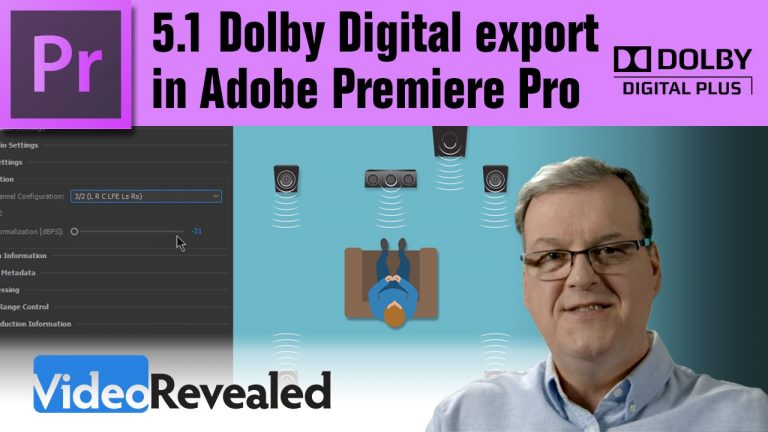
5.1 Dolby Digital export options in Adobe Premiere Pro

0

5.1 Surround Sound export must fit within the strict guidelines of Dolby Digital to guarantee playing properly. This tutorial will walk you through the correct settings needed. Thanks to Charles Van Winkle of Adobe for help with all the technical data.

Please support us on Patreon so we can continue to create the content you want!
http://patreon.com/VideoRevealed

Stay connected with VideoRevealed on Facebook:
https://www.facebook.com/VideoRevealed

Download your FREE 30 day trial of Adobe Creative Cloud
http://adobe.ly/1S3mZW3

Dialogue Normalization
http://www.dolby.com/uploadedFiles/Assets/US/Doc/Professional/17_.AllMetadata.pdf

https://en.wikipedia.org/wiki/Dialnorm

Surround EX Mode
http://www.dolby.com/us/en/technologies/dolby-digital-surround-ex.html

Charles’ Notes:
https://www.dropbox.com/s/z1xq31tqt4029hj/SurroundExportNotes.pdf?dl=0
Movie theater export to DCP in Adobe Premiere Pro

0

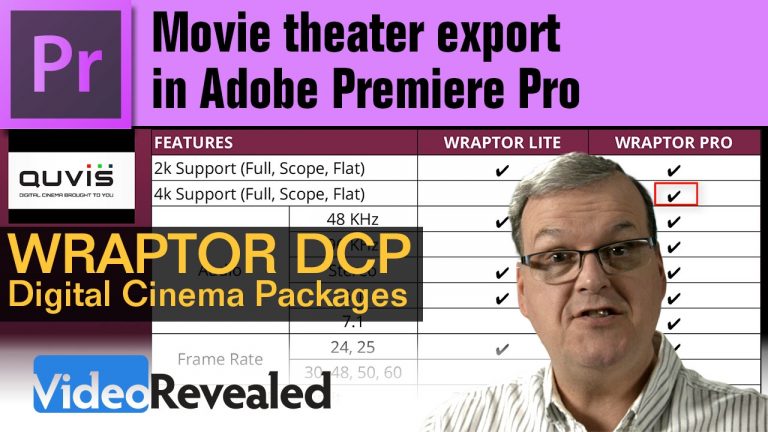
Movie theater export to DCP in Adobe Premiere Pro

This tutorial walks you through all the settings to make 2k and 4k Digital Cinema Packages using the Wraptor DCP export in Adobe Premiere Pro. It also explores how to purchase or rent the 4k version from the QuVIS website.

Please support us on Patreon so we can continue to create the content you want!
http://patreon.com/VideoRevealed

Stay connected with VideoRevealed on Facebook:
https://www.facebook.com/VideoRevealed

Download your FREE 30 day trial of Adobe Creative Cloud
http://adobe.ly/1S3mZW3

Home Page

Clip Mixer / Rubber Band / keyframe tips in Adobe Premiere Pro

0

Clip Mixer / Rubber Band / keyframe tips in Adobe Premiere Pro

You may not know that changing clip volume is something that takes place in three different places: the clip keyframes, the Effects Control Panel and the Clip Mixer.
It’s good to know how an where to make the changes you need to clip volume.

Please support us on Patreon so we can continue to create the content you want!
http://patreon.com/VideoRevealed

Stay connected with VideoRevealed on Facebook:
https://www.facebook.com/VideoRevealed

Download your FREE 30 day trial of Adobe Creative Cloud
http://adobe.ly/1S3mZW3

Rolling title speed control in Adobe Premiere Pro

0

Rolling title speed control in Adobe Premiere Pro

Premiere Pro can create rolling and crawling titles but trying to control the speed is a challenge. This tutorial shows how to use a Nested Sequence and the Time Remapping effect to give you ultimate controls for changing the speed of any title.

Please support us on Patreon so we can continue to create the content you want!
http://patreon.com/VideoRevealed

Stay connected with VideoRevealed on Facebook:
https://www.facebook.com/VideoRevealed

Download your FREE 30 day trial of Adobe Creative Cloud
http://adobe.ly/1S3mZW3

Tips on creating rolling credits in Adobe Premiere Pro

Word Processing tips for rolling credits in Microsoft Word and Google Docs for Premiere Pro

Creating karaoke style titles in Adobe Premiere Pro

0

Creating karaoke style titles in Adobe Premiere Pro

This tutorial will show you how to use the built-in Title Designer, along with some clever blend and crop effects, to achieve a follow along style karaoke text effect. Make sure you pick the font color and style you want to work with first, because there is no way to update all the titles after you’ve created them.

Please support us on Patreon so we can continue to create the content you want!
http://patreon.com/VideoRevealed

Stay connected with VideoRevealed on Facebook:
https://www.facebook.com/VideoRevealed

Download your FREE trial of Adobe Creative Cloud
http://adobe.ly/1S3mZW3

Add a title

Properly aligning keyframes

Small laptop performance tips in Adobe Premiere Pro

0

Small laptop performance tips in Adobe Premiere Pro

VideoRevealed receives many questions about system performance and specifically how laptops can be made to work better with Premiere Pro. Although there is no way to magically make an under powered laptop more powerful, there are ways to to tweak your workflow to make your editing experience more fluid. This tutorial will show you speed improvements including working with SSDs, why RAM is important and how CPU speed works with compressed footage.

Please support us on Patreon so we can continue to create the content you want!
http://patreon.com/VideoRevealed

Stay connected with VideoRevealed on Facebook:
https://www.facebook.com/VideoRevealed

Download your FREE trial of Adobe Creative Cloud
http://adobe.ly/1S3mZW3

Blackmagic Disk Speed Test
Mac
https://itunes.apple.com/ca/app/blackmagic-disk-speed-test/id425264550?mt=12

Windows – Look for **Download Only** in the bottom left corner of the window that pops up.
Install the complete Desktop Video software and Disk Speed Test will also be installed.
https://www.blackmagicdesign.com/support/download/0958eecd7531497b8d64b9b5f79953d3/Windows

G-Technology super fast disk drives!
http://www.g-technology.com/products/g-raid-mini-external-2-tb-7200rpm

Seamless looping graphics for digital signage in Premiere Pro

0

Seamless looping graphics for digital signage in Premiere Pro

Premiere Pro has many of the features and functions needed to create elaborate motion graphics that are perfect for the world of digital signage. This tutorial will show you how to put that to use to make a digital sign and how to work with a single double height Sequence and export out individual screens for two vertical HD screens.

Please support us on Patreon so we can continue to create the content you want!
http://patreon.com/VideoRevealed

Stay connected with VideoRevealed on Facebook:
https://www.facebook.com/VideoRevealed

Download your FREE trial of Adobe Creative Cloud
http://adobe.ly/1S3mZW3

Here are some tutorials to help as a prerequisite for this tutorial:
Importing Photoshop files

4-Color Gradient

Adding keyframes

Natural Animations

Masking Techniques

MUST WATCH editing tips in Adobe Premiere Pro

0

Must Watch editing tips in Adobe Premiere Pro

IMPORTANT UPDATE TO THE REARRANGE EDIT: https://youtu.be/Z378gdMuUG0

This tutorial shows some little known editing tips including the amazing Rearrange Edit tool!

Please support us on Patreon so we can continue to create the content you want!
http://patreon.com/VideoRevealed

Stay connected with VideoRevealed on Facebook:
https://www.facebook.com/VideoRevealed

Download your FREE trial of Adobe Creative Cloud
http://adobe.ly/1S3mZW3

Super Slo-mo shuttle control in Adobe Premiere Pro

0

Super Slo-mo shuttle control in Adobe Premiere Pro

Premiere Pro can be controlled with absolute precision by using the keyboard and these special shortcuts. If you’ve ever used an old Beta tape deck with shuttle control, then you’ll feel right at home.

Please support us on Patreon so we can continue to create the content you want!
http://patreon.com/VideoRevealed

Stay connected with VideoRevealed on Facebook:
https://www.facebook.com/VideoRevealed

Download your FREE trial of Adobe Creative Cloud
http://adobe.ly/1S3mZW3

The power and precision of the trim window in Adobe Premiere Pro

0

The power and precision of the trim window in Adobe Premiere Pro

Premiere Pro has many different ways to trim your clips and none are more precise than the all powerful trim window. This tutorial will show you all the reasons why you want to use the trim window and also all the recent updates that affect the type of trim you’re doing.

Please support us on Patreon so we can continue to create the content you want!
http://patreon.com/VideoRevealed

Stay connected with VideoRevealed on Facebook:
https://www.facebook.com/VideoRevealed

Download your FREE trial of Adobe Creative Cloud
http://adobe.ly/1S3mZW3